
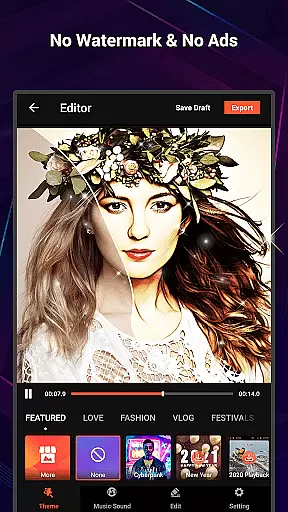
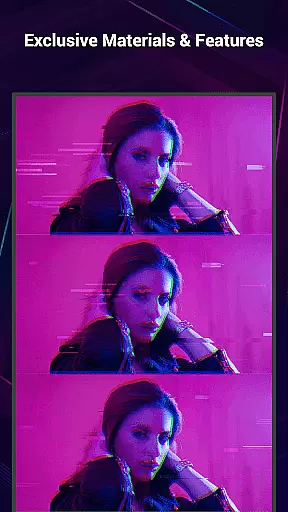
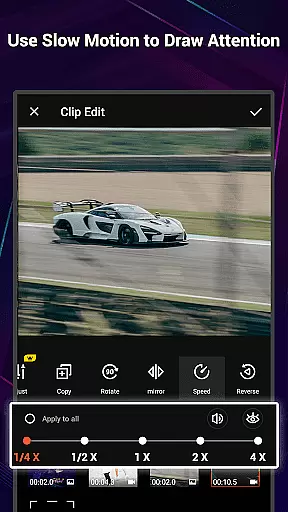
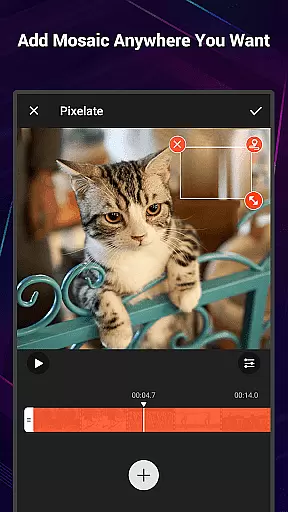
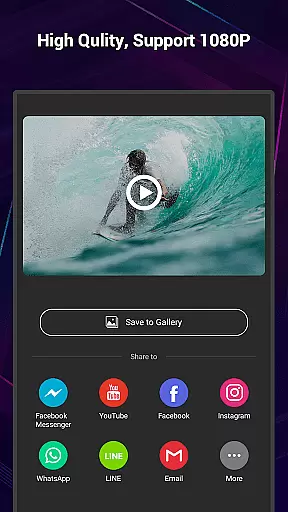
VideoShow Pro is a premium video editing application designed for both amateur and professional creators. This app offers advanced features such as no watermark, ad-free interface, and support for exporting videos in 1080p and 4K resolutions. With an extensive library of exclusive materials, users can enhance their videos with up to 20 visual effects in one project.
The app provides an intuitive platform for creating stunning videos with minimal effort. It allows seamless integration of photos and videos, offering diverse expressions through customizable texts, stickers, music tracks, filters, transitions, and live dubbing options. Whether you're producing content for personal or professional use, VideoShow Pro ensures high-quality output tailored to your creative needs.
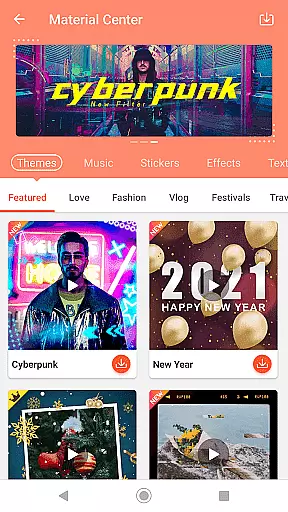
VideoShow Pro stands out with its powerful editing tools and user-friendly interface. The app supports essential functions like zooming, rotating, and mixing videos with photos without pre-transcoding. Its Material Store offers a wide range of themes, music, text styles, stickers, sound effects, and fonts, enabling users to craft unique videos effortlessly.
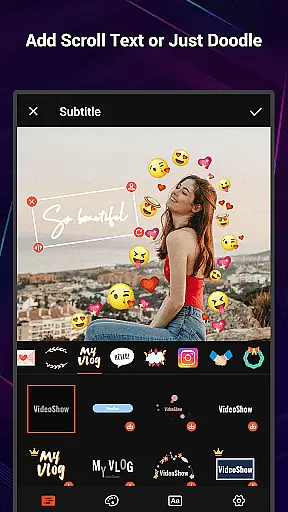
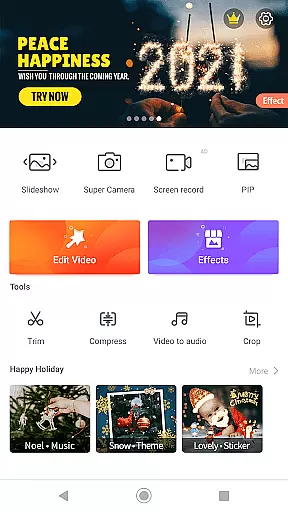
Additional highlights include elaborate themes for occasions like birthdays and weddings, square video modes optimized for social media, and multi-music layering options. Users can also apply stunning filters, add subtitles with various fonts, and share their creations directly on social platforms. For advanced editing, the toolbox includes Ultra Cut, Fast Trim, video compression, and Video-to-MP3 conversion features.
VideoShow Pro stands out with its exceptional video format compatibility, ensuring that users can work with a wide range of video types without any hitches. The app supports high-resolution formats, including 1080p and 4K video exports, making it an ideal choice for users who demand quality and detail in their video projects.
The ability to handle various formats is crucial for a seamless editing experience. VideoShow Pro simplifies this process by removing the need for pre-transcoding. This means you can import and edit videos directly, regardless of their original format, thus saving valuable time and storage space on your device.
With the added flexibility of mixing video and photos together, the app allows creators to produce content that is not only diverse in format but also rich in texture and narrative. Whether you're looking to create a montage or a detailed narrative video, VideoShow Pro's versatile format support ensures that your creative vision is never limited by technical constraints.
VideoShow Pro incorporates AI-powered editing features that significantly enhance the video creation process. These smart tools assist users in beautifying their videos with just a single tap, applying stunning filters such as beauty and sketch effects that elevate the visual appeal of any project.
Beyond basic editing, the app offers a fantastic materials store filled with exclusive themes, music, text styles, stickers, sound effects, and fonts. These resources are intelligently recommended based on the content being edited, streamlining the customization process and enabling creators to add unique touches to their videos effortlessly.
Moreover, the AI capabilities extend to optimizing video rendering speeds and file sizes without compromising quality. With intelligent compression and fast rendering technologies, users can efficiently produce and share their masterpieces on social networks, confident that their videos will look professional and load quickly across various platforms.
Ad-free experience
4K video export
Exclusive materials
User-friendly interface
Advanced editing tools
Paid version only
High device requirements
Limited free resources
No offline tutorials
Occasional bugs

Powerful, professional, versatile teleprompter. Developed by an active film crew
 4.00
4.00
Cast to Chromecast, Xbox, Fire Stick, Roku, DLNA, Smart TV & No Feature Limited!
4.50
Create & edit videos with AI
4.30
AirMirror Receiver - Screen mirroring/cast web videos to Android TV by AirPlay.
4.40
AI Video Editor:AI Music, Text to Video,Text to Speech,Auto Caption,Video Effect
4.00
Browser for Sony TV to stream web videos, online movies and live tv
3.20
Manage your IPTV live channels and VOD playlists (no playlist included)
3.80
Watch IPTV on your Android device
4.60
Video&Drama Player All Format is a HD video player, music player
3.00
Seamlessly connect and control your smart devices, anytime, anywhere with ease.
4.60
Browser + Remote for Roku to stream webvideos, online movies and livestreams
4.60
Cast movies, tv shows and live streams to Chromecast, Roku, DLNA, Fire TV & more
4.60
Video Downloader, Multiple Resolution Options, Video Player
4.50
Fast & Private HD Video Downloader with Built-in Proxy Browser and Video Player.
4.50
Fast video downloader & private browser. Save HD clips to watch offline.
4.40
Powerful Video Editor & Photo Editing App —— Quick Edits & Stunning Effects!
4.30
Video Downloader is an utility that can save videos and music from web sites
4.20
All in one multi protocols stream receiver for AirPlay, Cast and DLNA.
3.60
Client application for NextPVR software
3.00


User Reviews