
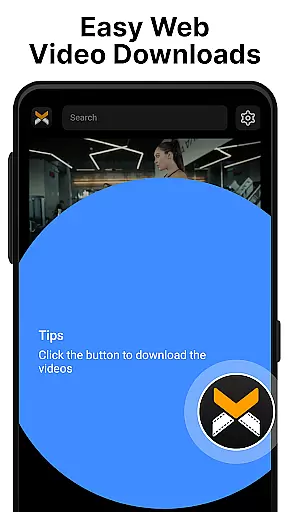
XA Downloader is a versatile video downloading tool designed for users who want to save online videos for offline viewing. The app supports downloading from various websites and platforms, making it easy to capture content from social media, streaming services, and more.
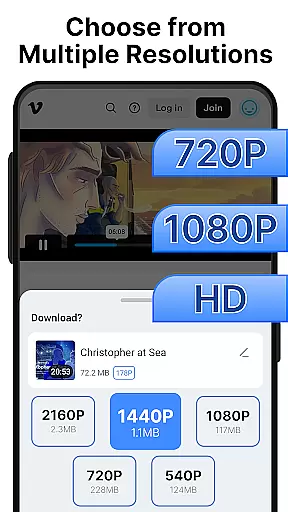
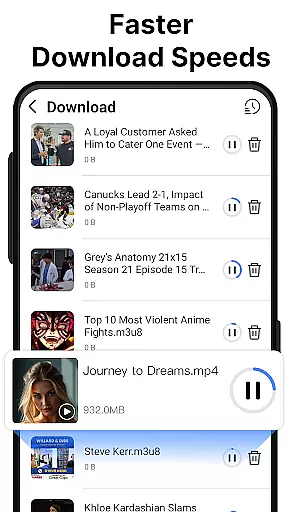
With its built-in video player, XA Downloader allows users to watch downloaded videos directly within the app. It offers multiple resolution options, from 1080p to 480p, ensuring users can balance between quality and storage space. Powered by multi-threading technology, the app ensures fast download speeds regardless of file size or internet connection.
Whether you're looking to save short clips, long videos, or HD content, XA Downloader provides a seamless experience with just one tap. Its user-friendly interface makes it accessible for everyone, while its efficient design helps users manage their video library effortlessly.
XA Downloader stands out with its comprehensive feature set tailored for video enthusiasts. One of its key features is the ability to download videos from a wide range of websites and platforms. By simply pasting the video link or using the built-in browser, users can detect and download videos in various resolutions.
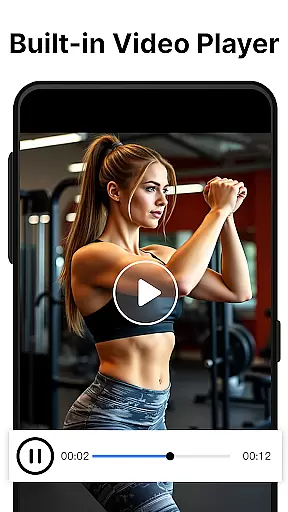
The app includes a built-in video player that supports smooth playback, fast-forward, pause, seek, and multiple formats. This eliminates the need for external players and enhances the viewing experience. Additionally, XA Downloader's multi-threading technology significantly boosts download speeds, allowing users to save large files quickly and efficiently.
Another notable feature is the resolution selection option, which lets users choose between 1080p, 720p, or 480p quality. This flexibility caters to different storage capacities and device capabilities. With its clean and intuitive UI, XA Downloader ensures that all essential functions are easily accessible, providing a hassle-free user experience.
Video format compatibility is a crucial feature for any video player and editor, ensuring that users can enjoy content in various formats without technical barriers. XA Downloader excels in this area by supporting multiple resolutions and offering a built-in video player.
The app allows you to download videos from a plethora of websites and platforms, accommodating everything from short clips to long, HD content. Whether it's social media, news sites, or streaming services, if the video plays on a web page, XA Downloader can help you save it.
With resolution options ranging from 1080p to 480p, users have the flexibility to choose the video quality that best suits their needs. This ensures optimal storage usage and viewing experience based on individual device capabilities and network conditions.
AI-powered editing features are revolutionizing how we interact with video content, providing smarter and more efficient ways to enhance and manage our media. While XA Downloader focuses primarily on downloading, its intelligent resolution selection hints at the potential for AI-driven customization.
Although not explicitly an editor, XA Downloader employs multi-threading technology to boost download speeds significantly. This technological advantage indirectly supports the editing process by enabling rapid acquisition of source material for projects.
Moreover, the app's user-friendly interface suggests a design philosophy that could seamlessly integrate future AI-powered editing tools. Its intuitive controls and clean UI make it accessible for everyone, setting a solid foundation for incorporating advanced features as the platform evolves.
User-friendly interface
Fast download speeds
Multiple resolution options
Built-in video player
Wide platform support
No official association with major platforms
Potential copyright issues
Limited advanced features
Requires stable internet
Occasional compatibility issues

Auto video maker with music & exclusive filters. Video editing made simple.
 4.50
4.50
Photo and Music Video Creator into Stunning Videos—Effortlessly
4.40
Video Trimmer, Video to MP3 Converter. Extract music from video, Easy & Fast.
4.80
Pro video editor app for Instagram, edit video with song, AI, effect & slowmo.
4.80
GENRAL PRO - General Pro is the best video player that fully supports all formats.
4.70
Fast & easy HD video downloader for all formats, support 4K playback & download.
4.60
Download videos and play them offline
4.70
The essential companion to your Blue Iris PC software
2.50
Photo editor & video maker with music and slideshows.
4.10
A Simple app to download Video & Music from the Internet.
4.70
Fast video downloader & private browser. Save HD clips to watch offline.
4.40
Video player, file manager for all formats, 4K/HD media player supports subtitle
4.30
Make your own Animations, Video and Photo Edits, Visual Effects, and more!
4.00
Fast private browser with secure, seamless access & supported video downloads!
4.00
Connect 2 UVC devices for recording and broadcast video/audio stream
3.90
Save photos and videos from social apps in one tap.
3.60
AirMirror is Receiver for Screen Mirroring and Casting from Apple Devices.
3.60
Connect EasyCap or UVC devices for recording and broadcast video/audio stream
3.60
Powerful HD video player with support for all formats & subtitles.
4.2


User Reviews