
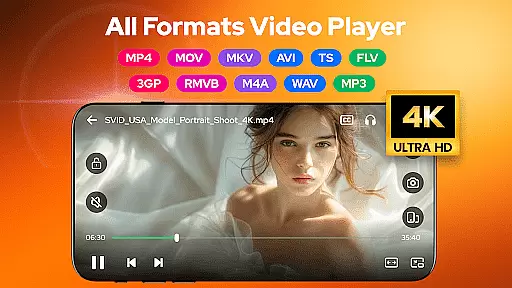
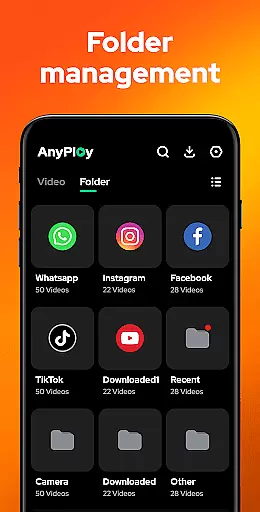
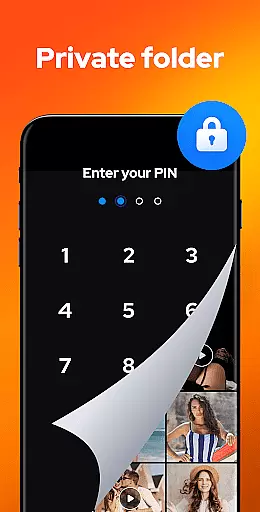

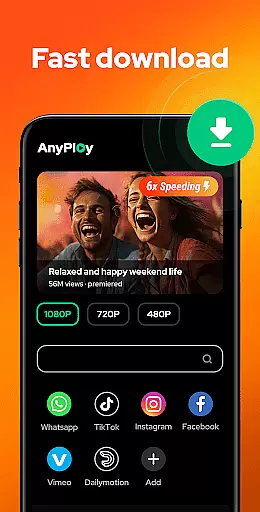
Video Player - AnyPlay is a versatile media solution for Android users, combining an all-in-one video player, file manager, and video downloader. This app supports videos in all formats, ensuring smooth HD playback with advanced features like customizable subtitles, gesture control, and pop-up playback. The integrated file manager automatically detects and organizes media files on your device, while the private folder option helps protect your privacy by hiding sensitive videos. Additionally, its built-in browser allows direct HD video downloads from websites and social media platforms.
The app's comprehensive functionality extends to music playback, supporting various audio formats such as MP3 and M4A. With features like equalizer settings, reverb effects, and multiple looping modes, users can enjoy an immersive audio experience. Whether you're managing your media library, streaming content, or downloading videos, Video Player - AnyPlay provides a complete package that meets diverse user needs in one convenient location.
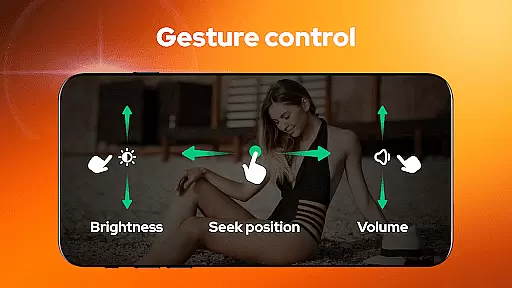
Video Player - AnyPlay stands out with its extensive feature set tailored for media enthusiasts. The app's HD video player supports all popular formats including MKV, MP4, AVI, and more. It offers advanced playback controls such as smart gesture navigation for fast forward/rewind, brightness adjustment, and volume control. Users can also benefit from both hardware and software decoding options, ensuring optimal performance across different devices.
Beyond video playback, the app includes a powerful file management system that automatically scans and organizes media files from both internal storage and SD cards. The interface presents files in clear lists with sorting options by date, name, length, or size. For enhanced privacy, users can hide videos in a secure private folder. The built-in browser facilitates seamless HD video downloads from any website, with resolution options ranging from 360P to 1080P. These comprehensive features make Video Player - AnyPlay a complete media solution for Android users.
Video Player - AnyPlay stands out with its exceptional video format compatibility, ensuring users can enjoy HD video playback across all formats. Whether it's MKV, MP4, AVI, or more niche types like FLV and RMVB, this app has got you covered.
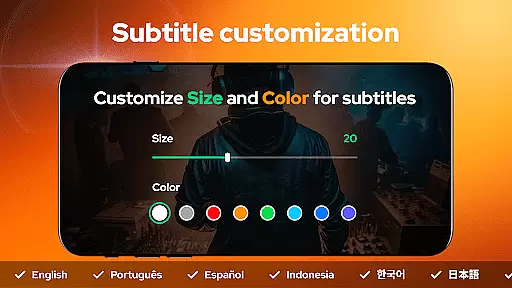
The application not only supports a wide array of video formats but also enhances the viewing experience through customizable subtitles and gesture controls. Users have the freedom to import local subtitles or download them online for free, adjusting their color and size according to personal preference.
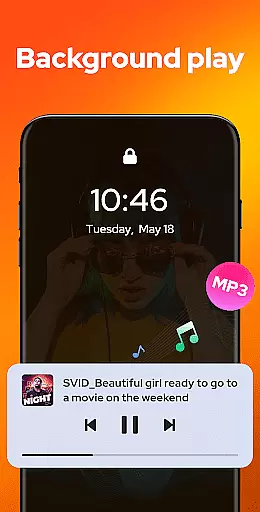
Moreover, AnyPlay offers smart features such as pop-up playback and background play options that allow multitasking without interrupting your entertainment. This versatility makes it an ideal choice for those seeking a seamless media consumption experience on their Android devices.
Beyond just playing videos, Video Player - AnyPlay incorporates AI-powered editing features that elevate the user's ability to manage and customize their media files effectively. The built-in file manager auto-detects all media files on your device, presenting them in clear lists for easy access.
With advanced sorting capabilities, users can organize videos by date, name, length, or size. Additionally, privacy is prioritized with the option to hide videos in a private folder, safeguarding sensitive content from prying eyes.
For music enthusiasts, the app doubles as an HQ music player supporting various audio formats including MP3 and M4A. It provides equalizer presets and reverb effects tailored to deliver the best sound quality possible, making every listening session immersive.
User-friendly interface
Comprehensive format support
Advanced privacy features
HD download capabilities
Powerful equalizer settings
May contain ads
Some features require premium
Occasional bugs reported
Large app size
Complex for beginners

IPTV-Smarters Player Pro M3U - Watch Live Stream TV Channels with Chromecast
 4.00
4.00
Photo and Music Video Creator into Stunning Videos—Effortlessly
4.40
All format media Player, no need video converter any more!
4.00
AirMirror is Receiver for Screen Mirroring and Casting from Apple Devices.
3.60
An easy-to-use and all-round screen recorder with audio
4.80
Cast to Smart TV, Fire TV. Cast video, photo - Fast & Stable!
3.90
Make your own Animations, Video and Photo Edits, Visual Effects, and more!
4.00
Browser for Fire TV to stream webvideos, online movies, livestreams in HD
4.40
Fast private browser with secure, seamless access & supported video downloads!
4.00
AI Video Editor with Music, Filter, Slideshow, Effect, Merge & Trim Video.
4.80
Flud is a simple and beautiful BitTorrent client for Android.
4.80
Find, download, and play torrents with the official BitTorrent® Pro app
4.70
VLC Remote lets you control your VLC Media Player on Mac, PC or Linux.
4.60
AirMirror Receiver - Screen mirroring/cast web videos to Android TV by AirPlay.
4.40
Fast & Private Video Downloader App. Save all videos easily from the Internet.
4.40
Video Downloader is an utility that can save videos and music from web sites
4.20
Browser for Samsung TV to stream webvideos, online movies and livestreams in HD
4.10
LumaFusion: The Ultimate Storytelling Experience for Video Editing
4.10
Livestream, news, & gaming content. Watch, chat, and upload. Join Rumble today!
3.80


User Reviews