
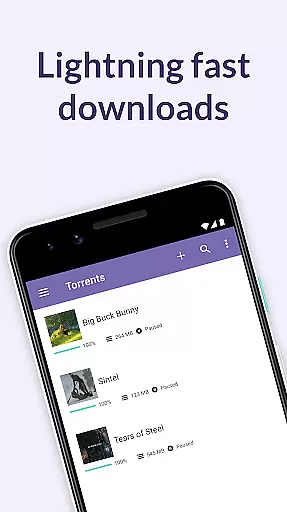
BitTorrent Pro is a premium torrent client designed specifically for Android devices, offering users the ability to find and download torrents directly to their mobile devices without any advertisements. As the official BitTorrent application, it incorporates advanced features such as battery saving and auto-shutdown functionalities, ensuring optimal device performance while downloading content.
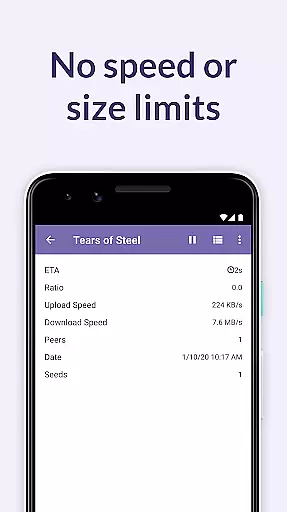
The app stands out with its user-friendly interface and powerful capabilities that cater to both casual downloaders and torrent enthusiasts. With no speed or size limits on downloads, integrated media libraries, and support for multiple file formats, BitTorrent Pro provides an unparalleled experience in managing your digital media library on-the-go. Whether you're looking to download large files or stream media, this app ensures seamless access across all your devices.
BitTorrent Pro boasts an array of features designed to enhance user experience and streamline the torrenting process. The app's Battery Saver feature intelligently suspends downloads when the battery level drops below a set threshold, preserving device longevity. Additionally, the Auto-shutdown option automatically halts torrent activities once downloads are complete and the app is running in the background, conserving both battery life and data usage.
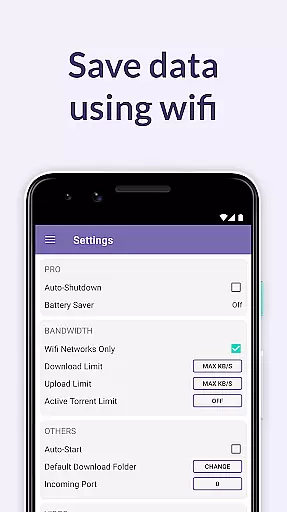
For those who value customization, BitTorrent Pro offers flexible settings including Wi-Fi only mode, file location selection during torrent addition, and the ability to choose specific files within a torrent for download. These options not only optimize storage space but also ensure efficient resource management. Furthermore, the inclusion of integrated music and video players elevates the overall entertainment experience by allowing users to enjoy their downloaded media effortlessly.
BitTorrent Pro stands out in video format compatibility, ensuring users can download and play a wide range of video files without hassle. The app supports numerous formats, allowing you to enjoy your media on the go without worrying about compatibility issues.
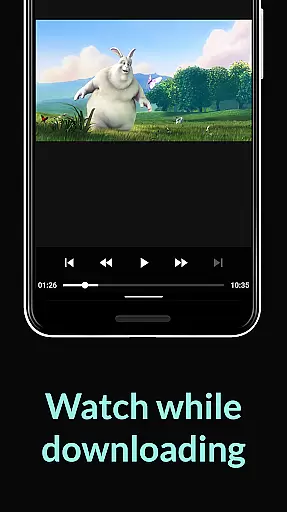
The integrated video player within BitTorrent Pro is designed to handle various codecs and containers, providing seamless playback. This eliminates the need for additional software or format conversion, making it convenient for users who want to watch videos directly after downloading.
Moreover, the app's ability to select specific files within a torrent for download helps manage storage efficiently. By choosing only the video files you need, you can optimize your device's storage space while maintaining an extensive library of content.
With continuous updates from dedicated engineers, BitTorrent Pro ensures that its core technology remains up-to-date with the latest video standards. This commitment guarantees that users will always have access to cutting-edge features and support for new formats as they emerge.
While BitTorrent Pro focuses primarily on torrent downloading, it also offers AI-powered editing features that enhance the user experience. These features include intelligent file management and optimized download performance, which collectively streamline the process of handling media files.
The app's advanced algorithms prioritize peers in the torrent swarm, reducing the hop length and improving download speeds. This not only enhances efficiency but also contributes to a smoother overall experience when managing large video files.
Additionally, BitTorrent Pro provides users with the ability to create playlists from multiple music files downloaded within a single torrent. This feature simplifies the organization of media content and enriches the playback experience by enabling sequential listening.
Continuous improvements in stability and performance ensure that BitTorrent Pro remains at the forefront of torrenting technology. Users benefit from faster handling of magnet link data and enhanced reliability, making their interaction with digital content more enjoyable and efficient.
AD-FREE experience
Battery Saver feature
Auto-shutdown functionality
No speed or size limits
Integrated media libraries
Paid subscription required
Limited free content availability
Occasional connectivity issues
Advanced settings may overwhelm beginners
Requires significant storage space

Video player, file manager for all formats, 4K/HD media player supports subtitle
 4.30
4.30
HD Video player all format, HD Videos, Cast & Subtitle. No annoying ads.
4.60
Save photos and videos from social apps in one tap.
3.60
?100% FREE! Download & save videos? safely in this app. All formats supported.
4.60
Tik & Story Saver-Download ALL social media videos, photos & reels no watermark.
4.80
Support 1000+ Video Format, Subtitle Download, mp3 & Background Play, Cast On TV
4.60
An easy-to-use and all-round screen recorder with audio
4.80
GENRAL PRO - General Pro is the best video player that fully supports all formats.
4.70
Web Browser for LG TV to stream webvideos, online movies and livestreams in HD
4.20
Play ALL formats in 4K & HD. Video downloader, MP3 player, Chromecast & more.
4.80
Flud is a simple and beautiful BitTorrent client for Android.
4.80
All in one HD video downloader & player for multiple formats with full privacy
4.70
Seamlessly connect and control your smart devices, anytime, anywhere with ease.
4.60
Browser + Remote for Roku to stream webvideos, online movies and livestreams
4.60
Fast, private downloading, video saving, social media
4.50
Fast video downloader & private browser. Save HD clips to watch offline.
4.40
Browser for Fire TV to stream webvideos, online movies, livestreams in HD
4.40
IPTV-Smarters Player Pro M3U - Watch Live Stream TV Channels with Chromecast
4.00
The smartest M3U IPTV Player your playlists have ever seen.
4.1


User Reviews