
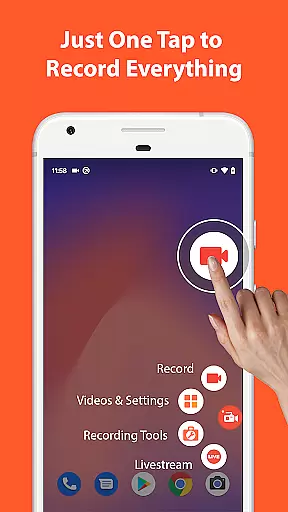

AZ Screen Recorder is a versatile screen recording application designed for Android users who need to capture high-quality screen videos with audio. The app stands out with its comprehensive feature set that includes not only screen recording but also video editing, live streaming, and screenshot capabilities.
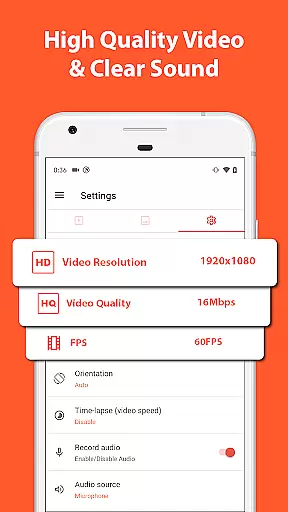
One of the core strengths of AZ Screen Recorder is its ability to record screen activities with both internal audio and microphone sound, making it ideal for creating gameplay videos, recording video calls, or capturing content that cannot be downloaded directly. The app supports various resolutions up to 4K and different frame rates, ensuring professional-grade video quality.
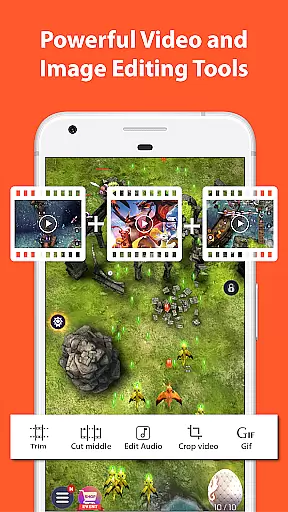
Beyond recording, the app offers robust video editing tools such as trimming, merging, adding subtitles, and compressing videos. It also allows users to livestream their screens to platforms like YouTube and Facebook. With additional features like facecam, drawing on screen, and image editing, AZ Screen Recorder proves to be an all-in-one solution for content creators and everyday users alike.
AZ Screen Recorder boasts an impressive array of features tailored to meet diverse user needs. Its primary function, screen recording, is complemented by advanced options such as pause/resume, facecam integration, and the ability to record screen activity as GIFs. Users can also draw on the screen during recording sessions, providing a dynamic way to highlight important elements.
The app's video editing suite is another standout feature. It enables users to trim unwanted sections, merge multiple clips, add background music, insert subtitles, and even extract frames from videos. These capabilities ensure that users can refine their recordings without needing additional software. Additionally, the app supports internal audio recording starting from Android 10, which is particularly useful for capturing app sounds or game audio.
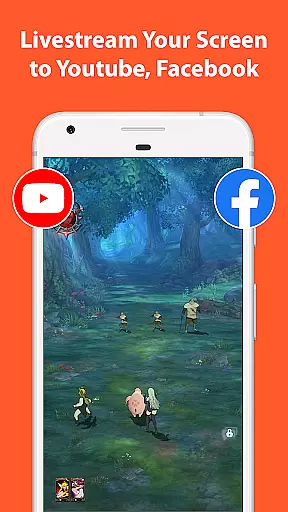
For those interested in sharing their content live, AZ Screen Recorder offers seamless live streaming to platforms like YouTube and Facebook. This feature is enhanced by customizable stream resolutions and the option to display the user's face during broadcasts. Coupled with its screenshot and image editing tools, AZ Screen Recorder delivers a complete package for anyone looking to create, edit, and share digital content effortlessly.
Video format compatibility is a crucial feature for any video recording and editing application. AZ Screen Recorder excels in this area by supporting a wide range of video formats, ensuring that users can record, edit, and share their videos without worrying about format restrictions.
The app allows recording in multiple resolutions including HD, FullHD, 2K, and even 4K, although 4K recording may be limited to specific devices. This flexibility enables content creators to choose the best resolution for their needs, whether they are creating high-quality gaming videos or simple video calls.
Besides resolution options, AZ Screen Recorder also supports various frame rates such as 24fps, 30fps, and 60fps. This ensures smooth video playback and gives users the ability to tailor their recordings to match the requirements of different platforms or personal preferences.
With its robust video format compatibility, AZ Screen Recorder empowers users to unleash their creativity without technical limitations, making it an ideal choice for both casual and professional video creators.
AI-powered editing features represent the cutting edge of video editing technology, and AZ Screen Recorder incorporates these advancements to enhance user experience. The app's AI capabilities allow for intelligent video trimming, removing unwanted sections from the middle of clips, and merging multiple videos seamlessly.
In addition to basic editing functions, the app leverages AI to provide advanced features like automatic subtitle generation and background music suggestions. These tools help users create more engaging and professional-looking videos with minimal effort.
AZ Screen Recorder also includes AI-driven image editing tools. Users can stitch together multiple images, crop unwanted elements, and apply blurring effects to sensitive areas. The app's AI recognizes patterns and objects within images, enabling precise edits that would otherwise require manual adjustments.
By integrating sophisticated AI-powered editing features, AZ Screen Recorder not only simplifies the video creation process but also elevates the quality of output, allowing users to produce content that stands out on various sharing platforms.
User-friendly interface
High-quality video output
No watermark on videos
Comprehensive editing tools
Live streaming functionality
Premium features require payment
Some features limited to newer devices
Occasional performance issues
Ads in free version
Complexity for beginners

Online Videos Player
 3.90
3.90
Photo and Music Video Creator into Stunning Videos—Effortlessly
4.40
Play ALL formats in 4K & HD. Video downloader, MP3 player, Chromecast & more.
4.80
AirMirror is Receiver for Screen Mirroring and Casting from Apple Devices.
3.60
Connect EasyCap or UVC devices for recording and broadcast video/audio stream
3.60
Browser for Fire TV to stream webvideos, online movies, livestreams in HD
4.40
A Simple app to download Video & Music from the Internet.
4.70
Screen recorder with audio to take live videos & Screenshot in high quality!
4.70
Make videos you’re proud to share with Edits, a video editor for creators.
4.70
Tik & Story Saver-Download ALL social media videos, photos & reels no watermark.
4.80
High-Quality USB Camera Viewer & HDMI Display
4.70
Find, download, and play torrents with the official BitTorrent® Pro app
4.70
Video Player - Unlimited features, 30 days money back guarantee.
4.60
Fast, private downloading, video saving, social media
4.50
KineMaster, Your Ultimate Video Editor!
4.40
LumaFusion: The Ultimate Storytelling Experience for Video Editing
4.10
Stream Web Videos to Chromecast, Samsung, LG, Sony, Roku, Fire TV, DLNA + more
4.00
Watch full episodes of your favorite Cartoon Network and Cartoonito shows!
3.50
Powerful HD video player with support for all formats & subtitles.
4.4


User Reviews