
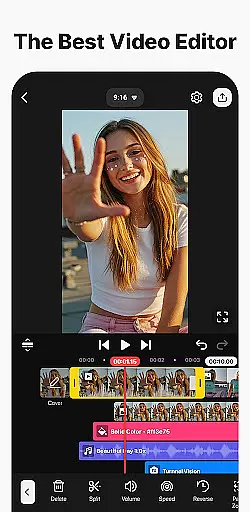
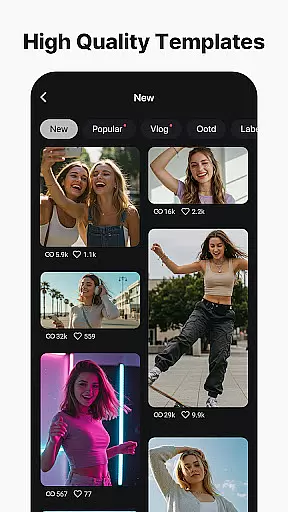
KineMaster is a comprehensive video editing application designed for both amateur and professional content creators. This app allows users to edit various types of videos, including movies, vlogs, Reels, and Shorts, with ease. With its advanced AI tools, KineMaster simplifies the process of creating complex videos by offering features such as AI Auto Captions, AI Text-to-Speech, and AI Noise Removal.
One of the standout features of KineMaster is its ability to provide professional-grade video editing tools that are accessible to everyone. Users can take advantage of keyframe animation, chroma key (green screen) effects, and speed control to enhance their video projects. Additionally, the app offers thousands of templates and assets, making it easy to jumpstart creativity and produce high-quality content that stands out.
Whether you're looking to create content for social media platforms or produce high-resolution 4K videos, KineMaster provides the flexibility and tools necessary to achieve your goals. Its user-friendly interface and extensive feature set make it an invaluable tool for anyone interested in video editing.
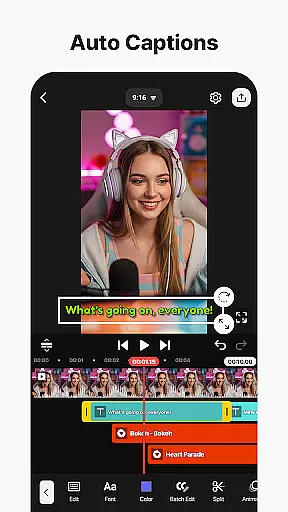
KineMaster boasts a wide array of features that cater to different aspects of video editing. The app's AI tools are particularly noteworthy, offering functionalities like AI Auto Captions, which automatically generates subtitles from video or audio content, and AI Vocal Separator, which splits songs into vocals and music tracks. These AI capabilities significantly reduce the time and effort required to produce polished videos.
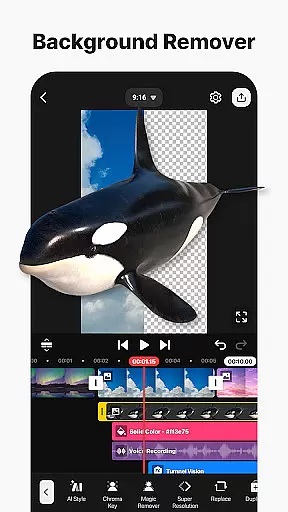
In addition to its AI features, KineMaster provides professional video editing tools that are easy to use. Keyframe animation allows users to adjust the size, position, and rotation of every layer, while chroma key effects enable background removal and video compositing. Speed control options let users reverse, slow down, or create time-lapse videos effortlessly.
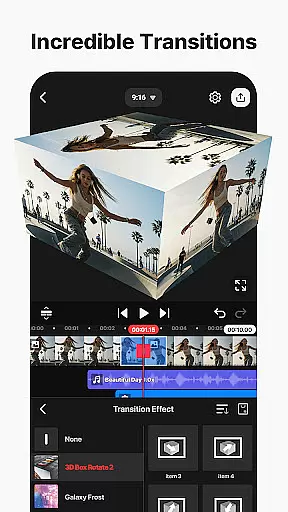
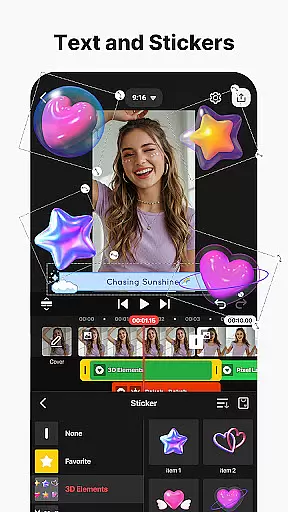
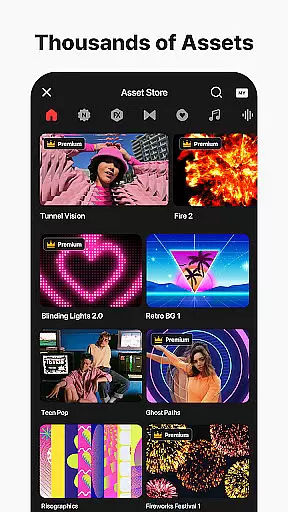
The app also includes a vast library of assets, including effects, transitions, stickers, music, and fonts, all available through the KineMaster Asset Store. These resources help users enhance their videos with visually stunning elements and ensure that their content is both engaging and professional-looking. Furthermore, KineMaster supports high-quality output options, allowing users to save their edited videos in 4K resolution at 60 frames per second.
Video format compatibility is a crucial feature for any video editing application, ensuring users can work with a wide range of file types. KineMaster excels in this area by supporting an extensive array of video formats, allowing creators to import and export projects without worrying about conversion issues.
The app's robust compatibility covers popular formats such as MP4, AVI, MOV, and many others, making it versatile for both amateur and professional projects. This comprehensive support enables seamless integration with various devices and platforms, streamlining the editing workflow.
Users benefit from KineMaster's ability to maintain high-quality output regardless of the original file format. The application ensures that videos retain their resolution and clarity throughout the editing process, preserving the integrity of the final product.
This level of format flexibility empowers content creators to focus on their artistic vision rather than technical limitations. Whether working on movies, vlogs, or social media content, KineMaster's format compatibility provides peace of mind and enhances productivity.
AI-powered editing features have revolutionized video production, and KineMaster stands at the forefront of this innovation. The application incorporates multiple artificial intelligence tools that significantly enhance the editing experience while saving valuable time for content creators.
Among these features are AI Auto Captions, which automatically generate subtitles from audio tracks, and AI Noise Removal, eliminating unwanted background sounds. The AI Vocal Separator allows users to split songs into separate vocal and instrumental tracks, while AI Tracking enables dynamic movement of text and graphics within videos.
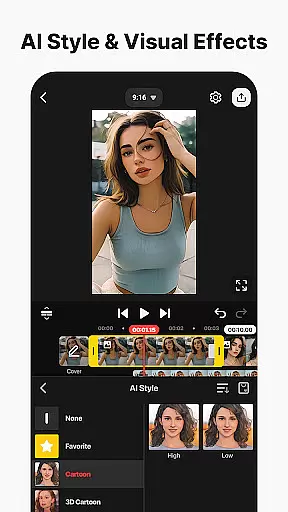
These intelligent tools extend to creative enhancements as well, including AI Style effects that transform ordinary footage into artistic masterpieces. The AI Upscaling function improves low-resolution media, ensuring professional-quality results even when working with suboptimal source material.
By integrating these advanced AI capabilities, KineMaster empowers users to achieve sophisticated editing results without requiring extensive technical expertise. This combination of automation and creativity makes professional-grade video production accessible to editors of all skill levels.
User-friendly interface
Extensive AI tools
Professional editing features
Vast asset library
High-quality output options
Some features require purchase
Can be overwhelming for beginners
Occasional performance issues
Limited free export resolution
Subscription model may deter some users

Watch a large amount of high-definition short drama content
 4.60
4.60
Full HD Video mp3 Player, MP4 player play 1080p, File manager, Video Downloader
4.40
All format media Player, no need video converter any more!
4.00
This app was created to edit the metadata of music files.
4.20
Support 1000+ Video Format, Subtitle Download, mp3 & Background Play, Cast On TV
4.60
Download website videos fast&privacy
4.40
Cast movies, tv shows and live streams to Chromecast, Roku, DLNA, Fire TV & more
4.60
Video player with 4K & 1080P support, popup play, background play and subtitle.
4.20
Capture the moment and Cut
3.40
AI Video Editor with Music, Filter, Slideshow, Effect, Merge & Trim Video.
4.80
Download Hub, easy and private way to download and enjoy your videos offline
4.80
High-Quality USB Camera Viewer & HDMI Display
4.70
Auto video maker with music & exclusive filters. Video editing made simple.
4.50
Cast to Chromecast, Xbox, Fire Stick, Roku, DLNA, Smart TV & No Feature Limited!
4.50
Fast & Private HD Video Downloader with Built-in Proxy Browser and Video Player.
4.50
Browser for Fire TV to stream webvideos, online movies, livestreams in HD
4.40
Video player, file manager for all formats, 4K/HD media player supports subtitle
4.30
KMPlayer Plus (Divx Codec) officially support Divx codec.
4.30
IPTV-Smarters Player Pro M3U - Watch Live Stream TV Channels with Chromecast
4.00


User Reviews