
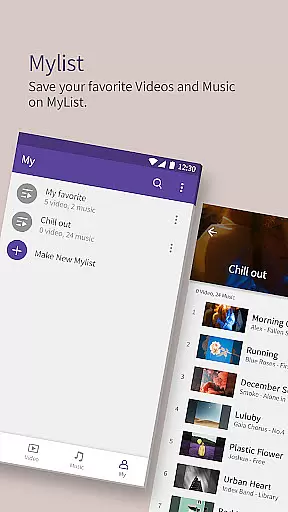
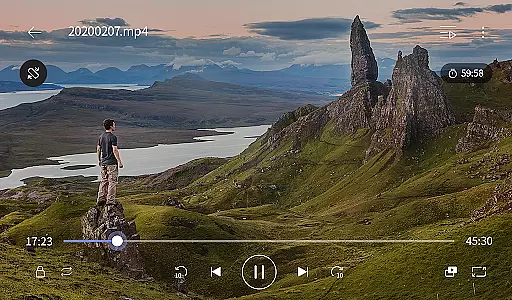
KMPlayer Plus (Divx Codec) is a versatile video player that supports Divx codec, making it ideal for users who need to play various video formats. The app offers high-definition playback for HD, 4K, and even 8K videos, ensuring an exceptional viewing experience across all resolutions.
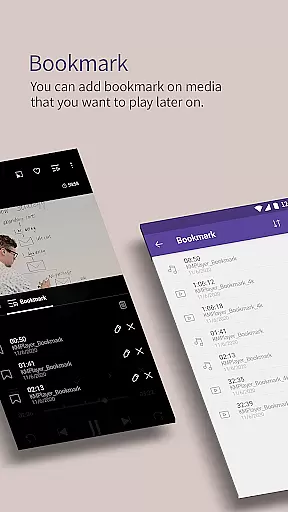
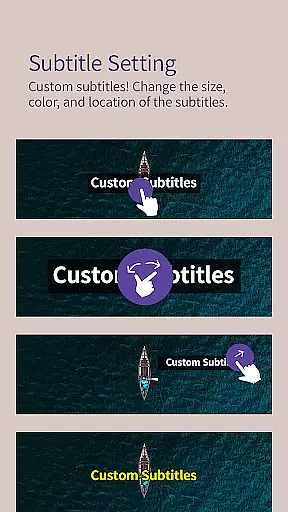
With advanced features like bookmarking, color adjustment, and subtitle settings, KMPlayer Plus provides users with complete control over their media playback. Additionally, its support for multiple subtitle formats and network streaming options makes it a comprehensive solution for both local and online media consumption.
The app boasts an array of powerful features including section repeat, speed control, and equalizer settings, allowing users to customize their playback experience. The popup play feature enables multitasking by playing videos in a floating window while using other apps.
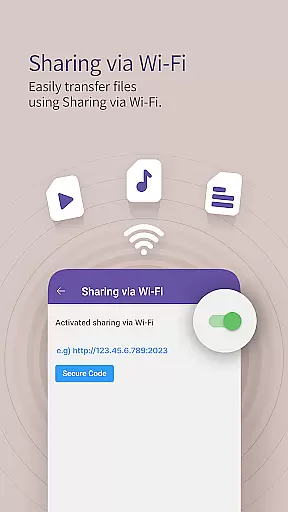
KMPlayer Plus also supports various file transfer methods such as Wi-Fi sharing and external storage access, providing flexibility in media management. Moreover, the VIP subscription unlocks exclusive features like torrent client support, video cropping, and MP3 conversion, enhancing the overall functionality for power users.
One of the core strengths of KMPlayer Plus lies in its extensive video format compatibility, ensuring users can enjoy a seamless playback experience across various file types. The application officially supports Divx codec and covers a wide range of AVI and MKV files with codecs such as DXMF, DX50, DIVX, DIV4, DIV3, and MP4V.
Beyond basic video support, KMPlayer Plus also provides comprehensive subtitle format compatibility. Users can load numerous subtitle formats including SubStation Alpha (.ssa/.ass), SAMI (.smi), SubRip (.srt), MicroDVD (.sub/.txt), and many others. This ensures that viewers can access content in their preferred language without technical limitations.
The app's dedication to supporting high-definition video formats like HD, 4K, 8K, UHD, and Full HD makes it an ideal choice for users who demand premium visual experiences. Whether watching movies or viewing personal media files, the ability to handle such high-quality formats enhances user satisfaction significantly.
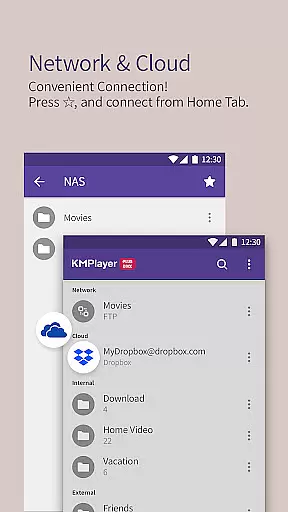
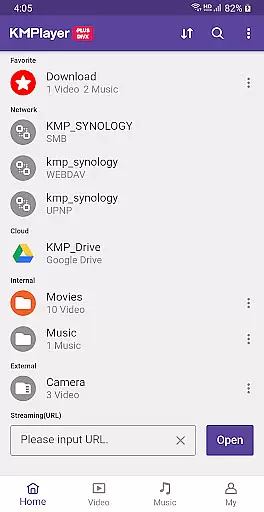
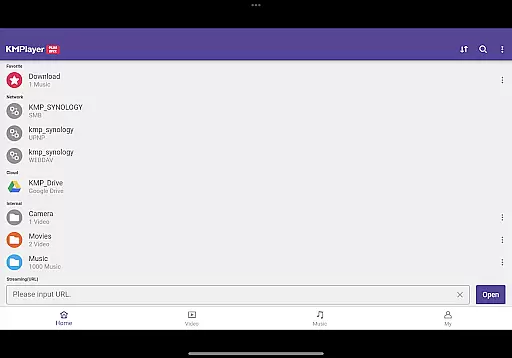
By offering compatibility with external storage devices (SD cards/USB memory) and network protocols like FTP, UPNP, and SMB, KMPlayer Plus allows users to stream and play videos from multiple sources effortlessly. This versatility ensures that no matter where your files are stored, you can access them conveniently through this powerful video player.
KMPlayer Plus goes beyond traditional video playback by incorporating AI-powered editing features that elevate the user experience. One standout feature is the ability to crop both video and audio files, allowing users to select specific sections they wish to edit or save. This functionality is particularly useful for creating customized content tailored to individual preferences.
In addition to cropping capabilities, the app offers a GIF creation tool that lets users generate dynamic picture GIFs from their favorite video scenes. This innovative feature enables creative expression and easy sharing of memorable moments. Similarly, the MP3 converter function extracts audio from video files and converts it into MP3 format quickly and efficiently.
The inclusion of advanced equalizer settings demonstrates KMPlayer Plus's commitment to delivering superior audio-visual experiences. Users can fine-tune music and video playback using customizable equalizer presets, enhancing sound quality according to personal taste. Furthermore, speed control options ranging from 0.25 to 4 times normal playback speed provide flexibility in viewing and listening habits.
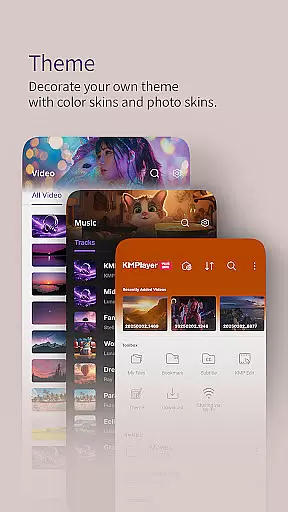
These AI-driven enhancements not only simplify complex editing tasks but also empower users to personalize their media consumption in unprecedented ways. From adjusting color settings to creating unique themes with device photos, KMPlayer Plus transforms ordinary video playback into an engaging, interactive experience while maintaining professional-grade editing standards.
User-friendly interface
Wide codec support
Advanced playback controls
Comprehensive subtitle options
VIP features for enhanced functionality
Some features locked behind paywall
Occasional performance issues
Complex settings for beginners
Limited free trial period
Requires storage permission

Fast, private downloading, video saving, social media
 4.50
4.50
HD video & music player - All format support with floating & PIP mode!
3.80
Search & download videos from net with all video downloader, auto-detect & safe.
4.60
Play ALL formats in 4K & HD. Video downloader, MP3 player, Chromecast & more.
4.80
AirMirror is Receiver for Screen Mirroring and Casting from Apple Devices.
3.60
Fast & Private Video Downloader App. Save all videos easily from the Internet.
4.40
Download videos and play them offline
4.70
Add date and time watermark to photos and videos
4.50
Mix with Virtual DJ directly from your phone or tablet !
3.10
Pro video editor app for Instagram, edit video with song, AI, effect & slowmo.
4.80
A Quick and Pro Video Editor
4.70
High-Quality USB Camera Viewer & HDMI Display
4.70
Screen recorder with audio to take live videos & Screenshot in high quality!
4.70
Support 1000+ Video Format, Subtitle Download, mp3 & Background Play, Cast On TV
4.60
Watch IPTV on your Android device
4.60
Make your own Animations, Video and Photo Edits, Visual Effects, and more!
4.00
Explore the largest library of free GIFs, Stickers & Memes - or create your own!
3.90
Video player with powerful streaming playback and various convenient features.
2.10
Stream high quality video from your camera over NDI protocol
4.4


User Reviews