
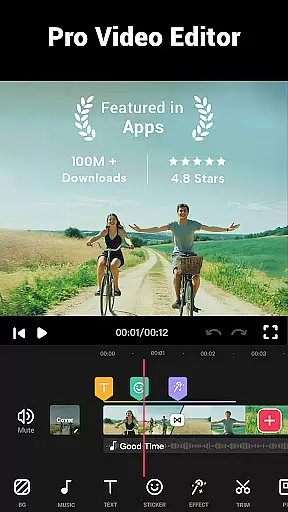
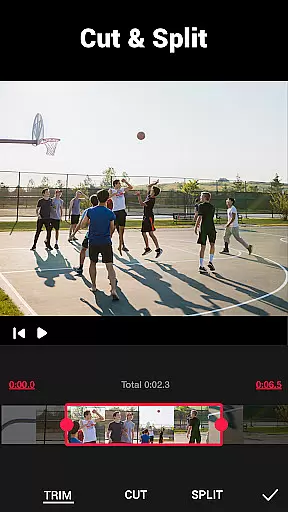

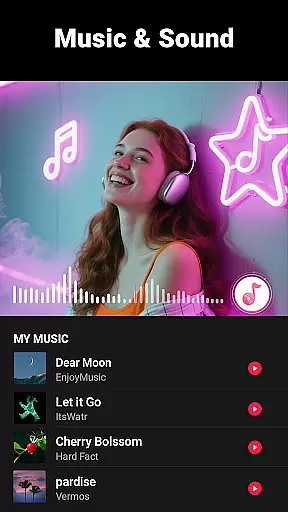
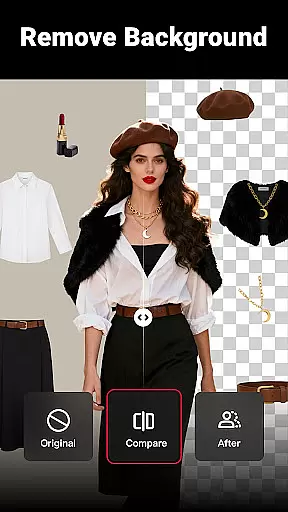
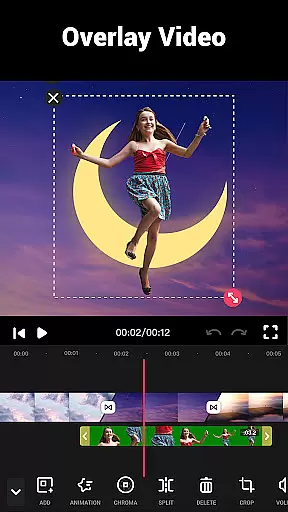
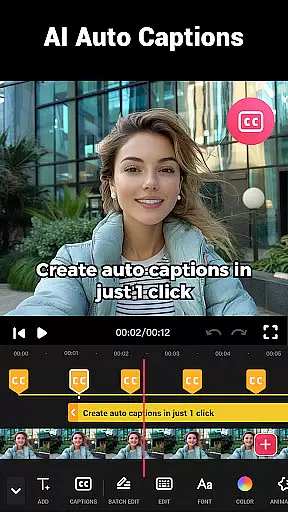
Video Maker is a versatile video editing application that allows users to create professional-quality videos directly from their Android devices. The app offers an extensive range of features including trimming, cutting, and adjusting video speed, as well as adding music, transitions, filters, and effects. With support for 4K video export without watermarks, it stands out as an exceptional tool for both amateur and experienced videographers.
The app's intuitive interface makes video editing accessible to users of all skill levels. Whether you're looking to produce engaging vlogs, stylish intros, or creative photo slideshows set to music, Video Maker provides the necessary tools to bring your vision to life. Its compatibility with various social media platforms like YouTube, Instagram, and TikTok ensures seamless sharing of your creations.
Video Maker is particularly useful for content creators who need a reliable mobile solution for quick edits on the go. The ability to extract audio, adjust music volume, and apply cinematic filters adds significant value for those aiming to enhance their storytelling through visually compelling videos.
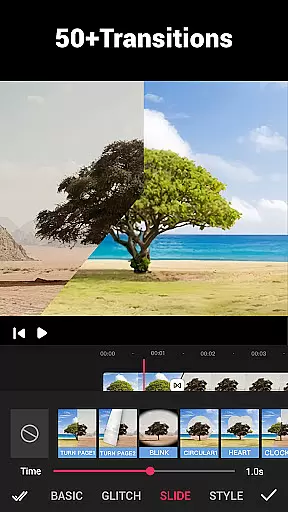
Video Maker distinguishes itself through its comprehensive feature set tailored for modern video editing needs. One of its standout capabilities is the multi-layer editing system, which allows users to add music tracks, voice-overs, sound effects, and text overlays with ease. This feature-rich environment supports over 50 transition effects, enabling smooth scene changes that elevate the production quality of any project.
The app also includes advanced tools such as video speed adjustment, background customization, and video compression. Users can manipulate playback speeds from 0.2x to 100x, apply blur effects to backgrounds, and optimize file sizes without compromising quality. These functionalities cater to diverse editing requirements, whether you're creating fast-paced montages or slow-motion cinematic sequences.
Additionally, Video Maker offers precise control over video dimensions and aspect ratios, ensuring compatibility across different platforms. From standard 16:9 formats for YouTube to square 1:1 posts for Instagram, the app maintains high-definition output throughout. The inclusion of professional-grade filters and glitch effects further expands creative possibilities, making this app suitable for both casual use and more demanding projects.
Video format compatibility is a crucial feature for any video editing application, ensuring that users can work with a wide range of video files without conversion hassles. Video Maker excels in this aspect by supporting various popular formats, allowing creators to import and export videos seamlessly.
The app's powerful processing engine ensures that whether you're working with MP4, AVI, or MOV files, the quality remains intact throughout the editing process. This versatility enables content creators to focus on their creative vision rather than technical limitations.
Moreover, Video Maker's advanced compression technology maintains high-quality output while reducing file sizes, making it easier to share videos across different platforms. The ability to export 4K videos without watermarks further enhances its appeal among professional videographers and casual users alike.
By providing comprehensive format support and maintaining exceptional quality standards, Video Maker empowers users to create stunning videos that are compatible with major social media platforms like YouTube, Instagram, and TikTok, streamlining the entire content creation workflow.
AI-powered editing features represent a significant advancement in video editing technology, offering intelligent tools that simplify complex tasks and enhance creativity. Video Maker incorporates cutting-edge AI algorithms to provide users with innovative editing capabilities that were previously only available to professional editors.
One of the standout AI features is the automatic audio extraction tool, which intelligently analyzes video content to separate soundtracks. This function allows users to easily add custom music or voiceovers while maintaining perfect synchronization with visual elements.
The app's AI-driven effects system offers smart suggestions for transitions, filters, and color corrections based on the content being edited. These intelligent recommendations help users achieve professional-looking results without requiring extensive technical knowledge or manual adjustments.
Furthermore, Video Maker's AI technology extends to its multi-layer editing capabilities, where machine learning algorithms assist in optimizing rendering times and improving overall performance. This combination of artificial intelligence and traditional editing tools creates a powerful platform that caters to both novice creators and experienced professionals seeking efficient workflows.
User-friendly interface
Extensive editing tools
High-quality export options
No watermark on exports
Regular feature updates
Occasional performance issues
Advanced features may overwhelm beginners
Limited customer support channels
Some features require premium purchase
Interface could be more visually appealing

Video player, file manager for all formats, 4K/HD media player supports subtitle
 4.30
4.30
Connect 2 UVC devices for recording and broadcast video/audio stream
3.90
Cast Videos from Web Browser, IPTV to Roku, Chromecast, DLNA, Smart TV +more
4.60
AirMirror is Receiver for Screen Mirroring and Casting from Apple Devices.
3.60
KMPlayer Plus (Divx Codec) officially support Divx codec.
4.30
Stream Web Videos to Chromecast, Samsung, LG, Sony, Roku, Fire TV, DLNA + more
4.00
Browser + Remote for Roku to stream webvideos, online movies and livestreams
4.60
Photo editor & video maker with music and slideshows.
4.10
Make videos you’re proud to share with Edits, a video editor for creators.
4.70
Watch a large amount of high-definition short drama content
4.60
Create photo video with music & template. AI video maker for stunning slideshow.
4.60
IPTV Loader, loads your own Playlist. DOES NOT CONTAIN ANY LIST OR CHANNELS
4.60
Video Downloader, Multiple Resolution Options, Video Player
4.50
Fast & Private Video Downloader App. Save all videos easily from the Internet.
4.40
Movie maker & video editing app with AI effects and green screen
4.30
Turn your phone into a wireless camera!
4.20
Cast to Smart TV, Fire TV. Cast video, photo - Fast & Stable!
3.90
Watch full episodes of your favorite Cartoon Network and Cartoonito shows!
3.50
The essential companion to your Blue Iris PC software
2.50


User Reviews