
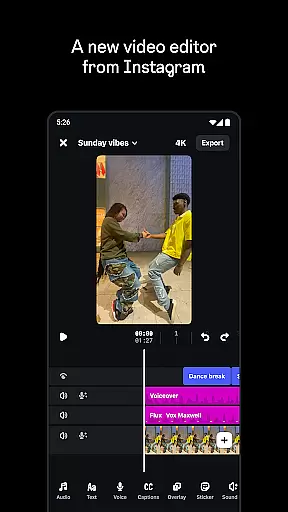
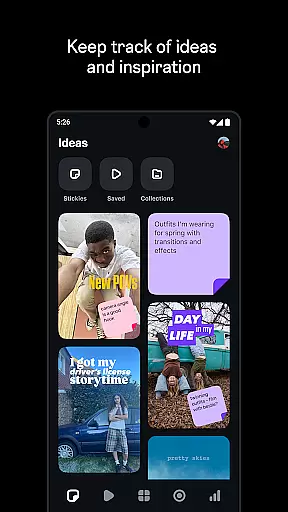
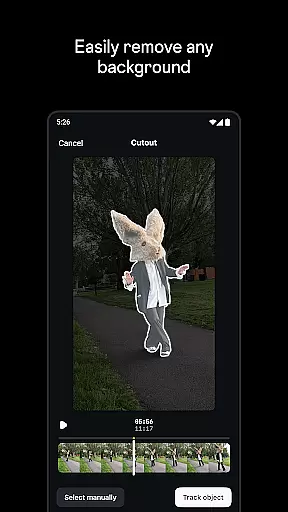
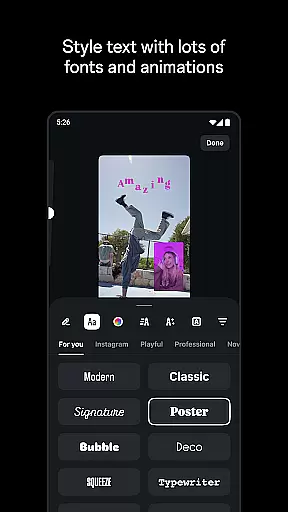
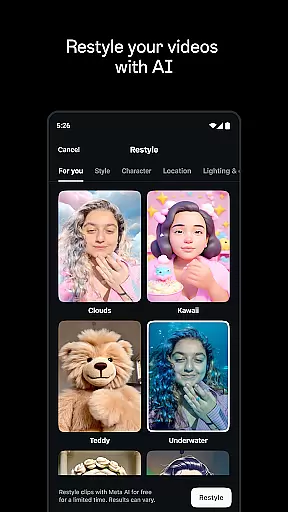
Edits is a powerful mobile video editor designed specifically for content creators who want to produce professional-quality videos directly from their smartphones. The app offers a complete suite of editing tools that streamline the creative process, allowing users to capture, edit, and export high-quality videos with ease.
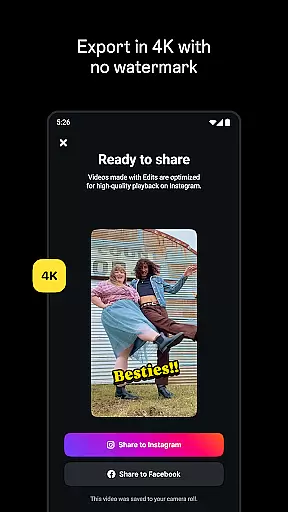
One of the standout features of Edits is its ability to export videos in 4K resolution without watermarks, making it ideal for sharing across various platforms. Additionally, the app provides advanced editing capabilities such as single-frame precision, AI animation, green screen effects, and automatic caption generation. These features ensure that creators can bring their ideas to life with minimal effort while maintaining creative control over every aspect of their projects.
Whether you're a social media influencer or a casual creator, Edits simplifies video production by offering intuitive tools that enhance both visual and audio elements. From dynamic filters to background noise reduction, this app empowers users to create engaging content that stands out on platforms like Instagram.
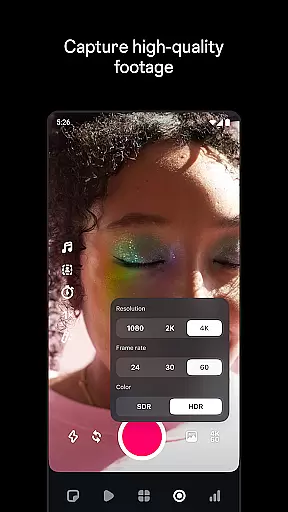
Edits distinguishes itself through an impressive range of features tailored to meet the needs of modern video creators. At its core, the app supports high-quality video capture and editing, enabling users to record clips up to 10 minutes long and refine them using precise controls. With options for adjusting resolution, frame rate, and dynamic range, creators have full flexibility to achieve their desired aesthetic.
Beyond basic editing, Edits incorporates innovative tools such as AI-powered animations and green screen functionality, which allow for more creative freedom. Users can also enhance their videos with customizable fonts, sound effects, stickers, and filters. Another notable feature is the automatic caption generator, which not only saves time but also improves accessibility for viewers. Furthermore, the app's robust audio enhancement capabilities ensure clear voiceovers and reduced background noise, elevating the overall quality of the final product.
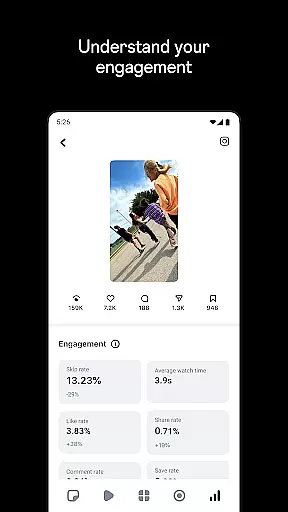
For those looking to optimize their content strategy, Edits provides valuable insights into reel performance via a live dashboard. This helps creators understand engagement metrics and make informed decisions about future projects. By combining practical editing tools with data-driven analytics, Edits positions itself as an indispensable resource for anyone serious about video creation.
Edits, an Instagram App, offers robust video format compatibility that ensures creators can work with a wide range of file types without any hiccups. This feature is crucial for video editors as it allows them to import and export videos in various resolutions and formats, including the high-quality 4K without watermarks.
The app simplifies the creative process by providing tools that support different frame rates and dynamic ranges, which are essential for achieving the desired visual outcome. Whether you're looking to capture high-quality clips or edit with single-frame precision, Edits has got you covered.
For creators who wish to share their content across multiple platforms, this compatibility ensures that they can do so without worrying about format issues. The ability to export in 4K means that your videos will retain their quality, regardless of where they are shared, making Edits a versatile tool for all your video editing needs.
One of the standout features of Edits is its AI-powered editing capabilities, which significantly enhance the video creation process. With AI animation, users can bring static images to life, adding a dynamic layer to their storytelling that captivates audiences.
The app includes advanced audio enhancement tools that leverage AI to make voices clearer and remove unwanted background noise. This ensures that the final output is professional-sounding, which is particularly beneficial for creators focusing on voiceovers or interviews.
Additionally, Edits provides automatic caption generation that can be customized to fit the video's aesthetic. This not only saves time but also makes content more accessible to viewers. These AI-driven features empower creators to produce high-quality videos efficiently, allowing them to focus more on the creative aspects rather than the technicalities of video editing.
User-friendly interface
Advanced editing tools
4K export without watermark
AI-powered animations
Comprehensive audio enhancements
Limited to mobile devices
Requires learning curve
No desktop version available
Premium features may require subscription
Occasional bugs reported

Client application for NextPVR software
 3.00
3.00
HD video maker with no watermark, no ads & vlog maker with music, PIP, text
4.50
Stream Web Videos to Chromecast, Samsung, LG, Sony, Roku, Fire TV, DLNA + more
4.00
Turn your phone into a wireless camera!
4.20
LumaFusion: The Ultimate Storytelling Experience for Video Editing
4.10
AI Video Editor with Music, Filter, Slideshow, Effect, Merge & Trim Video.
4.80
Download Hub, easy and private way to download and enjoy your videos offline
4.80
Fast private browser with secure, seamless access & supported video downloads!
4.00
Viddo: Generate Action Figure, AI Anime, AI kiss, AI hug Video from image & text
4.40
Flud is a simple and beautiful BitTorrent client for Android.
4.80
Play ALL formats in 4K & HD. Video downloader, MP3 player, Chromecast & more.
4.80
HD Video player all format, HD Videos, Cast & Subtitle. No annoying ads.
4.60
Fast & easy HD video downloader for all formats, support 4K playback & download.
4.60
Fast & Private HD Video Downloader with Built-in Proxy Browser and Video Player.
4.50
Fast & Private Video Downloader App. Save all videos easily from the Internet.
4.40
IPTV-Smarters Player Pro M3U - Watch Live Stream TV Channels with Chromecast
4.00
All format media Player, no need video converter any more!
4.00
Cast to Smart TV, Fire TV. Cast video, photo - Fast & Stable!
3.90
Mix with Virtual DJ directly from your phone or tablet !
3.10


User Reviews