


XPlay Browser is a cutting-edge mobile application designed for users seeking a fast, private, and video-focused browsing experience. This browser stands out with its lightweight design, ensuring smooth performance even on older devices while offering a clean and modern interface.
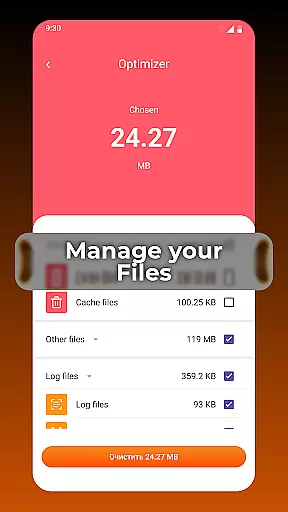
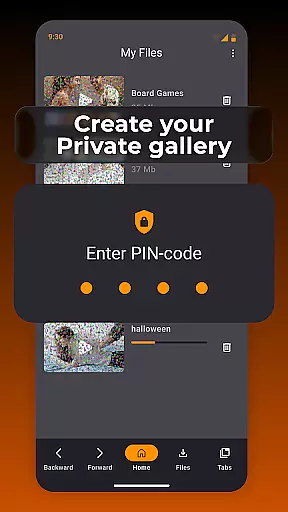
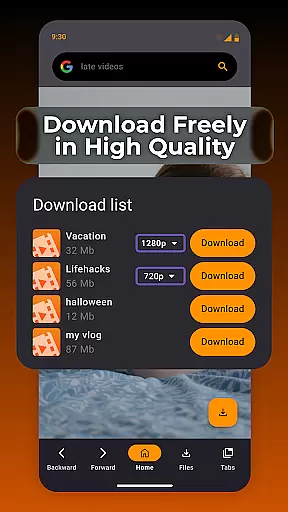
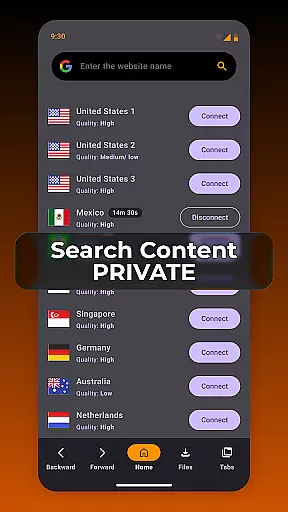
Key features include Private Browsing Mode, which ensures no history is stored, making it ideal for confidential sessions. Additionally, the app allows easy saving of videos from supported websites, enabling offline viewing without requiring extra applications. Its smart file management system helps keep your device organized by reviewing and sorting files efficiently.
Whether you're streaming videos or managing files, XPlay Browser provides an efficient solution for everyday web activities, enhancing both speed and privacy for a seamless user experience.
XPlay Browser boasts several standout features that cater to users' needs for speed, privacy, and convenience. The Fast & Smooth Browsing capability ensures quick page loads and flawless navigation, thanks to its modern and lightweight architecture. This makes it an excellent choice for users with varying device capabilities.
Privacy is a top priority, and the Private Browsing Mode offers a secure environment by not storing any history and using only essential permissions. This feature is perfect for those who require confidentiality during their browsing sessions. Moreover, the Easy Video Downloads functionality allows users to save videos directly from supported websites, streamlining the process with just a tap.
The Smart File Management tool is another highlight, helping users maintain an organized device by reviewing and sorting files effectively. With its battery-efficient design, XPlay Browser ensures that your device remains responsive and your battery lasts longer, providing a comprehensive and user-friendly browsing experience.
Video format compatibility is a crucial feature for any video player, ensuring that users can enjoy content in various formats without technical barriers. XPlay Browser excels in this area by supporting an extensive range of video formats, making it versatile and user-friendly.
The app's advanced decoding capabilities allow it to handle both common and less popular video formats seamlessly. Whether you're streaming online or playing locally stored files, XPlay Browser ensures smooth playback without the need for additional plugins or converters.
For users, this means unparalleled flexibility in consuming video content. You can download videos from supported websites and watch them offline, knowing that XPlay Browser will play them without issues. This versatility enhances the overall user experience, providing a hassle-free way to enjoy multimedia content.
AI-powered editing features are transforming how users interact with and modify video content directly within their player apps. XPlay Browser incorporates intelligent tools that simplify video editing tasks, making it accessible even to non-professionals.
These AI-driven features include automatic video enhancement, smart trimming based on content analysis, and intuitive filters that adapt to the video's context. Such functionalities enable users to quickly improve video quality or create customized clips without needing specialized software.
By integrating these advanced editing capabilities, XPlay Browser not only saves time but also expands creative possibilities for its users. The seamless combination of playback and editing functions within a single app provides a comprehensive solution for managing and enhancing video content efficiently.
Fast page loading
Private browsing
Easy video downloads
Smart file management
Battery efficient
Limited video sites
No desktop mode
Few customization options
Occasional bugs
Ads in free version

Powerful, professional, versatile teleprompter. Developed by an active film crew
 4.00
4.00
VLC Remote lets you control your VLC Media Player on Mac, PC or Linux.
4.60
Pro video editor app for Instagram, edit video with song, AI, effect & slowmo.
4.80
Movie maker & video editing app with AI effects and green screen
4.30
The essential companion to your Blue Iris PC software
2.50
Connect EasyCap or UVC devices for recording and broadcast video/audio stream
3.60
LumaFusion: The Ultimate Storytelling Experience for Video Editing
4.10
Livestream, news, & gaming content. Watch, chat, and upload. Join Rumble today!
3.80
Make videos you’re proud to share with Edits, a video editor for creators.
4.70
A Simple app to download Video & Music from the Internet.
4.70
Browser + Remote for Roku to stream webvideos, online movies and livestreams
4.60
Fast, private downloading, video saving, social media
4.50
HD video maker with no watermark, no ads & vlog maker with music, PIP, text
4.50
Add date and time watermark to photos and videos
4.50
This app was created to edit the metadata of music files.
4.20
Turn your phone into a wireless camera!
4.20
1)AirPlay/DLNA Mirroring/Streaming, up to 4 connections; 2)Samba/NAS/DMS Player.
4.00
Make your own Animations, Video and Photo Edits, Visual Effects, and more!
4.00
You can play SWF format file!
2.50


User Reviews