
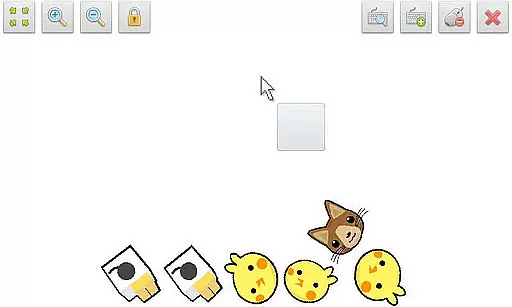
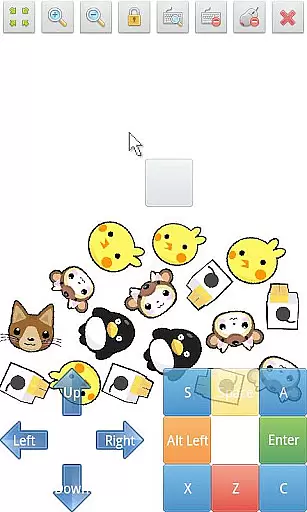
SWF Player Pro is a specialized video player designed for SWF format files, providing users with a versatile playback experience. The app supports multiple SWF engines including Android AIR and Ruffle, ensuring compatibility across various devices. With features like zoom in/out, play/stop controls, and fullscreen mode, it offers an enhanced viewing experience. Additionally, the app includes advanced settings such as wmode, background color adjustments, wake-lock, rotation, quality, and scale options, allowing users to customize their playback environment.
The application also boasts multi-touch virtual keypad support, a virtual mouse, and an integrated file browser, making it easy to navigate and control SWF files. Whether you're a professional animator or simply enjoy watching SWF animations, SWF Player Pro provides a seamless solution for all your SWF playback needs on Android devices.
SWF Player Pro stands out with its comprehensive feature set tailored for SWF file playback. One of its key strengths is the dual-engine support, utilizing both Android AIR and Ruffle technologies to ensure optimal performance and compatibility. This dual approach allows users to enjoy SWF content without worrying about technical limitations. The inclusion of zoom in/out functionality, along with play/stop controls and fullscreen support, enhances user interaction and satisfaction.
Moreover, the app's advanced settings provide users with granular control over their viewing experience. Options such as wmode, background color customization, wake-lock, rotation, quality, and scale adjustments enable personalized playback configurations. The multi-touch virtual keypad and virtual mouse further enrich the user interface, while the built-in file browser simplifies content management. These robust features make SWF Player Pro an indispensable tool for anyone working with or enjoying SWF animations on Android platforms.
SWF Player Pro stands out with its robust support for SWF format files, ensuring you can play a wide range of video content. The application leverages advanced engines such as Android AIR and Ruffle to provide comprehensive compatibility.
This dual-engine support ensures that regardless of the SWF file version or complexity, users will experience smooth playback without format-related interruptions. The app's ability to handle various SWF formats makes it an essential tool for both casual viewers and professionals.
Additionally, SWF Player Pro offers advanced settings like wmode, background color adjustments, and quality scaling. These features allow users to fine-tune their video playback experience according to their preferences and device capabilities.
While SWF Player Pro focuses primarily on video playback, it also includes innovative AI-powered features that enhance user interaction. The app supports multi-touch virtual keypads and a virtual mouse, providing intuitive controls that mimic desktop experiences.
Users can take advantage of zoom in/out functionalities and enjoy a customizable playback controller. These features are intelligently designed to offer seamless navigation and control, making video interaction more dynamic and user-friendly.
Furthermore, SWF Player Pro supports fullscreen mode and advanced rotation options, optimizing the viewing experience across different devices and orientations. This combination of AI-enhanced tools ensures users have unprecedented flexibility and control over their video content.
Supports multiple SWF engines
Advanced customization options
User-friendly interface
Comprehensive feature set
Seamless playback experience
Limited to SWF format
No iOS version available
Occasional performance issues
Requires technical knowledge
Interface may feel outdated

Online Videos Player
 3.90
3.90
Watch a large amount of high-definition short drama content
4.60
VLC Remote lets you control your VLC Media Player on Mac, PC or Linux.
4.60
1)AirPlay/DLNA Mirroring/Streaming, up to 4 connections; 2)Samba/NAS/DMS Player.
4.00
An easy-to-use and all-round screen recorder with audio
4.80
This app is an emulator of some specific IPTV boxes
3.50
Screen recorder with audio to take live videos & Screenshot in high quality!
4.70
Fast private browser with secure, seamless access & supported video downloads!
4.00
convenient, safe and fast at Video Downloader & Player
4.60
Video Trimmer, Video to MP3 Converter. Extract music from video, Easy & Fast.
4.80
Video Player - Unlimited features, 30 days money back guarantee.
4.60
Fast, private downloading, video saving, social media
4.50
Add date and time watermark to photos and videos
4.50
AirMirror Receiver - Screen mirroring/cast web videos to Android TV by AirPlay.
4.40
Fast & Private Video Downloader App. Save all videos easily from the Internet.
4.40
Video player, file manager for all formats, 4K/HD media player supports subtitle
4.30
IPTV-Smarters Player Pro M3U - Watch Live Stream TV Channels with Chromecast
4.00
Kodi media center, a free and open source cross-platform entertainment hub
3.60
IPTV Player - Watch live TV from m3m & m3u8 playlist, stream IPTV on mobile
3.30


User Reviews