
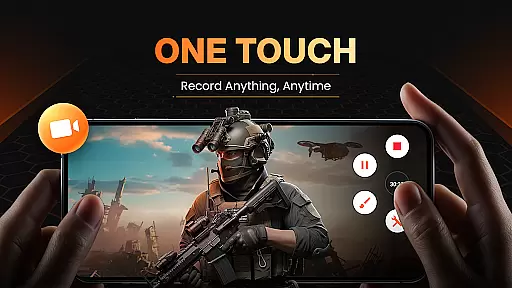
XRecorder is a versatile screen recording tool designed for capturing high-quality gameplay, video tutorials, and live streams without limitations. The app offers a robust set of features including no watermark, no root requirement, and unlimited recording time.
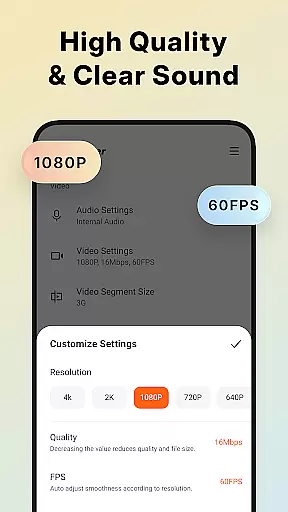
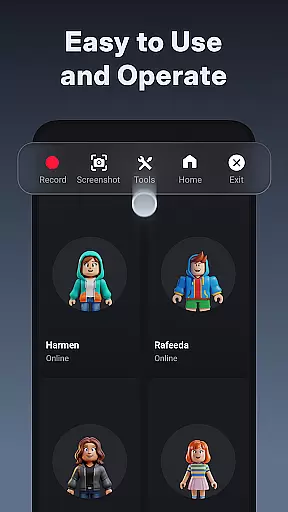
With support for Full HD recording at 1080p resolution, up to 120 FPS, users can capture smooth and clear videos. Its intuitive floating ball interface allows easy control over recording functions, while the inclusion of editing tools provides additional creative freedom.
Ideal for gamers, content creators, and educators, XRecorder ensures you never miss an important moment, whether it's a live game show or a crucial tutorial segment.
XRecorder stands out with its comprehensive feature set tailored for both casual and professional use. It supports internal audio recording on Android 10 and above, ensuring clear sound capture without external noise interference.
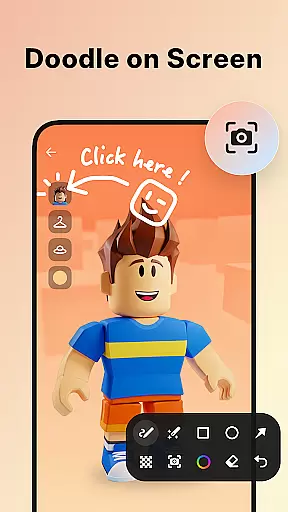
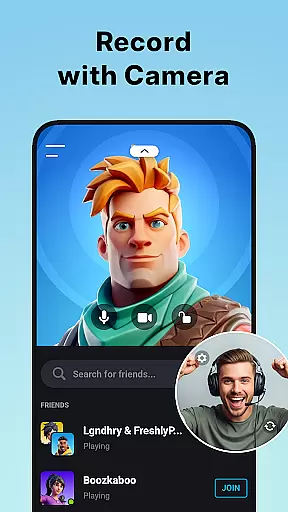
The app includes advanced functionalities like YouTube & RTMP live streaming, facecam for reaction videos, and brush tools for on-screen annotations. These features make it perfect for creating engaging content across various platforms.
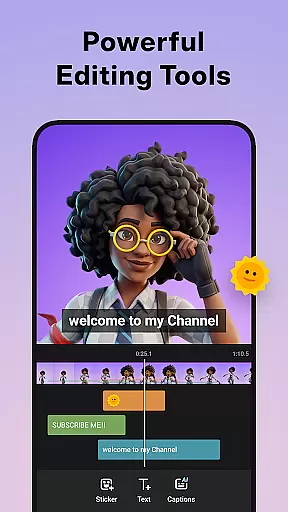
Additionally, XRecorder offers video editing capabilities such as trimming, cropping, adding music, and applying stylish filters. Users can also customize settings like floating window style, countdown timers, and storage locations, providing a personalized and efficient recording experience.
Video format compatibility is a crucial feature for any video player and editor, ensuring that users can work with a wide range of video files without the need for conversion. Screen Recorder - XRecorder supports an impressive array of formats, from 240p to 1080p resolutions, accommodating bitrates up to 12Mbps and frame rates of up to 60FPS. This flexibility allows creators to import videos from different sources and devices without worrying about format restrictions.
The application's ability to export Full HD videos with customizable settings empowers users to tailor their video quality according to specific platforms or personal preferences. Whether it's for professional editing or casual sharing on social media, XRecorder provides the necessary tools to produce high-quality content. The option to adjust resolution, FPS, and bitrate ensures that the final product meets individual project requirements while maintaining optimal file size and clarity.
Moreover, the inclusion of advanced features such as trimming, cropping, rotating, and adding music enhances the overall video editing experience. Users can fine-tune their recordings with precision, making sure every clip is perfectly suited for its intended purpose. With these capabilities, Screen Recorder - XRecorder stands out as a versatile tool for both capturing and refining video content across various formats.
AI-powered editing features represent the cutting edge of video editing technology, enabling users to enhance their videos with minimal effort. Screen Recorder - XRecorder incorporates intelligent tools that simplify complex tasks, allowing even beginners to achieve professional-looking results. For instance, the app's AI-driven facecam functionality lets users overlay their webcam feed onto the main video, which can be freely positioned and resized anywhere on the screen.
In addition to facecam, XRecorder offers a suite of creative options powered by artificial intelligence. These include automatic video trimming, where the software intelligently suggests cuts based on scene changes or audio cues, and smart filters that adapt to the video's content to provide aesthetically pleasing enhancements. The app also includes brush tools for drawing directly on the screen, giving creators the freedom to annotate or highlight key moments in their recordings.
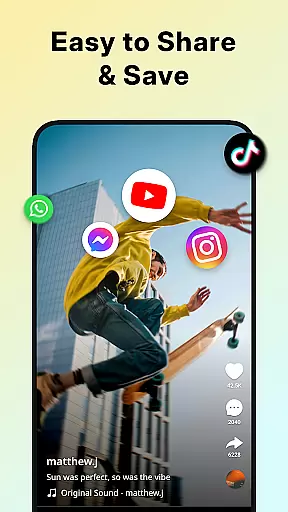
Furthermore, the integration of AI extends to optimizing video performance for different platforms. By analyzing the destination platform's specifications, XRecorder can automatically adjust video parameters like aspect ratio and background fitting to ensure seamless uploads and consistent playback quality. This level of automation not only saves time but also elevates the standard of user-generated content, making Screen Recorder - XRecorder a valuable asset for anyone looking to streamline their video production process.
High-quality recording
No watermark
User-friendly interface
Advanced editing tools
Live streaming support
Android 10 required for some features
Occasional bugs reported
Limited iOS functionality
Ads in free version
Storage-intensive files

A full editing room to accompany your Insta360 cameras and handheld gimbals.
 3.30
3.30
Search & download videos from net with all video downloader, auto-detect & safe.
4.60
Fast video downloader & private browser. Save HD clips to watch offline.
4.40
Powerful HD video player with support for all formats & subtitles.
4.5
All format media Player, no need video converter any more!
4.00
Download videos easily & play them all in one smart, powerful video manager.
3.40
Fast & Private Video Downloader App. Save all videos easily from the Internet.
4.40
Powerful Video Editor & Photo Editing App —— Quick Edits & Stunning Effects!
4.30
Flud is a simple and beautiful BitTorrent client for Android.
4.80
Pro video editor app for Instagram, edit video with song, AI, effect & slowmo.
4.80
Fast & easy HD video downloader for all formats, support 4K playback & download.
4.60
Cast to Chromecast, Xbox, Fire Stick, Roku, DLNA, Smart TV & No Feature Limited!
4.50
Add date and time watermark to photos and videos
4.50
Fast & Private HD Video Downloader with Built-in Proxy Browser and Video Player.
4.50
KineMaster, Your Ultimate Video Editor!
4.40
Full HD Video mp3 Player, MP4 player play 1080p, File manager, Video Downloader
4.40
Turn your phone into a wireless camera!
4.20
Video player with 4K & 1080P support, popup play, background play and subtitle.
4.20
Connect 2 UVC devices for recording and broadcast video/audio stream
3.90


User Reviews