
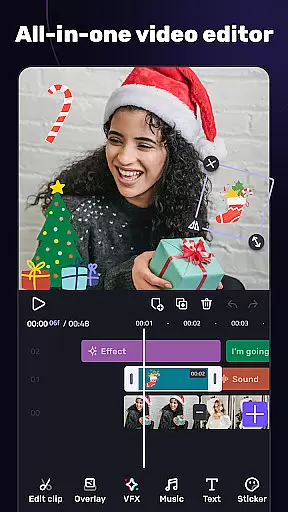
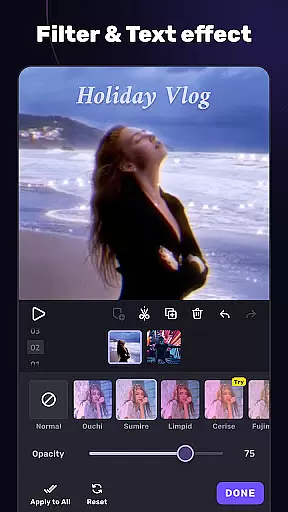
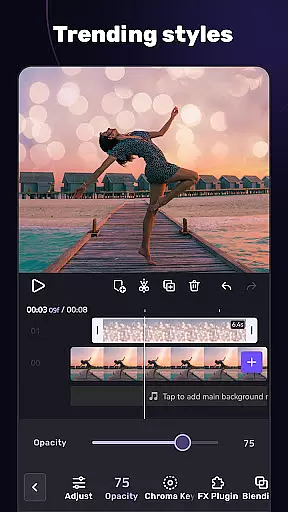
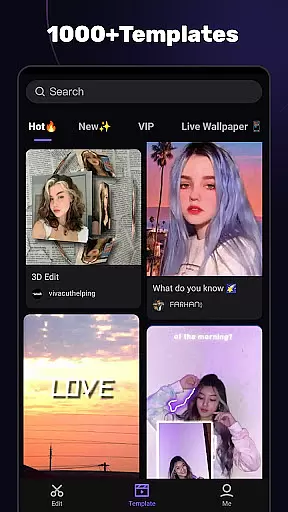
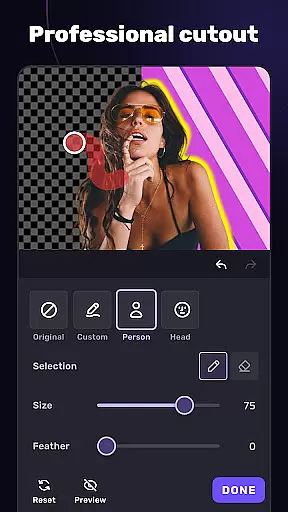
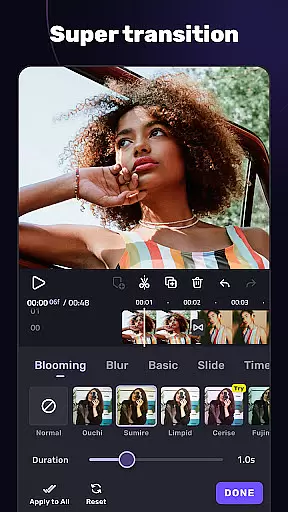
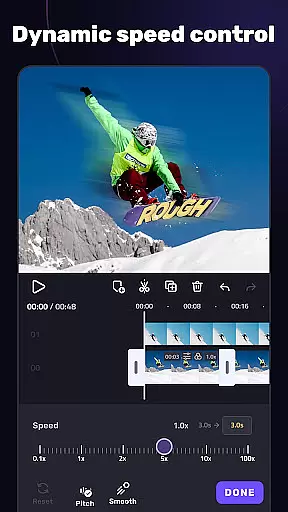
VivaCut is a versatile video editing app that combines professional-grade features with user-friendly tools, making it suitable for both casual creators and advanced video editors. The app offers a complete suite of basic and advanced editing capabilities, including multi-layer timelines, chroma key effects, speed controls, and transitions. Whether you're looking to create short social media clips or cinematic masterpieces, VivaCut provides the tools necessary to produce high-quality content.
One standout feature of VivaCut is its ability to support Hollywood-style video effects such as green screen editing and keyframe animations. These features allow users to mix videos seamlessly, add picture-in-picture effects, and apply stunning visual overlays. Additionally, the app includes customizable filters, glitch effects, and trendy music options, enabling creators to enhance their projects with unique styles and soundtracks. With export options supporting resolutions up to 4K, VivaCut ensures your final product meets professional standards.
The app's intuitive interface makes it easy to trim, split, merge, and adjust video clips with precision. Users can also save their work directly to their device or share it instantly on platforms like YouTube, Instagram, and TikTok. By catering to both beginners and professionals, VivaCut bridges the gap between simplicity and sophistication in mobile video editing.
VivaCut distinguishes itself through its comprehensive set of video editing tools designed to meet diverse creative needs. At its core, the app provides a multi-layer timeline that allows users to edit frame-by-frame with precision. This feature is complemented by advanced options such as chroma key (green screen) effects, which enable users to replace video backgrounds and create visually striking compositions. Keyframe animation further enhances this capability, allowing detailed control over text, stickers, and other elements within the video.
In addition to its robust editing features, VivaCut offers an array of aesthetic enhancements. Users can apply customizable filters, glitch effects, and transitions to give their videos a modern, polished look. The app also supports audio extraction and music markers, empowering creators to synchronize video effects with music beats. With blending modes like Color Burn and Screen, users can experiment with layering techniques to achieve complex visual results. These features collectively make VivaCut a powerful tool for producing engaging content tailored to various social media platforms.
VivaCut's sharing and exporting functionalities are equally impressive. The app allows users to export videos in resolutions up to 4K, ensuring top-notch quality for every project. It also simplifies the process of saving and renaming files, while offering one-click sharing to popular platforms like YouTube, TikTok, and Instagram. This seamless integration with social media ecosystems enhances the overall user experience, making it easier than ever to distribute professional-quality videos to a wide audience.
Video format compatibility is a crucial feature for any video editor, ensuring that users can work with a wide range of video files without conversion hassles. AI Video Editor supports an extensive array of formats, allowing creators to import and export videos in resolutions up to 4K. This versatility provides the freedom to produce content for various platforms like YouTube, Instagram, and TikTok without worrying about format restrictions.
The app's dedication to comprehensive format support means that whether you're dealing with MP4, AVI, or MOV files, you'll experience seamless integration and editing. This flexibility empowers creators to focus on their art rather than technical limitations, making the editing process more efficient and enjoyable.
Furthermore, the ability to customize video resolution upon saving ensures that your final product meets the specific requirements of different social media platforms. With options ranging from standard 720p to ultra-high-definition 4K, users can optimize their videos for quality and file size, striking the perfect balance for their audience and platform of choice.
AI-powered editing features represent the cutting edge of video editing technology, automating complex tasks and enabling creators to achieve professional results effortlessly. AI Video Editor incorporates advanced algorithms that assist with everything from chroma key effects to intelligent transitions, streamlining the creative process. These features not only save time but also open up new possibilities for artistic expression, allowing even novices to produce high-quality content.
One standout capability is the automatic generation of transitions and filters based on the video's rhythm and style. This smart feature analyzes audio tracks and applies effects that enhance the mood and energy of the visuals. By doing so, it creates a cohesive narrative flow that might otherwise require hours of manual adjustments by seasoned editors.
In addition to automated enhancements, the app offers sophisticated tools like keyframe animation and mask effects, which are augmented by AI precision. Users can create Hollywood-level compositions with green screen effects and blend modes that rival industry-standard software. These capabilities ensure that regardless of skill level, anyone can craft visually stunning videos that captivate audiences across various digital platforms.
User-friendly interface
Advanced editing tools
High-quality export options
Wide range of effects
Seamless social sharing
Paid subscription model
Steep learning curve
Occasional performance lags
Limited free features
Heavy resource usage

The smartest M3U IPTV Player your playlists have ever seen.
 4.2
4.2
Video Trimmer, Video to MP3 Converter. Extract music from video, Easy & Fast.
4.80
Cast to Chromecast, Xbox, Fire Stick, Roku, DLNA, Smart TV & No Feature Limited!
4.50
KMPlayer Plus (Divx Codec) officially support Divx codec.
4.30
Fast & easy HD video downloader for all formats, support 4K playback & download.
4.60
Watch IPTV on your Android device
4.60
Flud is a simple and beautiful BitTorrent client for Android.
4.80
Powerful video player with advanced hardware acceleration and subtitle supports
4.20
Enjoy your favorite videos and channels with the official YouTube app.
3.90
GENRAL PRO - General Pro is the best video player that fully supports all formats.
4.70
Fast, private downloading, video saving, social media
4.50
HD video maker with no watermark, no ads & vlog maker with music, PIP, text
4.50
Photo and Music Video Creator into Stunning Videos—Effortlessly
4.40
Powerful, professional, versatile teleprompter. Developed by an active film crew
4.00
Manage your IPTV live channels and VOD playlists (no playlist included)
3.80
Connect EasyCap or UVC devices for recording and broadcast video/audio stream
3.60
Watch full episodes of your favorite Cartoon Network and Cartoonito shows!
3.50
Client application for NextPVR software
3.00
Powerful HD video player with support for all formats & subtitles.
4.5


User Reviews