
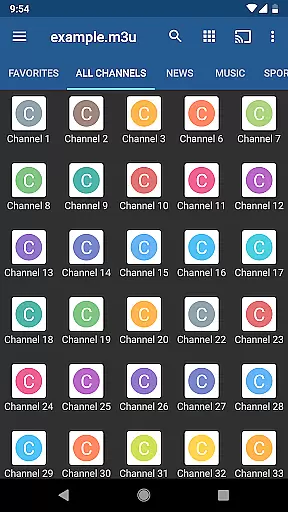
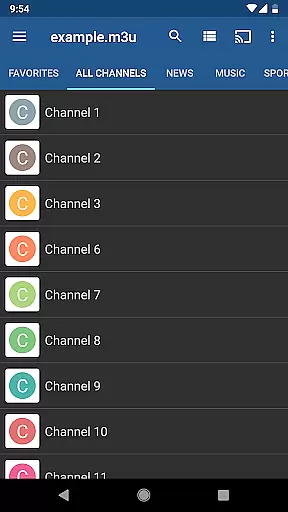
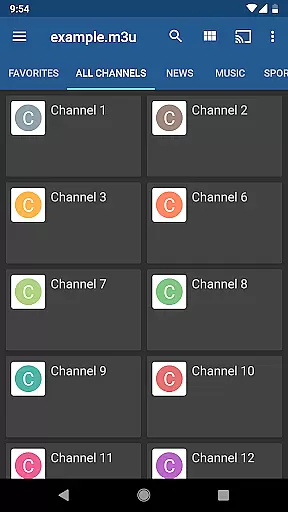
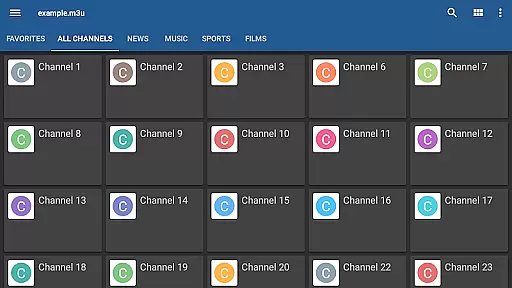
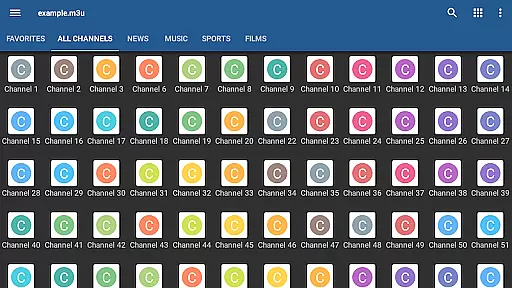
IPTV Pro is the premium version of IPTV app, offering an ad-free experience with advanced features for seamless TV streaming. It supports M3U and XSPF playlists, multicast streams via UDP proxy, EPG in XMLTV and JTV formats, and multiple viewing options like grid, list, or tile views.
Designed for users who demand flexibility and performance, this app allows auto-play of the last channel, extended playlist history, and parental controls. It caters to those looking to stream live TV channels from their internet provider or other web sources without interruptions.
With support for both internal and external video players, IPTV Pro ensures compatibility across devices. However, it does not include built-in channels; users must provide their own playlists. The app is ideal for set-top boxes and enhances the IPTV streaming experience through its robust feature set.
IPTV Pro stands out with its comprehensive feature set tailored for uninterrupted streaming. The app supports M3U and XSPF playlists, ensuring broad compatibility with various IPTV services. Its ability to play multicast streams using a UDP proxy makes it suitable for complex network environments.
One of the key highlights is the choice between grid, list, or tile views for TV channels, allowing users to customize their interface based on preference. Additionally, EPG support in both XMLTV and JTV formats provides detailed program information, enhancing user experience.
Advanced functionalities such as starting the app on device boot, auto-playing the last channel, and extended playlist history make IPTV Pro particularly useful for set-top box setups. Parental controls and dual video player support further add to its versatility, making it a top choice for tech-savvy users.
One of the core strengths of IPTV Pro lies in its exceptional video format compatibility, ensuring users can enjoy a diverse range of content without technical hindrances.
The app supports popular playlist formats such as M3U and XSPF, making it versatile for various user needs. Whether you're streaming from your Internet service provider or accessing free live TV channels online, IPTV Pro ensures seamless playback.
In addition to supporting multiple playlist formats, IPTV Pro also accommodates both internal and external video players. This flexibility allows users to choose their preferred playback method, enhancing the overall viewing experience.
For advanced setups, especially those involving multicast streams, IPTV Pro recommends using a UDP proxy. This approach is ideal for users with specific network configurations, ensuring they can access all types of streams effortlessly.
While IPTV Pro focuses primarily on delivering top-notch video playback, it also includes some innovative AI-powered features that enhance the overall user experience.
Among these features is the Extended Playlists History, which utilizes intelligent algorithms to track and manage viewed content. This functionality not only simplifies navigation but also personalizes the viewing journey based on user preferences.
Another notable feature is the Parental Control system, which employs smart filtering to ensure safe viewing experiences for families. By intelligently categorizing content, parents can rest assured that children are protected from inappropriate material.
Although IPTV Pro doesn't include built-in channels, its AI-driven recommendations help users discover new content from their playlists, creating a more engaging and dynamic entertainment platform.
Ad-free experience
Auto-play last channel
Extended playlist history
Multiple channel views
Parental control options
No built-in channels
Requires technical setup
UDP proxy needed for multicast
Complex for beginners
Separate playlist required

The smartest M3U IPTV Player your playlists have ever seen.
 4.2
4.2
HD Video player all format, HD Videos, Cast & Subtitle. No annoying ads.
4.60
You can play SWF format file!
2.50
Photo and Music Video Creator into Stunning Videos—Effortlessly
4.40
Snaptubè Video Downloader app allows to download videos and music in Snaptube. .
4.60
All format media Player, no need video converter any more!
4.00
Seamlessly connect and control your smart devices, anytime, anywhere with ease.
4.60
All in one HD video downloader & player for multiple formats with full privacy
4.70
Play and download HD videos from all sources — fast, simple, and all-in-one.
4.2
Flud is a simple and beautiful BitTorrent client for Android.
4.80
A Quick and Pro Video Editor
4.70
Search & download videos from net with all video downloader, auto-detect & safe.
4.60
Support 1000+ Video Format, Subtitle Download, mp3 & Background Play, Cast On TV
4.60
Browser + Remote for Roku to stream webvideos, online movies and livestreams
4.60
Video player, file manager for all formats, 4K/HD media player supports subtitle
4.30
Video player with 4K & 1080P support, popup play, background play and subtitle.
4.20
LumaFusion: The Ultimate Storytelling Experience for Video Editing
4.10
Online Videos Player
3.90
Connect 2 UVC devices for recording and broadcast video/audio stream
3.90


User Reviews