
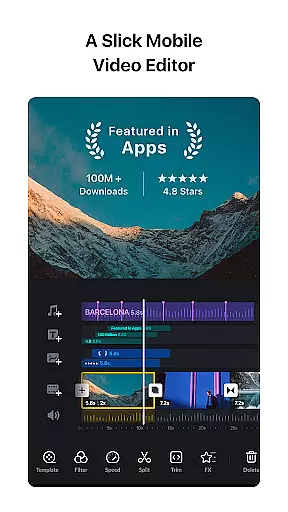
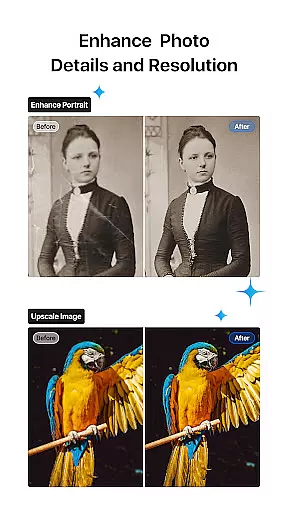
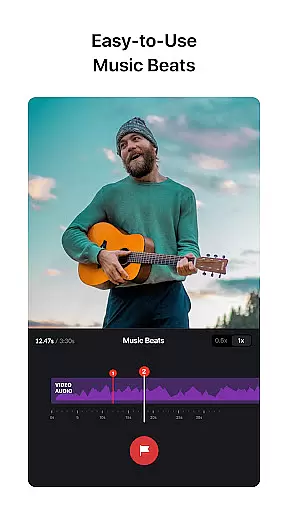
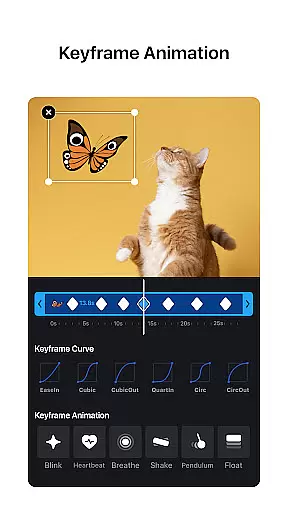
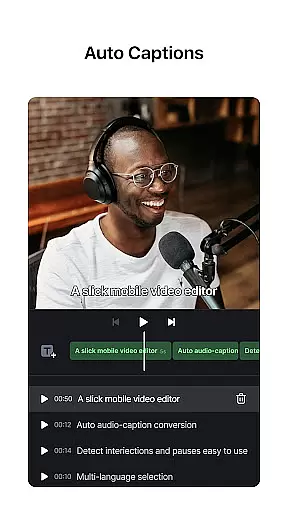
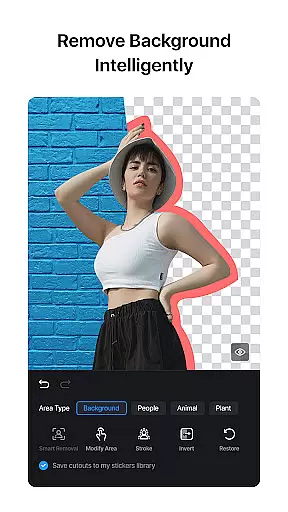
VN is a versatile video editing app that combines professional-grade features with an intuitive interface, making it accessible for both amateur and experienced editors. The app offers advanced tools such as multi-track timelines, keyframe animations, and speed curve adjustments, enabling users to create high-quality videos without watermarks. Its seamless integration of music beats, rich filters, and creative templates allows users to produce engaging content effortlessly.
Designed for flexibility, VN supports non-destructive editing, customizable export settings, and secure collaboration through cloud services like Google Drive. Whether you're crafting cinematic visuals or adding lively transitions, VN provides all the necessary features in one easy-to-use platform. This ensures a smooth editing experience while delivering professional results tailored to your creative vision.
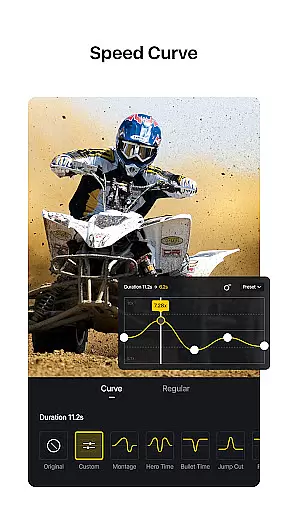
VN stands out with its comprehensive suite of video editing tools designed to meet diverse creative needs. One of its core strengths lies in the multi-track timeline functionality, which lets users layer videos, images, text, and effects seamlessly. With precise control over keyframes and speed curves, creators can fine-tune every detail of their projects, mimicking advanced techniques found in desktop software like Adobe Premiere Pro.
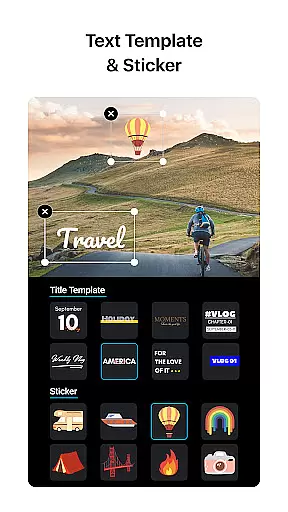
The app also excels in usability, offering innovative features such as music beat synchronization, freeze-frame effects, and reverse playback options. These capabilities are complemented by a robust library of cinematic filters, animated transitions, and customizable text templates. Additionally, VN prioritizes convenience by allowing bulk imports via Wi-Fi or ZIP files and ensuring cross-device compatibility for uninterrupted workflows.
One of VN's standout features is its extensive video format compatibility, ensuring users can work with a wide array of file types without the need for prior conversion. This flexibility allows both amateur and professional video editors to import and export videos in their preferred formats, streamlining the editing process.
The app supports popular formats such as MP4, AVI, MOV, and many others, making it versatile for different project requirements. Whether you're creating short social media clips or longer cinematic pieces, VN accommodates your needs without compromising on quality or performance.
Furthermore, VN enhances user experience by providing customizable export settings. Users can adjust video resolution, frame rate, and bit rate according to their specific requirements, with support for 4K resolution and up to 60 FPS. This ensures that final outputs are tailored precisely to the intended viewing platform and audience.
By offering broad video format compatibility alongside advanced customization options, VN empowers creators to focus on their content rather than technical limitations. This capability not only saves time but also expands creative possibilities, allowing users to produce high-quality videos efficiently and effectively.
VN incorporates cutting-edge AI-powered editing features that significantly enhance the video creation process. These intelligent tools assist users in automating complex tasks, enabling even beginners to achieve professional-grade results with minimal effort.
Among these features is the AI-driven music beat synchronization tool, which automatically aligns video cuts with musical beats. This functionality elevates video rhythm and flow, creating more engaging and dynamic content. Additionally, AI-powered voice-over capabilities allow for seamless integration of high-quality audio narration, enriching storytelling potential.
The app also utilizes AI for advanced visual effects, including keyframe animations and speed curve adjustments. Users can apply sophisticated transitions, overlays, and blur effects with precision timing and speed settings. Moreover, AI facilitates the import of LUT (.cube) files for cinematic color grading, transforming ordinary footage into visually stunning masterpieces.
By leveraging AI technology, VN simplifies intricate editing processes while maintaining creative control for the user. This combination of automation and customization empowers video editors of all skill levels to produce exceptional content efficiently, pushing the boundaries of mobile video editing.
User-friendly interface
Professional editing tools
No watermark on exports
Cloud project syncing
Customizable export settings
Limited advanced tutorials
Occasional performance lags
Fewer third-party integrations
Basic audio mixing tools
Premium filter costs

Your media, on your terms.
 4.10
4.10
Cast Videos from Web Browser, IPTV to Roku, Chromecast, DLNA, Smart TV +more
4.60
Fast video downloader & private browser. Save HD clips to watch offline.
4.40
AirMirror is Receiver for Screen Mirroring and Casting from Apple Devices.
3.60
High-Quality USB Camera Viewer & HDMI Display
4.70
Download videos easily & play them all in one smart, powerful video manager.
3.40
IPTV Loader, loads your own Playlist. DOES NOT CONTAIN ANY LIST OR CHANNELS
4.60
Browser for Fire TV to stream webvideos, online movies, livestreams in HD
4.40
Download Hub, easy and private way to download and enjoy your videos offline
4.80
Play ALL formats in 4K & HD. Video downloader, MP3 player, Chromecast & more.
4.80
GENRAL PRO - General Pro is the best video player that fully supports all formats.
4.70
Find, download, and play torrents with the official BitTorrent® Pro app
4.70
Create photo video with music & template. AI video maker for stunning slideshow.
4.60
Browser + Remote for Roku to stream webvideos, online movies and livestreams
4.60
Cast to Chromecast, Xbox, Fire Stick, Roku, DLNA, Smart TV & No Feature Limited!
4.50
Add date and time watermark to photos and videos
4.50
Livestream, news, & gaming content. Watch, chat, and upload. Join Rumble today!
3.80
Browser for Sony TV to stream web videos, online movies and live tv
3.20
You can play SWF format file!
2.50


User Reviews