
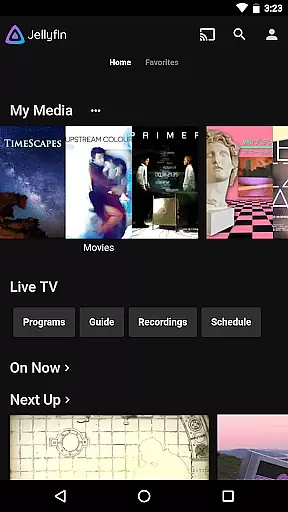
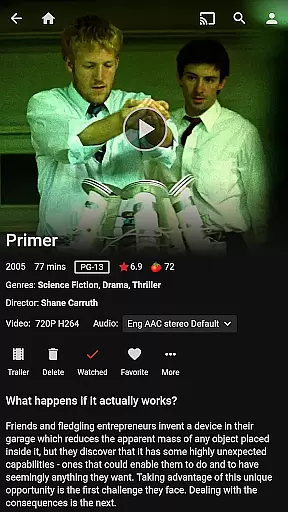
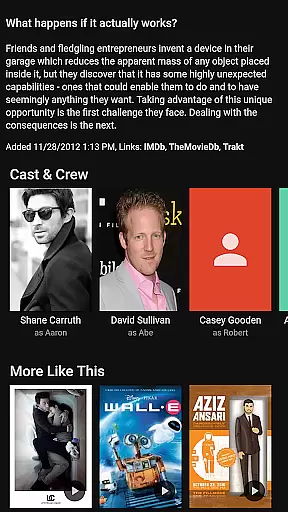
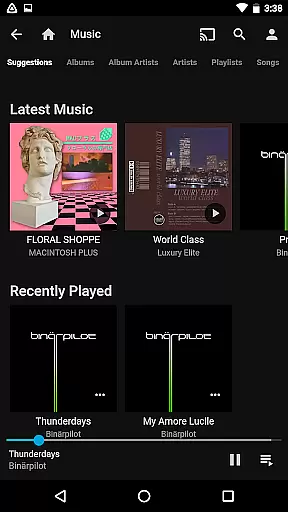
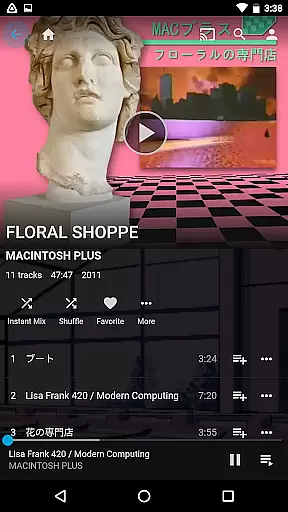
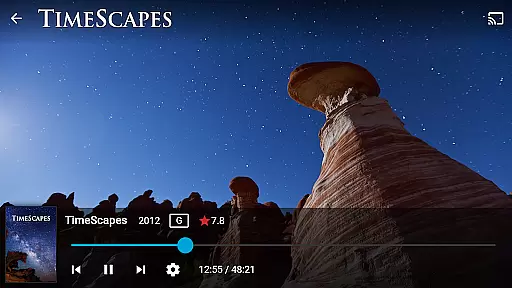
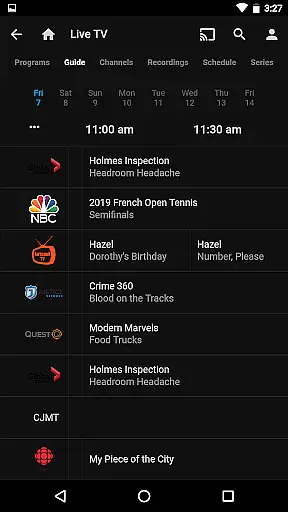
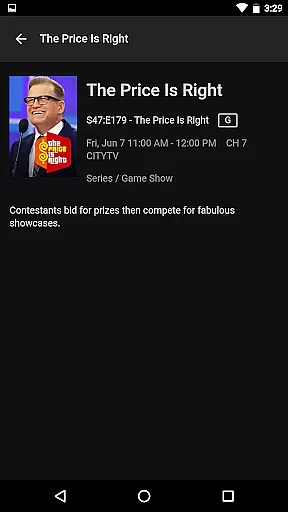
Jellyfin is an open-source media server and player that gives you complete control over your personal media collection. This Android app serves as the official mobile client, allowing users to stream their stored audio, video, and photo content directly from their Jellyfin server. With support for live TV, Chromecast streaming, and Android Auto integration, it provides a versatile media experience.
The app's key advantage lies in its commitment to privacy and freedom. Unlike other media solutions, Jellyfin operates without any fees, tracking, or proprietary restrictions. To use the app, you'll need to set up a Jellyfin server, which consolidates all your media into one centralized location. This makes it ideal for users who want to maintain full ownership of their digital libraries while enjoying seamless access on mobile devices.
Jellyfin offers several notable features that enhance the media streaming experience. First, it supports Live TV and DVR functionality, enabling users to watch and record live broadcasts through compatible hardware. The app also integrates with Chromecast devices, allowing for effortless streaming to larger displays within your local network.
Another standout feature is its adaptive streaming capability, which automatically adjusts video quality based on your network conditions. The app maintains a user-friendly interface that organizes media collections intuitively, making it easy to browse extensive libraries. Additionally, Jellyfin's Android Auto compatibility lets users enjoy their music libraries safely while driving, though this feature currently requires an active internet connection.
All these features work together to create a comprehensive media solution that prioritizes user freedom and data privacy. The open-source nature of the project also means that developers can contribute to its improvement, ensuring continuous enhancement of its capabilities.
Video format compatibility is a crucial feature for any video player, ensuring that users can enjoy their media without worrying about technical limitations. Jellyfin excels in this area by supporting a wide range of video formats, from common ones like MP4 and AVI to more specialized codecs such as MKV and OGG.
The app's robust decoding capabilities allow seamless playback of high-definition and even 4K content directly on your Android device. This eliminates the need for format conversion, saving both time and storage space while maintaining the original quality of your media files.
For users with diverse media libraries, this extensive format support means you can consolidate all your video content within a single platform. Whether you're streaming from your Jellyfin server or playing local files, the app ensures consistent performance across different formats.
Moreover, Jellyfin's commitment to open standards and continuous development guarantees that the app will maintain its compatibility edge, adapting to new formats as they emerge in the ever-evolving media landscape.
While primarily a media streaming application, Jellyfin incorporates basic AI-powered editing features that enhance the user's viewing experience. These intelligent tools automatically optimize video playback settings based on your device capabilities and network conditions.
The app's adaptive streaming technology intelligently adjusts video quality in real-time, ensuring smooth playback even under varying internet speeds. This AI-driven approach prevents buffering issues while maintaining optimal visual fidelity for your content.
Jellyfin's smart categorization system uses machine learning algorithms to organize your media library. It automatically tags and sorts your content based on various parameters, making it easier to navigate through large collections. The system learns from your viewing habits to provide personalized recommendations.
Although not a full-fledged video editor, these AI-powered features demonstrate Jellyfin's commitment to providing a comprehensive media solution that goes beyond simple playback functionality.
User-friendly interface
Open-source platform
No subscription fees
Strong privacy protection
Cross-device compatibility
Requires separate server setup
Limited offline functionality
Dependent on network quality
No built-in media library
Hardware-dependent features

IPTV-Smarters Player Pro M3U - Watch Live Stream TV Channels with Chromecast
 4.00
4.00
A Quick and Pro Video Editor
4.70
?100% FREE! Download & save videos? safely in this app. All formats supported.
4.60
All format media Player, no need video converter any more!
4.00
Download website videos fast&privacy
4.40
Play and download HD videos from all sources — fast, simple, and all-in-one.
4.3
Browser for Fire TV to stream webvideos, online movies, livestreams in HD
4.40
Web Browser for LG TV to stream webvideos, online movies and livestreams in HD
4.20
A Simple app to download Video & Music from the Internet.
4.70
Flud is a simple and beautiful BitTorrent client for Android.
4.80
Search & download videos from net with all video downloader, auto-detect & safe.
4.60
Cast movies, tv shows and live streams to Chromecast, Roku, DLNA, Fire TV & more
4.60
Fast & Private HD Video Downloader with Built-in Proxy Browser and Video Player.
4.50
Full HD Video mp3 Player, MP4 player play 1080p, File manager, Video Downloader
4.40
Fast & Private Video Downloader App. Save all videos easily from the Internet.
4.40
Create & edit videos with AI
4.30
Powerful video player with advanced hardware acceleration and subtitle supports
4.20
Stream Web Videos to Chromecast, Samsung, LG, Sony, Roku, Fire TV, DLNA + more
4.00
Stream high quality video from your camera over NDI protocol
4.0


User Reviews