
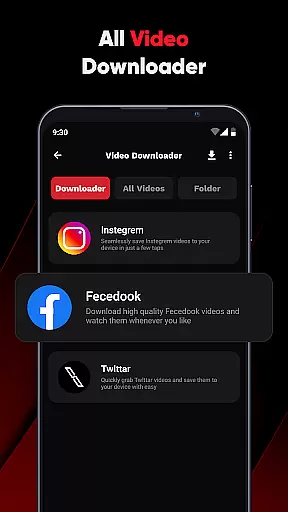
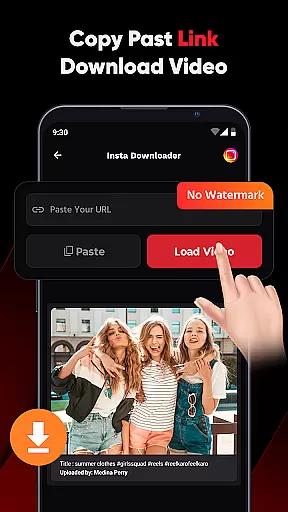
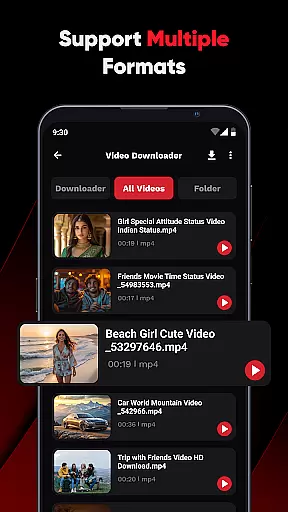
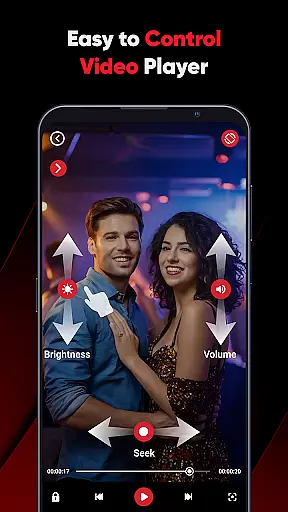
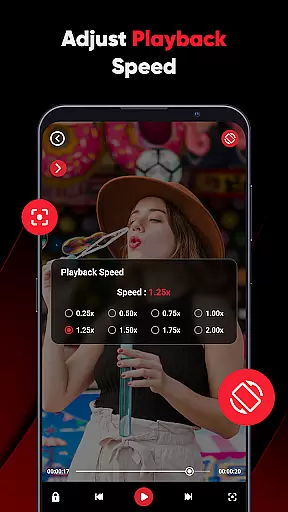
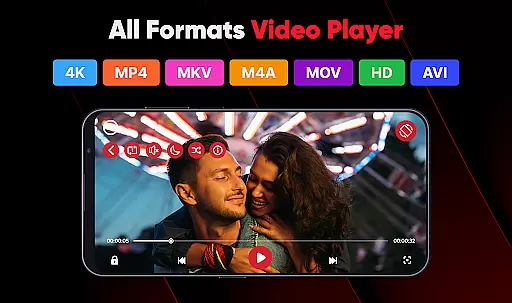
ViPlayer is a versatile video player and downloader designed to enhance your video-watching experience. This app supports all major video formats including MP4, MKV, AVI, and MOV, allowing users to play high-definition videos directly from their devices. With advanced gesture controls, you can easily adjust volume, brightness, and playback speed. ViPlayer also enables downloading videos from social media platforms like Facebook and Instagram by simply pasting the URL, previewing, and saving them for offline viewing.
Beyond its core functionalities, ViPlayer offers a clean and lightweight user interface that prioritizes speed and simplicity. Whether you're managing personal video libraries or downloading online content, ViPlayer provides an efficient and stylish solution. Its intuitive design ensures that even first-time users can navigate effortlessly, making it suitable for both casual viewers and tech-savvy individuals who demand more control over their media experience.
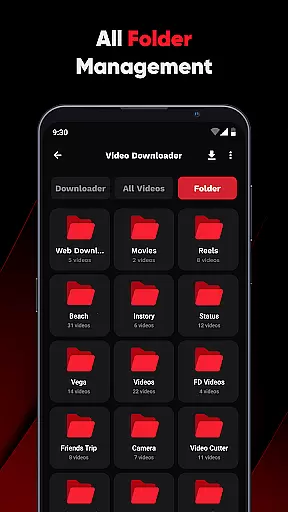
ViPlayer stands out with its comprehensive feature set tailored for diverse video needs. The app automatically detects videos stored across internal and external storage, organizing them neatly by folders for easy access. Advanced swipe controls allow users to manage playback settings such as volume and brightness with simple gestures, enhancing the overall user experience.
For those looking to download videos, ViPlayer offers a one-click downloader that supports links from popular platforms like Facebook and Instagram. Users can preview content before saving it to their gallery without needing to log in. Additionally, the app's commitment to privacy and security ensures that all actions remain confidential. With its sleek, intuitive interface, ViPlayer delivers a seamless blend of functionality and style, catering to users who value efficiency and aesthetics in their video player.
ViPlayer stands out with its extensive video format compatibility, ensuring users can play virtually any video file they encounter. The app supports all major formats including MP4, MKV, AVI, and MOV, making it a versatile choice for video enthusiasts.
This broad format support is crucial for users who deal with various types of video content from different sources. Whether you're watching personal recordings or professional media files, ViPlayer ensures smooth playback without the need for format conversion.
The application automatically detects videos stored on both internal and external storage, organizing them by folder for easy access. This feature simplifies video management and enhances the overall user experience.
By providing comprehensive format support, ViPlayer eliminates the frustration of encountering unsupported files, allowing users to focus on enjoying their video content across all devices without limitations.
While primarily a video player, ViPlayer incorporates AI-powered features that enhance the viewing experience beyond basic playback. The app's intelligent system automatically organizes videos by folder, regardless of storage location, streamlining content management.
The built-in gesture controls represent another smart feature, allowing users to adjust volume, brightness, and playback with simple swipe motions. This intuitive interface demonstrates how AI can simplify complex operations into natural, user-friendly interactions.
Although not a traditional video editor, ViPlayer offers practical tools for video handling, including advanced download capabilities from supported platforms. These features are enhanced by AI-driven detection systems that ensure proper content identification and processing.
The combination of intelligent organization, gesture-based controls, and smart download functionality creates a more efficient and enjoyable video experience, setting ViPlayer apart from basic video players in its category.
User-friendly interface
Supports multiple video formats
Advanced gesture controls
Fast video downloading
No login required
Limited to supported platforms
Occasional ads
Requires stable internet
Basic editing tools
Storage-intensive

Online Videos Player
 3.90
3.90
?100% FREE! Download & save videos? safely in this app. All formats supported.
4.60
Tik & Story Saver-Download ALL social media videos, photos & reels no watermark.
4.80
Search & download videos from net with all video downloader, auto-detect & safe.
4.60
Create & edit videos with AI
4.30
Play ALL formats in 4K & HD. Video downloader, MP3 player, Chromecast & more.
4.80
Download Hub, easy and private way to download and enjoy your videos offline
4.80
Enjoy your favorite videos and channels with the official YouTube app.
3.90
convenient, safe and fast at Video Downloader & Player
4.60
Download videos and play them offline
4.70
Cast Videos from Web Browser, IPTV to Roku, Chromecast, DLNA, Smart TV +more
4.60
Create photo video with music & template. AI video maker for stunning slideshow.
4.60
Fast, private downloading, video saving, social media
4.50
AirMirror Receiver - Screen mirroring/cast web videos to Android TV by AirPlay.
4.40
Make your own Animations, Video and Photo Edits, Visual Effects, and more!
4.00
Connect 2 UVC devices for recording and broadcast video/audio stream
3.90
Save photos and videos from social apps in one tap.
3.60
All in one multi protocols stream receiver for AirPlay, Cast and DLNA.
3.60
Connect EasyCap or UVC devices for recording and broadcast video/audio stream
3.60


User Reviews