

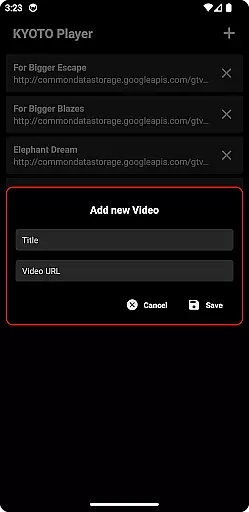

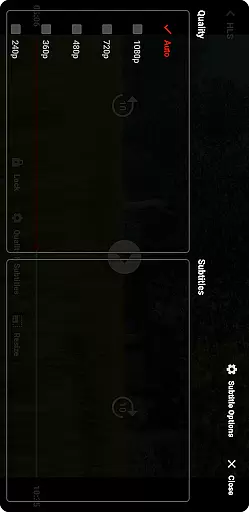



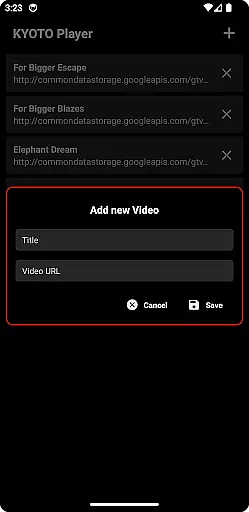

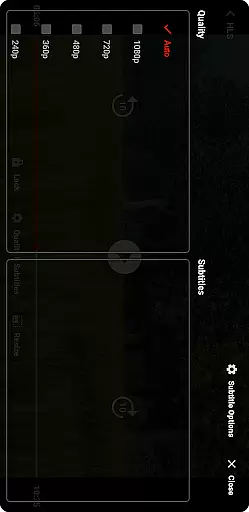
KYOTO Player is a versatile video player app designed for seamless playback of various online video formats. Supporting an extensive range of file types including MP4, HLS, DASH, and more, it ensures smooth streaming experiences across devices.
The application's strength lies in its broad format compatibility, making it suitable for users who require reliable playback of uncommon or specialized video files. Whether you're watching casual content or professional media, KYOTO Player provides a consistent viewing experience.
One of the standout features of KYOTO Player is its wide-ranging support for over 10 different video and audio formats, such as MKV, WebM, MPEG-TS, and FLV. This eliminates the need for additional codec installations.
In addition to its format versatility, the app offers intuitive playback controls and customizable settings, allowing users to tailor their experience. With its lightweight design and efficient performance, it's ideal for both casual viewers and tech-savvy users.
Video format compatibility is a crucial feature for any video player application, ensuring users can enjoy a wide range of video content without worrying about format restrictions. KYOTO Player excels in this area by supporting an extensive list of formats including MP4, HLS, DASH, MP3, WebM, MKV, OGG, WAV, MPEG-TS, MPEG-PS, FLV, and more.
This broad compatibility allows users to play videos from various sources without the need for conversion or additional software. Whether you're watching locally stored files or streaming online content, KYOTO Player ensures smooth playback across different formats.
The benefit to users is significant - they can manage their media library more efficiently and access content from multiple platforms seamlessly. This flexibility enhances user experience, making video consumption effortless and enjoyable.
While primarily a video player, KYOTO Player also incorporates AI-powered editing features that set it apart from conventional players. These features utilize advanced algorithms to enhance video playback and offer smart editing options such as automatic scene detection, intelligent trimming, and optimized video enhancement settings.
Users can take advantage of these tools to refine their viewing experience or make quick edits without needing professional editing skills. The AI capabilities ensure that adjustments are made with precision, maintaining the quality of the original content while offering customization options.
This innovative approach not only simplifies video editing for casual users but also adds a layer of sophistication to the player's functionality. By integrating AI technology, KYOTO Player provides a comprehensive solution for both playing and enhancing video content.
User-friendly interface
Wide format support
Smooth playback
Customizable settings
Lightweight design
Limited advanced tools
No built-in downloader
Basic UI design
Few customization themes
Occasional bugs

Powerful, professional, versatile teleprompter. Developed by an active film crew
 4.00
4.00
Your media, on your terms.
4.10
Snaptubè Video Downloader app allows to download videos and music in Snaptube. .
4.60
Search & download videos from net with all video downloader, auto-detect & safe.
4.60
Play ALL formats in 4K & HD. Video downloader, MP3 player, Chromecast & more.
4.80
VLC Remote lets you control your VLC Media Player on Mac, PC or Linux.
4.60
Live TV, anywhere in your home
3.80
AirMirror Receiver - Screen mirroring/cast web videos to Android TV by AirPlay.
4.40
Movie maker & video editing app with AI effects and green screen
4.30
Support 1000+ Video Format, Subtitle Download, mp3 & Background Play, Cast On TV
4.60
Auto video maker with music & exclusive filters. Video editing made simple.
4.50
Fast & Private HD Video Downloader with Built-in Proxy Browser and Video Player.
4.50
Video player, file manager for all formats, 4K/HD media player supports subtitle
4.30
Create & edit videos with AI
4.30
Web Browser for LG TV to stream webvideos, online movies and livestreams in HD
4.20
VLC for Android is the best open source video and music player, fast and easy!
4.10
Make your own Animations, Video and Photo Edits, Visual Effects, and more!
4.00
Livestream, news, & gaming content. Watch, chat, and upload. Join Rumble today!
3.80
Powerful HD video player with support for all formats & subtitles.
4.0


User Reviews