
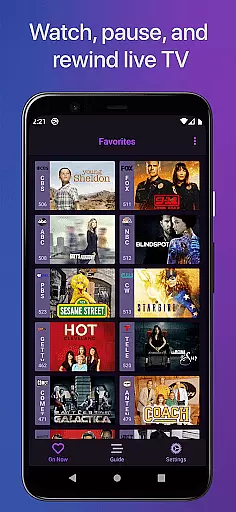
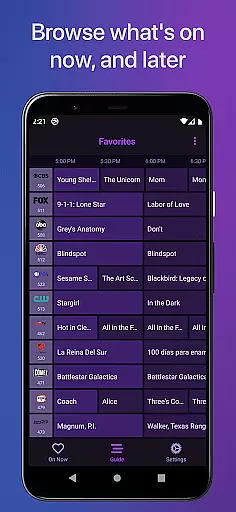
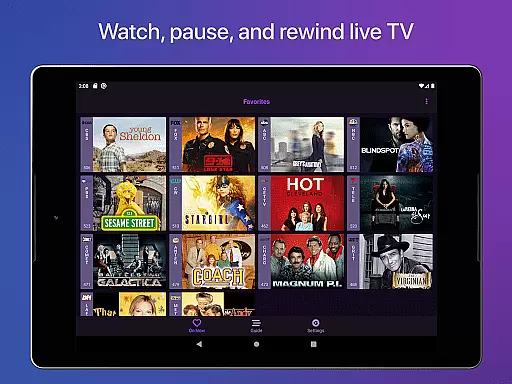
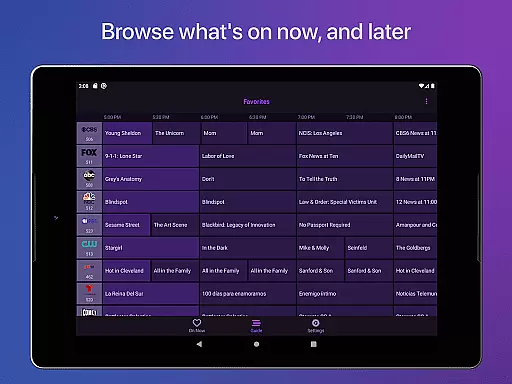
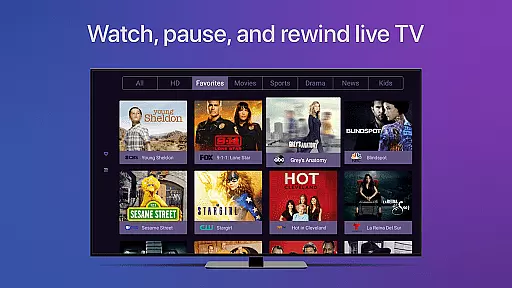
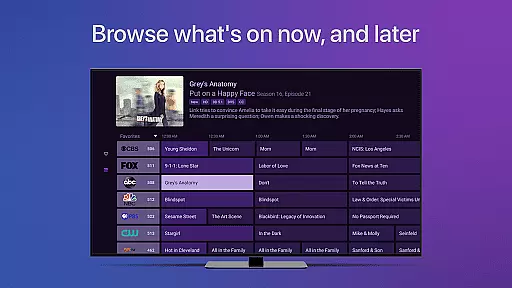
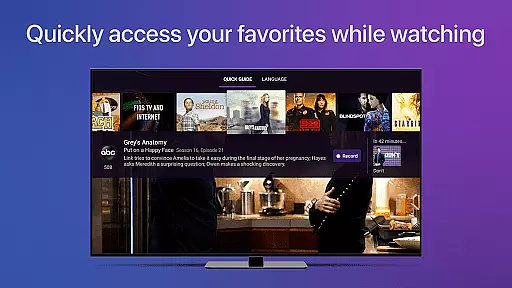
Channels for HDHomeRun is a versatile live TV streaming application designed specifically for Android users who own an HDHomeRun networked TV tuner. This app allows you to seamlessly watch, pause, and rewind both local and cable TV directly on your Android device. With advanced features such as full HD streaming, 5.1 surround sound, closed captioning, and comprehensive support for VoiceOver, Channels ensures a high-quality viewing experience. The app also offers a full grid guide, channel favoriting, and the ability to browse other channels while watching TV, making it an indispensable tool for managing your live TV preferences.
Beyond its core functionalities, Channels for HDHomeRun stands out by integrating effortlessly with your existing home entertainment setup. Whether you're using an antenna for over-the-air broadcasts or looking to save money by eliminating cable boxes, Channels provides a unified solution that brings live primetime TV, local news, and sports to any screen in your house. Its intuitive interface and seamless integration with HDHomeRun tuners make it easy to set up and use, ensuring that you can enjoy live TV without needing to switch inputs or manage multiple devices.
One of the standout features of Channels for HDHomeRun is its robust functionality that caters to diverse user needs. The app supports full HD streaming, provided your bandwidth allows, and delivers stunning picture quality alongside 5.1 surround sound for an immersive audio experience. Closed captioning and VoiceOver support ensure accessibility for all users, while the full grid guide and channel favoriting options allow for personalized TV management. Additionally, the app's ability to browse what's on other channels while you watch TV adds a layer of convenience not found in many competing applications.
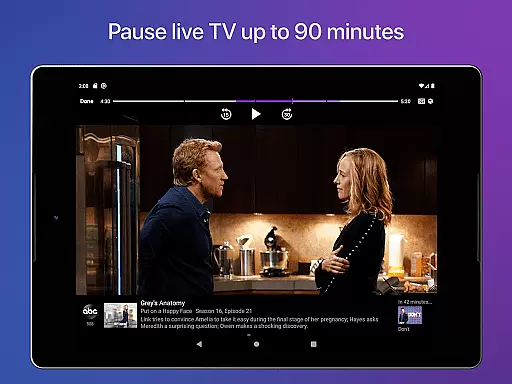
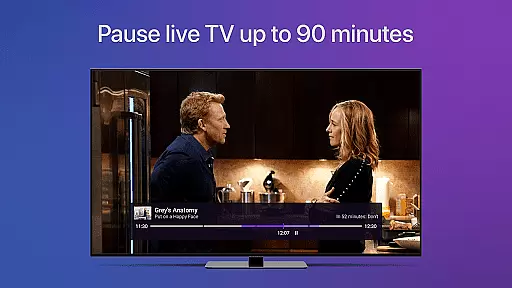
Channels also excels in user experience with its innovative live TV buffer, which typically holds around 90 minutes of content, depending on available storage. The quick skip feature lets you jump ahead 30 seconds or rewind 7 seconds with simple touch controls, enhancing navigation through your favorite shows. Integration with HDHomeRun devices enables auto-discovery and centralized management, allowing you to control your tuners directly from the app. These features collectively ensure that Channels for HDHomeRun not only meets but exceeds the expectations of modern TV viewers seeking flexibility and high performance in their streaming solutions.
Channels for HDHomeRun offers extensive video format compatibility, ensuring users can stream live TV seamlessly on their Android devices. The app supports a wide range of formats broadcasted by HDHomeRun tuners, including both over-the-air antenna signals and cable TV inputs.
The application ensures that whether you're streaming standard definition or enjoying full HD content, the quality remains consistently high. This is particularly beneficial for sports fans and news enthusiasts who require crisp visuals without lag or interruptions.
Additionally, Channels provides support for 5.1 Surround Sound and closed captioning, making it an inclusive platform catering to diverse user needs. These features enhance the overall viewing experience, allowing users to enjoy rich audio and accessibility options.
By supporting various formats and offering advanced features like VoiceOver and auto-discovery of HDHomeRun devices, Channels guarantees a versatile and user-friendly interface. This flexibility empowers viewers to manage their preferences efficiently while enjoying uninterrupted entertainment.
While primarily a live TV streaming app, Channels for HDHomeRun incorporates AI-powered functionalities to elevate the user experience. Although not a traditional video editor, its intelligent features streamline how users interact with live television content.
One standout feature is the live TV buffer, which uses smart algorithms to store approximately 90 minutes of content. This allows users to pause, rewind, and fast-forward through live broadcasts effortlessly. Such capabilities mimic basic editing functions, providing greater control over live viewing sessions.
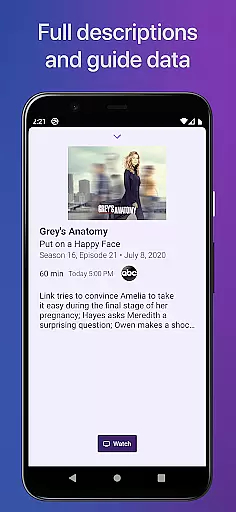
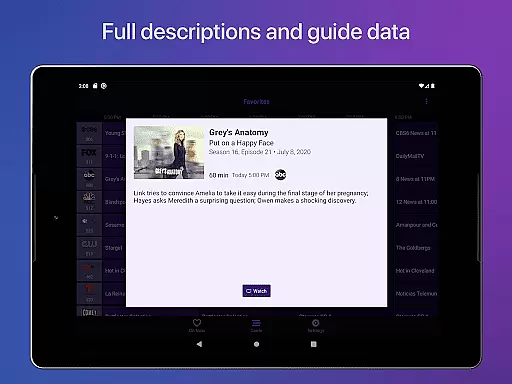
Moreover, the app's guide data and full grid guide are enhanced by AI to deliver accurate and timely information. Users can browse whatu2019s on other channels while watching TV, thanks to intuitive predictive algorithms that ensure smooth navigation.
These AI-driven enhancements make Channels a powerful tool for managing live TV consumption. By integrating advanced technology with user-centric design, the app delivers a seamless blend of traditional broadcasting and modern digital convenience.
User-friendly interface
High-definition streaming
Comprehensive accessibility options
Seamless HDHomeRun integration
Live TV buffer functionality
Requires HDHomeRun tuner
No DRM stream support
Network dependency
Limited external access
Premium subscription needed for DVR

Fast, private downloading, video saving, social media
 4.50
4.50
Fast video downloader & private browser. Save HD clips to watch offline.
4.40
Create photo video with music & template. AI video maker for stunning slideshow.
4.60
KMPlayer Plus (Divx Codec) officially support Divx codec.
4.30
Stream Web Videos to Chromecast, Samsung, LG, Sony, Roku, Fire TV, DLNA + more
4.00
Seamlessly connect and control your smart devices, anytime, anywhere with ease.
4.60
AI Video Editor:AI Music, Text to Video,Text to Speech,Auto Caption,Video Effect
4.00
Mix with Virtual DJ directly from your phone or tablet !
3.10
Capture the moment and Cut
3.40
An easy-to-use and all-round screen recorder with audio
4.80
Pro video editor app for Instagram, edit video with song, AI, effect & slowmo.
4.80
AI Video Editor with Music, Filter, Slideshow, Effect, Merge & Trim Video.
4.80
Download Hub, easy and private way to download and enjoy your videos offline
4.80
A Quick and Pro Video Editor
4.70
Cast movies, tv shows and live streams to Chromecast, Roku, DLNA, Fire TV & more
4.60
Auto video maker with music & exclusive filters. Video editing made simple.
4.50
Photo and Music Video Creator into Stunning Videos—Effortlessly
4.40
Connect 2 UVC devices for recording and broadcast video/audio stream
3.90
Video player with powerful streaming playback and various convenient features.
2.10


User Reviews