

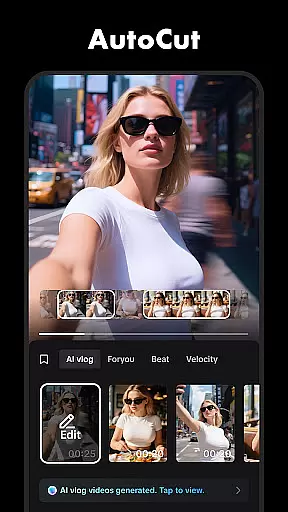




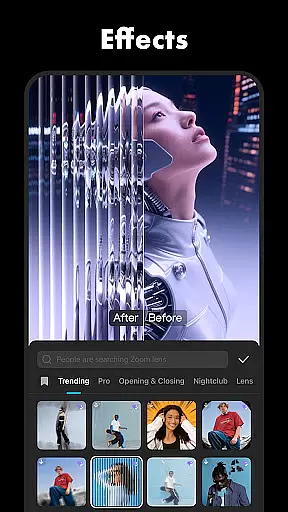
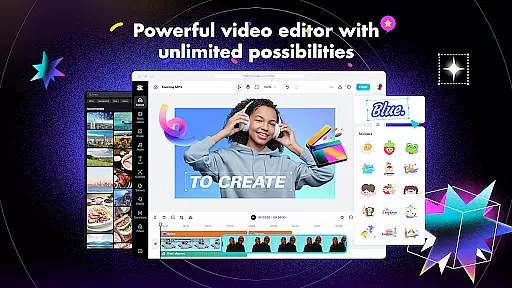
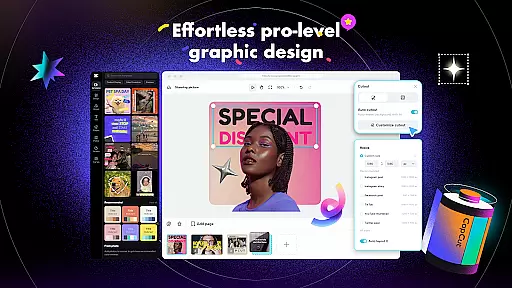
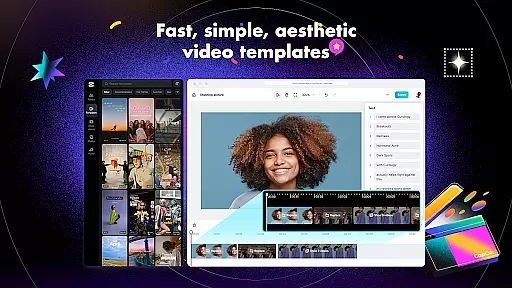
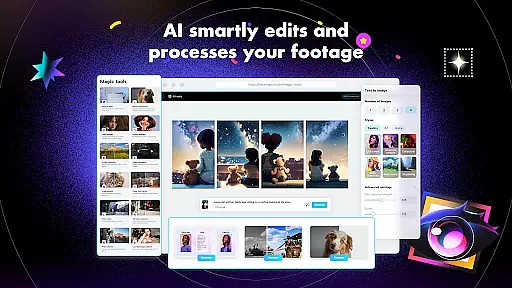
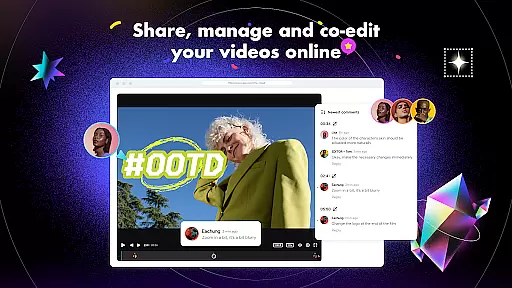
CapCut is a comprehensive video editing application that offers both basic and advanced editing tools, making it suitable for both beginners and experienced content creators. The app provides essential features such as trimming, splitting, and merging clips, along with more sophisticated options like keyframe animation, chroma key, and stabilization. These functionalities enable users to produce professional-quality videos with smooth slow-motion effects and captivating transitions.
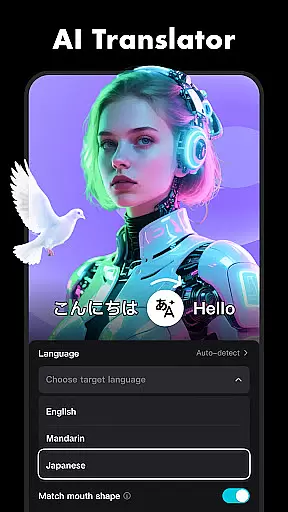
In addition to its robust editing capabilities, CapCut includes intelligent features such as auto captions, text-to-speech in multiple languages, and background removal. Users can enhance their videos with diverse filters, trending effects, and soundtracks from a vast library of music clips. With support for 4K 60fps exports and smart HDR, the app ensures high-quality output that's ready to be shared across social media platforms like TikTok, YouTube, and Instagram.
CapCut stands out with its extensive range of features tailored for video editing enthusiasts. The app covers fundamental editing needs by allowing users to trim, split, merge, and adjust the speed of video clips. It also offers creative zoom effects and freeze frames to highlight key moments. For seamless transitions between scenes, CapCut provides an array of transition effects that add a professional touch to any project.
For advanced users, CapCut delivers powerful tools such as keyframe animation, optical flow for smooth slow-motion, and chroma key for color removal. The multi-track timeline makes it easy to arrange and preview complex projects, while the stabilization feature ensures footage remains steady. Intelligent features like auto captions, text-to-speech, and motion tracking further expand creative possibilities, enabling users to craft unique and engaging video content.
CapCut stands out with its exceptional video format compatibility, ensuring that users can work with a wide range of video files without the hassle of conversion. This feature is crucial for a seamless editing experience as it allows creators to import and export videos in various resolutions and formats.
The application supports high-definition video editing, including 4K at 60fps exports, making it ideal for producing professional-quality content. Whether you're working on a short social media clip or a full-length video, CapCut's versatile format support ensures your projects retain their quality from start to finish.
Additionally, the smart HDR feature enhances video output by providing better color accuracy and contrast. This means that regardless of the original video format, the final product will have enhanced visual appeal, catering to creators who demand the best for their audience across platforms like TikTok, YouTube, and Instagram.
By offering such comprehensive video format compatibility, CapCut empowers users to focus on their creative process without being limited by technical constraints, thus maximizing both efficiency and output quality.
CapCut incorporates advanced AI-powered editing features that revolutionize the video creation process. These intelligent tools automate complex tasks, enabling creators to produce high-quality content efficiently. One standout feature is the auto captions functionality, which uses speech recognition technology to generate accurate subtitles, enhancing accessibility and viewer engagement.
The text-to-speech capability further expands creative possibilities by allowing users to convert written text into natural-sounding voiceovers in multiple languages and voices. This not only saves time but also opens up opportunities for global reach and diverse storytelling. Additionally, the background removal tool utilizes AI to automatically isolate subjects from their backgrounds, perfect for creating dynamic visual effects or green screen replacements.
These AI-driven features are designed to be intuitive, ensuring that both beginners and experienced editors can leverage them effectively. By integrating such sophisticated yet user-friendly tools, CapCut significantly reduces the learning curve associated with video editing while elevating the overall production value of the content created.
Ultimately, CapCut's AI-powered editing features provide an edge in content creation, allowing users to focus more on their creative vision and less on the technical aspects, resulting in polished and professional-looking videos ready for sharing across various social media platforms.
User-friendly interface
Advanced editing tools
Variety of effects and filters
Multi-language support
High-quality export options
Limited offline functionality
Occasional bugs reported
Ads within the free version
Subscription required for premium features
Large file size

Search & download videos from net with all video downloader, auto-detect & safe.
 4.60
4.60
Explore the largest library of free GIFs, Stickers & Memes - or create your own!
3.90
All in one HD video downloader & player for multiple formats with full privacy
4.70
Play and download HD videos from all sources — fast, simple, and all-in-one.
4.0
Cast to Smart TV, Fire TV. Cast video, photo - Fast & Stable!
3.90
The essential companion to your Blue Iris PC software
2.50
Flud is a simple and beautiful BitTorrent client for Android.
4.80
Video&Drama Player All Format is a HD video player, music player
3.00
convenient, safe and fast at Video Downloader & Player
4.60
#1 Torrent App on Android ** No Ads Ever + Battery Saver **
4.80
Snaptubè Video Downloader app allows to download videos and music in Snaptube. .
4.60
HD video maker with no watermark, no ads & vlog maker with music, PIP, text
4.50
AirMirror Receiver - Screen mirroring/cast web videos to Android TV by AirPlay.
4.40
Your media, on your terms.
4.10
AirMirror is Receiver for Screen Mirroring and Casting from Apple Devices.
3.60
Download videos easily & play them all in one smart, powerful video manager.
3.40
Mix with Virtual DJ directly from your phone or tablet !
3.10
Client application for NextPVR software
3.00
The smartest M3U IPTV Player your playlists have ever seen.
4.0


User Reviews