
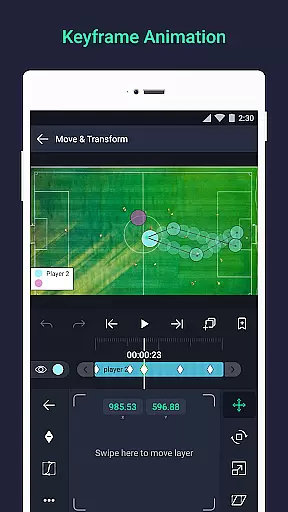
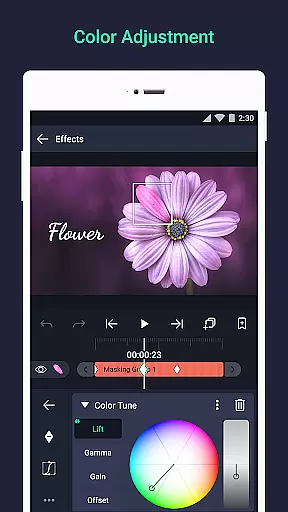

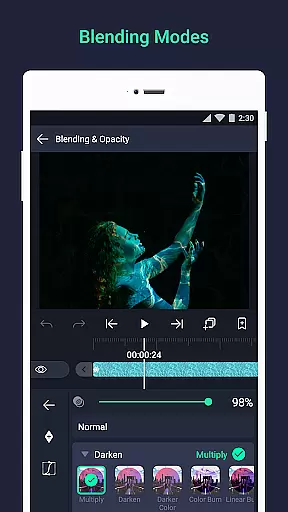
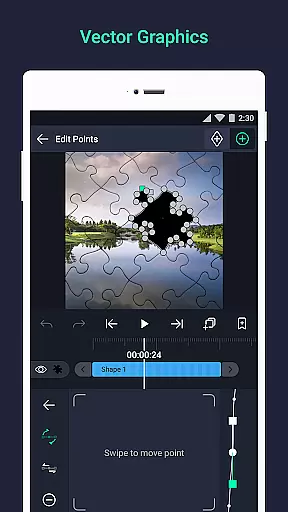
Alight Motion is a pioneering motion design app that brings professional-quality animation and video editing tools to your mobile device. With features like multi-layer support for graphics, video, and audio, it enables users to create sophisticated visual effects and motion graphics. The app supports both vector and bitmap editing, keyframe animations, and advanced color adjustments, making it an ideal choice for designers and content creators.
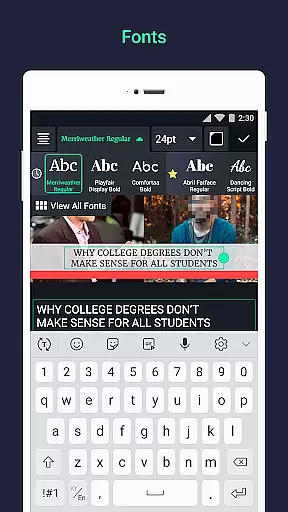
The application stands out with its unique offerings such as camera panning, zooming, focus blur, and fog effects. It also allows layer grouping, masking, and custom font usage for text, providing a comprehensive toolkit for creative expression. Whether you're crafting social media content or working on professional video projects, Alight Motion delivers the power to produce high-quality visuals directly from your phone.
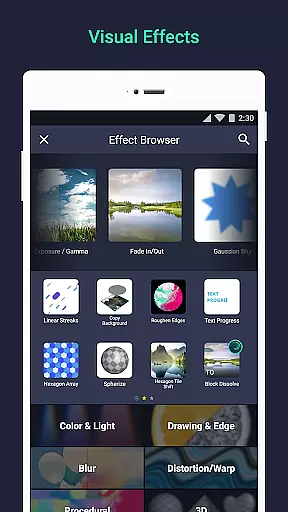
Alight Motion boasts an impressive array of features tailored for professional motion design. One of its core strengths is the ability to work with multiple layers, including graphics, video, and audio, allowing complex compositions. The app's support for vector and bitmap editing means users can modify graphics directly on their devices, while 160+ effect building blocks enable the creation of intricate visual effects.
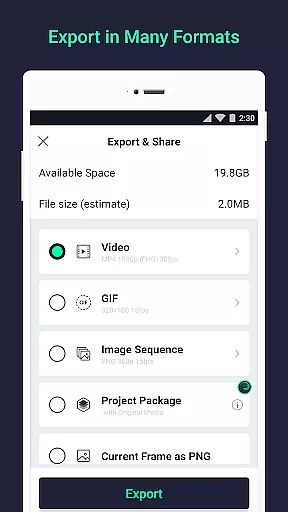
Advanced animation capabilities are another highlight, with keyframe animation available for all settings and easing options for fluid motion. Users can link parent and child layers, rig character joints, and utilize velocity-based motion blur for smooth animations. Additionally, exporting options are versatile, supporting MP4 video, GIF animation, PNG sequences, and stills, ensuring compatibility across various platforms and uses.
Video format compatibility is a crucial feature for any video editing application, ensuring that users can work with a wide range of file types. Alight Motion supports multiple formats including MP4 video, GIF animation, and PNG sequences, making it versatile for various projects.
The app's ability to handle both vector and bitmap graphics adds another layer of flexibility. This means you can import and edit different types of visual content without worrying about format restrictions. The inclusion of solid color and gradient fill effects further enhances the creative possibilities.
Users benefit from this broad compatibility as it streamlines their workflow. Whether you're creating animations or compositing videos, having support for diverse formats ensures your work is not limited by technical constraints. Additionally, exporting options like MP4 and GIF allow for easy sharing and distribution.
Alight Motion stands out in the Video Players & Editors category by offering comprehensive format support. This makes it an ideal choice for professionals who require reliability and versatility in their video editing tools.
AI-powered editing features are revolutionizing the way we create and edit videos, providing smarter tools that enhance productivity. Alight Motion incorporates AI elements such as velocity-based motion blur and animation easing, which contribute to more fluid and professional-quality motion design.
The app offers sophisticated visual effects through 160+ basic effect building blocks. These can be combined to create complex animations, while keyframe animation is available for all settings. AI also assists in tasks like linking parent and child layers, rigging character joints, and using cameras with pan, zoom, and focus blur capabilities.
For users, these AI-powered features mean less time spent on manual adjustments and more time focusing on creativity. The ability to copy and paste entire layers or just their style saves time, while bookmarks ease the editing process. These intelligent tools help streamline workflows and improve overall efficiency.
In the realm of Video Players & Editors, Alight Motion distinguishes itself with robust AI-powered editing features. By leveraging artificial intelligence, it provides advanced functionalities that cater to both novice creators and seasoned professionals seeking powerful editing capabilities.
User-friendly interface
Professional-grade tools
Versatile exporting options
Regular feature updates
Active customer support
Free version has watermarks
Paid subscription required
High system requirements
Occasional performance issues
Steep learning curve

?100% FREE! Download & save videos? safely in this app. All formats supported.
 4.60
4.60
Search & download videos from net with all video downloader, auto-detect & safe.
4.60
Download videos easily & play them all in one smart, powerful video manager.
3.40
Add date and time watermark to photos and videos
4.50
Flud is a simple and beautiful BitTorrent client for Android.
4.80
Browser for Fire TV to stream webvideos, online movies, livestreams in HD
4.40
Viddo: Generate Action Figure, AI Anime, AI kiss, AI hug Video from image & text
4.40
VLC for Android is the best open source video and music player, fast and easy!
4.10
Make videos you’re proud to share with Edits, a video editor for creators.
4.70
Play ALL formats in 4K & HD. Video downloader, MP3 player, Chromecast & more.
4.80
Pro video editor app for Instagram, edit video with song, AI, effect & slowmo.
4.80
#1 Torrent App on Android ** No Ads Ever + Battery Saver **
4.80
Movie maker & video editing app with AI effects and green screen
4.30
This app was created to edit the metadata of music files.
4.20
Video player with 4K & 1080P support, popup play, background play and subtitle.
4.20
Your media, on your terms.
4.10
Stream Web Videos to Chromecast, Samsung, LG, Sony, Roku, Fire TV, DLNA + more
4.00
This app is an emulator of some specific IPTV boxes
3.50
The smartest M3U IPTV Player your playlists have ever seen.
4.4


User Reviews