
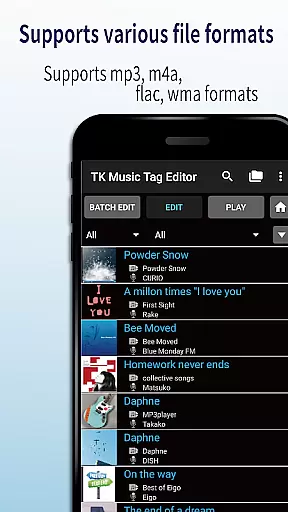
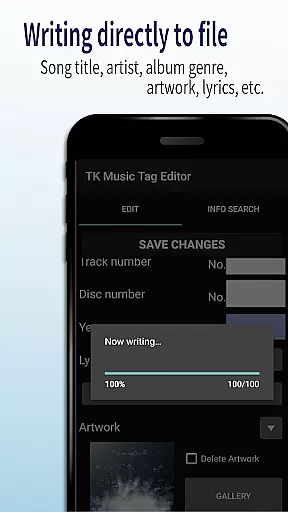
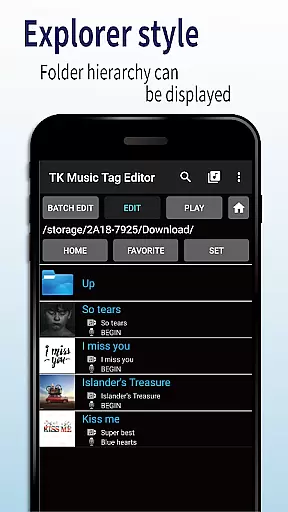
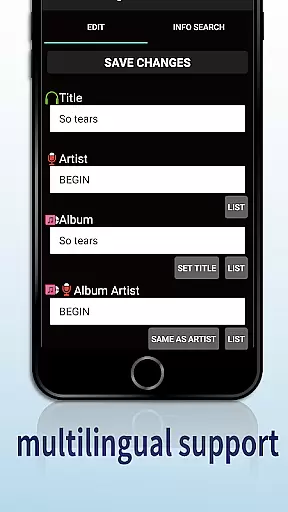
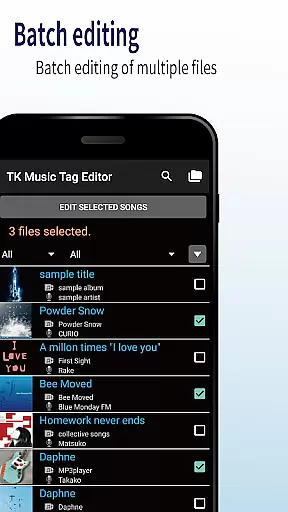
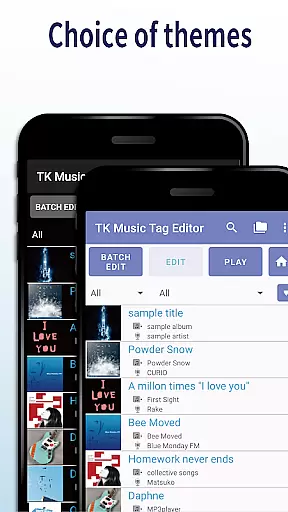
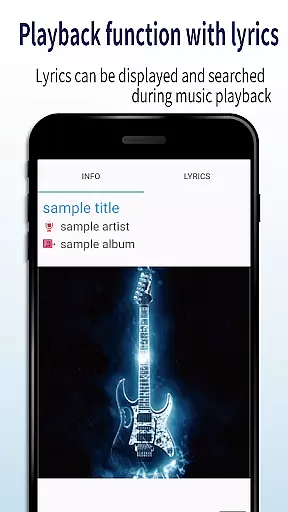
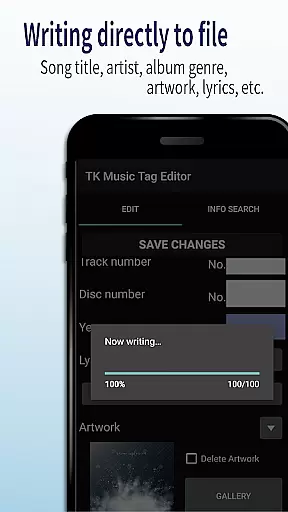
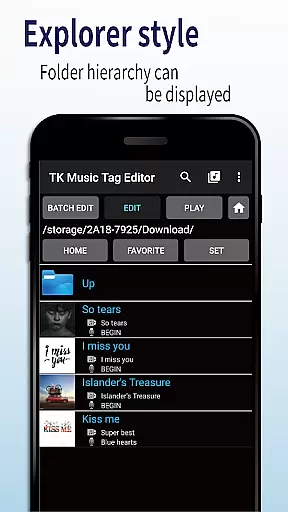
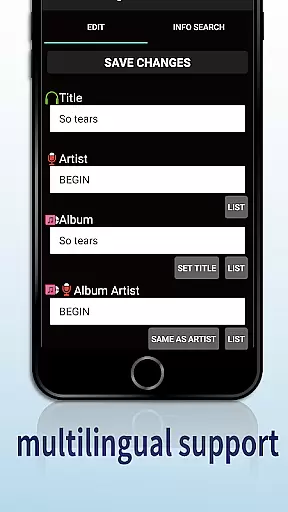
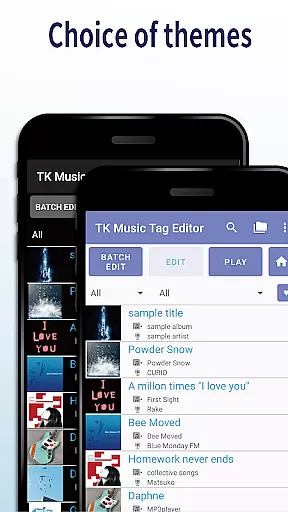
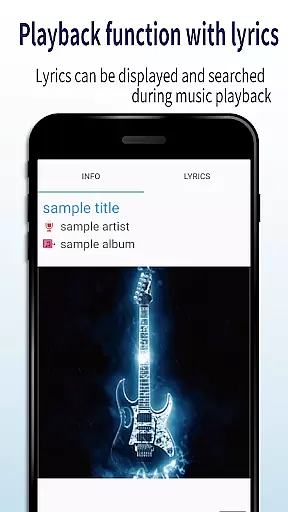
TK Music Tag Editor -Complete- is a comprehensive metadata editing tool designed specifically for music enthusiasts who need to manage their audio files with precision. This app allows users to edit essential metadata fields such as artist, album, cover art, and lyrics directly within mp3, m4a, flac, and wma files. The changes are written directly into the music files, ensuring that the metadata remains intact across different devices, including PCs.
In addition to basic tag editing, TK Music Tag Editor offers advanced features like simultaneous filename editing, playlist creation, and support for multiple file formats. Whether you're organizing a large music library or preparing tracks for professional use, this app provides the tools needed to maintain accurate and consistent metadata. Its ability to handle various file formats makes it an indispensable utility for anyone serious about managing digital music collections.
One of the standout features of TK Music Tag Editor -Complete- is its ability to write tags directly into music files. This ensures that metadata such as title, artist, album, cover art, and lyrics remain consistent regardless of where the files are accessed. Users can also simultaneously edit filenames, allowing for streamlined organization of music libraries by customizing filenames to include song titles and artist names.
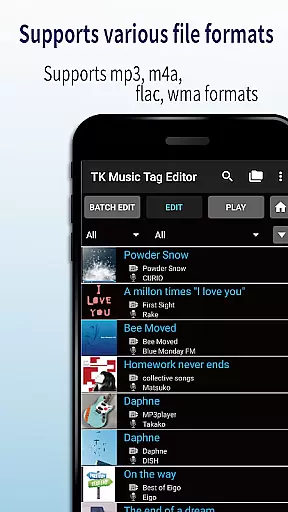
The app supports the creation and easy editing of playlists, enabling users to curate personalized listening experiences. Furthermore, TK Music Tag Editor handles multiple file formats, including mp3, m4a, flac, and wma. It even detects mp3 files mislabeled with m4a extensions and corrects them, ensuring compatibility across devices. These robust features make it an essential tool for both casual listeners and audio professionals seeking efficient ways to manage extensive music collections.
TK Music Tag Editor -Complete- offers extensive video format compatibility, ensuring that users can edit metadata for a wide range of file types. The app supports popular formats such as mp3, m4a, flac, and wma, making it versatile for various audio collections.
One of the standout features is its ability to write tags directly into the music files. This means that once you've edited the metadata, it remains intact whether you access the files from a PC or any other device. This ensures consistency and reliability across different platforms.
Additionally, the app provides the functionality to change file extensions, like converting an mp3 file with an m4a format to the correct .m4a extension. This feature enhances the interoperability of your music files, allowing them to be recognized and played on any device without issues.
While TK Music Tag Editor -Complete- does not focus heavily on AI-powered editing features, it still offers powerful tools that enhance user experience through smart functionalities. For instance, the simultaneous editing of music filenames based on metadata changes is a clever feature that saves time and effort.
The app also allows for the creation and easy management of playlists. This feature uses basic intelligence to help users organize their music libraries more effectively, enabling them to create lists of songs they wish to hear in a straightforward manner.
Future updates promise even more advanced capabilities, including additional editable metadata fields. Users are encouraged to reach out with suggestions for new functions, fostering a community-driven approach to app development. These ongoing improvements ensure that the app continues to meet user needs efficiently.
User-friendly interface
Comprehensive format support
Direct tag writing
Playlist management
Filename customization
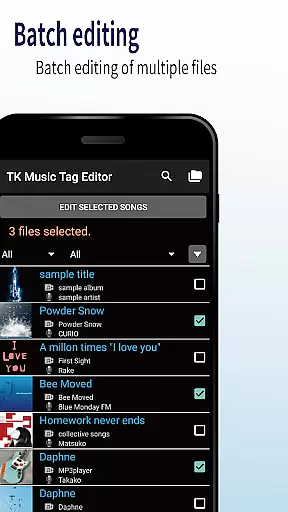
No batch editing
Limited advanced options
Occasional bugs
Basic UI design
Requires careful use

Live TV, anywhere in your home
 3.80
3.80
Support 1000+ Video Format, Subtitle Download, mp3 & Background Play, Cast On TV
4.60
High-Quality USB Camera Viewer & HDMI Display
4.70
Download website videos fast&privacy
4.40
Add date and time watermark to photos and videos
4.50
LumaFusion: The Ultimate Storytelling Experience for Video Editing
4.10
Livestream, news, & gaming content. Watch, chat, and upload. Join Rumble today!
3.80
Fast & Private HD Video Downloader with Built-in Proxy Browser and Video Player.
4.50
Capture the moment and Cut
3.40
Pro video editor app for Instagram, edit video with song, AI, effect & slowmo.
4.80
AI Video Editor with Music, Filter, Slideshow, Effect, Merge & Trim Video.
4.80
A Quick and Pro Video Editor
4.70
Download videos and play them offline
4.70
Cast Videos from Web Browser, IPTV to Roku, Chromecast, DLNA, Smart TV +more
4.60
Watch a large amount of high-definition short drama content
4.60
Fast & easy HD video downloader for all formats, support 4K playback & download.
4.60
KineMaster, Your Ultimate Video Editor!
4.40
Video player with 4K & 1080P support, popup play, background play and subtitle.
4.20
VLC for Android is the best open source video and music player, fast and easy!
4.10


User Reviews