
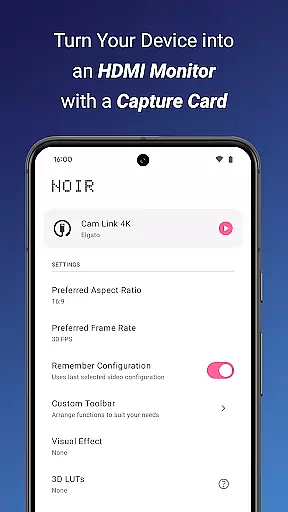
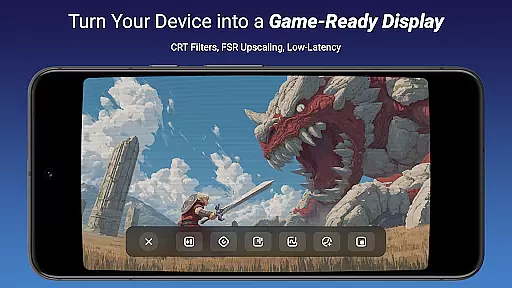
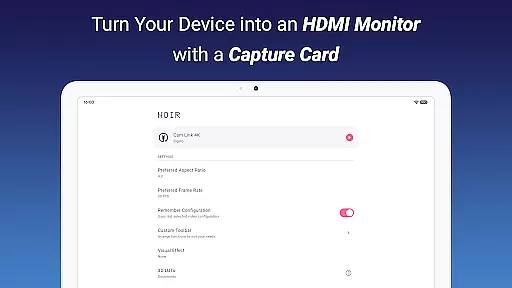
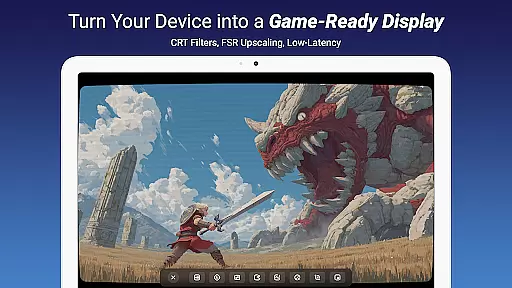
Noir Pro is a professional-grade video player and editor designed for users who need advanced monitoring and display capabilities. The app transforms your mobile device into a portable monitor for gaming consoles, laptops, cameras, and other HDMI-output devices when used with a compatible USB-C capture card. With support for UVC video streaming and UAC audio streaming, Noir Pro offers versatile connectivity options.
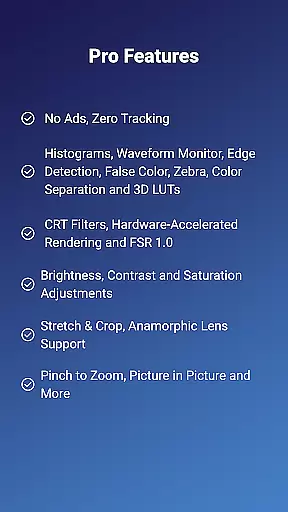
The application stands out with its pro features like 3D LUTs, Waveform Monitor, Histogram, Edge Detection, and more, catering to professional video editors and enthusiasts. Whether you're using it as a camera monitor, primary display for gaming consoles, or secondary monitor for laptops, Noir Pro provides the tools needed for precise video adjustments and high-quality display output.
With its comprehensive feature set, Noir Pro delivers exceptional value for content creators, filmmakers, and gamers seeking a reliable mobile monitoring solution that ensures accurate color representation and detailed image analysis.
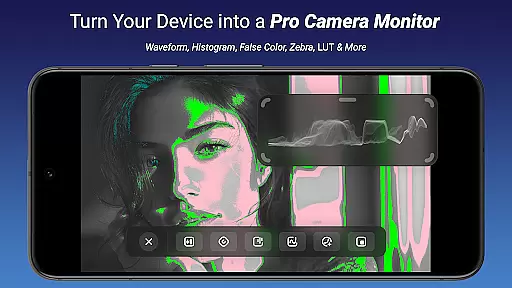
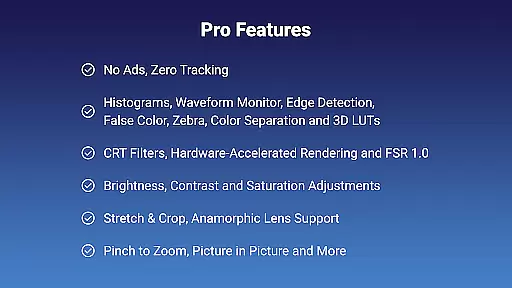
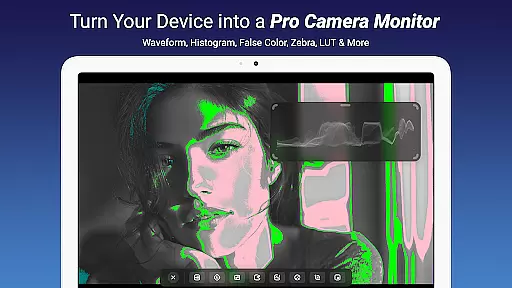
Noir Pro boasts an impressive array of features tailored for video professionals. One of its key strengths is the inclusion of advanced monitoring tools such as Waveform Monitor, Histogram, and False Color, which are essential for precise color grading and exposure control. These tools allow users to make informed decisions about their video content, ensuring optimal quality in their final products.
In addition to its monitoring capabilities, Noir Pro supports various video adjustments including brightness, contrast, and saturation. This flexibility enables users to fine-tune their viewing experience according to specific project requirements. The app also includes CRT filters, FSR 1.0, and anamorphic lens support, making it suitable for a wide range of creative applications.
Furthermore, Noir Pro enhances productivity with practical functionalities like pinch to zoom, stretch and crop, and app-specific volume control. These features provide users with greater control over their workspace, allowing them to work efficiently on-the-go without compromising on quality or performance.
Video format compatibility is a crucial feature for any video player and editor, ensuring that users can work with a wide range of video files without conversion hassles. Noir Pro supports an extensive array of formats thanks to its dual graphics backend, offering both OpenGL ES and Vulkan options. This flexibility allows the app to handle various video streams efficiently while maintaining optimal performance.
The application's support for UVC video streaming means it can interface seamlessly with numerous external devices like cameras, microscopes, and even gaming consoles through appropriate capture cards. Whether you're using MJPEG or other codecs within the supported frame rates and resolutions, Noir Pro ensures smooth playback and editing experiences.
For professionals and enthusiasts alike, this broad compatibility eliminates barriers in creative workflows. Users can directly import footage from different sources and immediately start monitoring, editing, or streaming. With Noir Pro's versatile format handling, content creators have the freedom to focus on their craft rather than technical limitations.
AI-powered editing features represent the cutting edge of video processing technology, enabling smarter and faster edits with minimal manual intervention. While specific AI functionalities aren't explicitly listed in Noir Pro's description, we can infer potential capabilities based on its advanced feature set. Tools such as waveform monitors, histograms, false color, and zebra patterns suggest sophisticated analytical functions that could be enhanced by artificial intelligence.
Imagine leveraging AI to automatically adjust brightness, contrast, and saturation levels for perfect exposure every time. Or utilizing intelligent algorithms to detect edges and separate colors more accurately during post-production. These tools not only save time but also improve precision, allowing editors to achieve high-quality results effortlessly.
Noir Prou2019s inclusion of 3D LUTs and CRT filters further hints at advanced color grading possibilities. When combined with AI-driven enhancements, these features empower creators to produce visually stunning videos with professional-grade finishing touches. Such innovations make complex editing tasks accessible even to novices while providing seasoned pros with powerful new tools in their arsenal.
Advanced Monitoring Tools
Versatile Connectivity Options
Comprehensive Video Adjustments
Professional-Grade Features
Portable and Convenient
Requires Compatible Hardware
Steep Learning Curve
Premium Price Point
Limited Free Features
Occasional Stability Issues

A full editing room to accompany your Insta360 cameras and handheld gimbals.
 3.30
3.30
You can play SWF format file!
2.50
Powerful, professional, versatile teleprompter. Developed by an active film crew
4.00
Photo and Music Video Creator into Stunning Videos—Effortlessly
4.40
Watch a large amount of high-definition short drama content
4.60
The essential companion to your Blue Iris PC software
2.50
#1 Torrent App on Android ** No Ads Ever + Battery Saver **
4.80
Cast movies, tv shows and live streams to Chromecast, Roku, DLNA, Fire TV & more
4.60
Capture the moment and Cut
3.40
VLC Remote lets you control your VLC Media Player on Mac, PC or Linux.
4.60
Viddo: Generate Action Figure, AI Anime, AI kiss, AI hug Video from image & text
4.40
Create & edit videos with AI
4.30
Video Downloader is an utility that can save videos and music from web sites
4.20
Your media, on your terms.
4.10
Make your own Animations, Video and Photo Edits, Visual Effects, and more!
4.00
Cast to Smart TV, Fire TV. Cast video, photo - Fast & Stable!
3.90
Kodi media center, a free and open source cross-platform entertainment hub
3.60
Download videos easily & play them all in one smart, powerful video manager.
3.40
Browser for Sony TV to stream web videos, online movies and live tv
3.20


User Reviews