
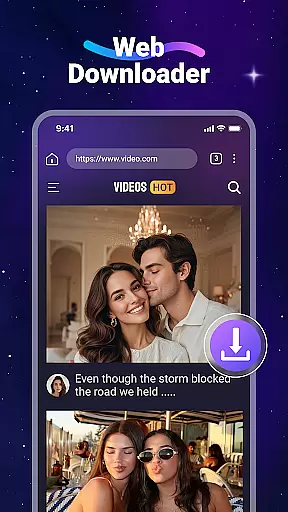
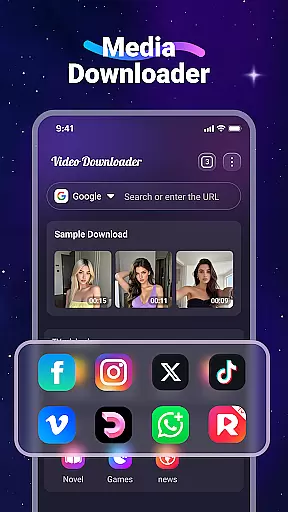
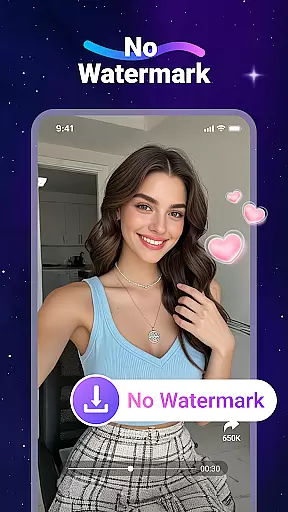
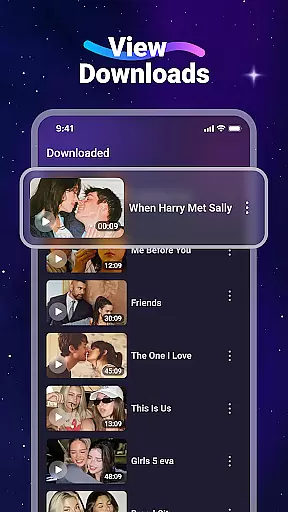
Video Downloader is a versatile utility app designed for users who want to download and manage video and audio files directly from the web. The app's core functionality lies in its ability to save various media formats, including MP4, MP3, and more, allowing users to access content offline without consuming internet data. With built-in features like an integrated media player and SD card support, it ensures seamless playback and storage flexibility.
In addition to downloading capabilities, Video Downloader offers a built-in browser that simplifies the process of finding and saving media. Users can bookmark favorite websites, initiate background downloads, and manage all their files through an intuitive interface. Whether you're looking to watch videos on the go or store important files locally, this app provides a practical solution for managing digital content efficiently.
Video Downloader stands out with its comprehensive set of features tailored for convenience and performance. One notable feature is its fast download speed, which ensures users can save large files quickly. The app also includes a built-in media player, enabling offline playback of downloaded videos without requiring additional software. Furthermore, support for SD cards allows users to expand storage capacity easily.
Another key aspect is the app's user-friendly design, which incorporates tools like a built-in browser and bookmarking system. These features streamline navigation and help users organize frequently visited sites. Additionally, the ability to download files in the background enhances multitasking capabilities. By supporting all major file formats, Video Downloader caters to diverse needs, making it a reliable choice for anyone seeking efficient media management.
Video Downloader stands out for its extensive video format compatibility, ensuring users can download and play a wide range of file types without hassle. The app supports popular formats such as MP4, AVI, and MOV, alongside audio formats like MP3 and M4A.
This broad compatibility is crucial for users who source videos from various websites, each potentially using different formats. By supporting all major formats, Video Downloader provides a seamless experience that eliminates the need for additional conversion software.
The utility not only downloads but also manages these files efficiently within its 'Files' tab, making it easy to locate and play any downloaded content. This feature enhances user convenience by consolidating media management within a single application.
Ultimately, the app's commitment to comprehensive format support ensures that users can enjoy their favorite content offline, regardless of the original file type, thus maximizing accessibility and convenience.
While Video Downloader focuses primarily on downloading capabilities, it also integrates AI-powered editing features that add significant value for users looking to modify their downloaded videos. These features include automated video enhancement and intelligent cropping options.
Automated enhancements utilize AI algorithms to improve video quality by adjusting brightness, contrast, and sharpness levels. This ensures that even if the source material is suboptimal, the final output maintains high visual standards suitable for personal or professional use.
Intelligent cropping allows users to easily adjust video dimensions without losing critical content. The AI identifies key elements within the frame and suggests optimal crop areas, streamlining the editing process and saving users time and effort.
These AI-driven tools not only elevate the quality of the downloaded content but also empower users with limited editing skills to produce polished results, enhancing overall satisfaction and utility derived from the app.
User-friendly interface
Fast download speeds
Offline playback support
SD card compatibility
Built-in browser
No YouTube support
Limited legal guidance
Ads may appear
Requires permissions
File format restrictions

A full editing room to accompany your Insta360 cameras and handheld gimbals.
 3.30
3.30
HD Video player all format, HD Videos, Cast & Subtitle. No annoying ads.
4.60
Powerful, professional, versatile teleprompter. Developed by an active film crew
4.00
HD video maker with no watermark, no ads & vlog maker with music, PIP, text
4.50
An easy-to-use and all-round screen recorder with audio
4.80
Play and download HD videos from all sources — fast, simple, and all-in-one.
4.3
IPTV Loader, loads your own Playlist. DOES NOT CONTAIN ANY LIST OR CHANNELS
4.60
Mix with Virtual DJ directly from your phone or tablet !
3.10
Capture the moment and Cut
3.40
Pro video editor app for Instagram, edit video with song, AI, effect & slowmo.
4.80
Download Hub, easy and private way to download and enjoy your videos offline
4.80
High-Quality USB Camera Viewer & HDMI Display
4.70
Auto video maker with music & exclusive filters. Video editing made simple.
4.50
KineMaster, Your Ultimate Video Editor!
4.40
AirMirror Receiver - Screen mirroring/cast web videos to Android TV by AirPlay.
4.40
1)AirPlay/DLNA Mirroring/Streaming, up to 4 connections; 2)Samba/NAS/DMS Player.
4.00
HD video & music player - All format support with floating & PIP mode!
3.80
Livestream, news, & gaming content. Watch, chat, and upload. Join Rumble today!
3.80
Client application for NextPVR software
3.00


User Reviews