
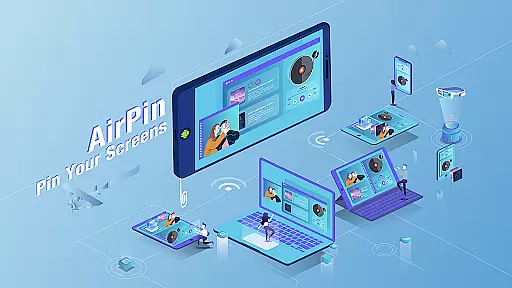


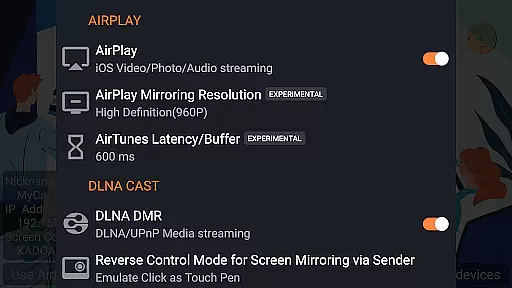


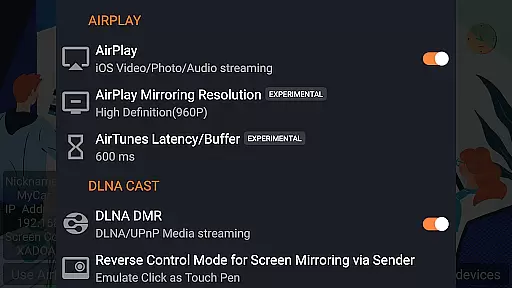

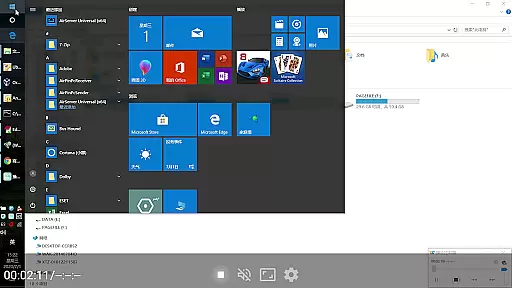

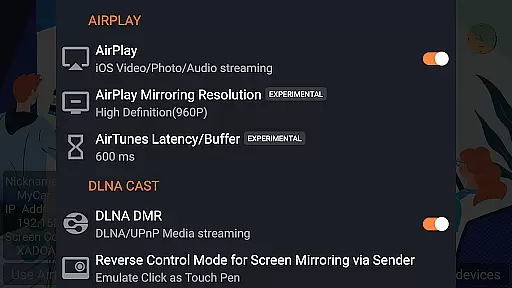

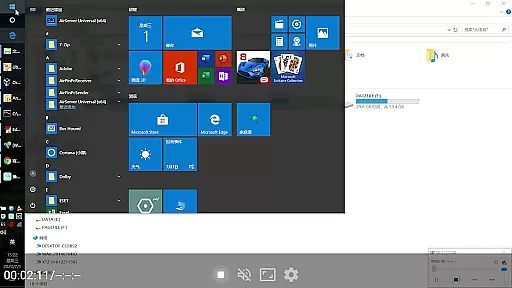

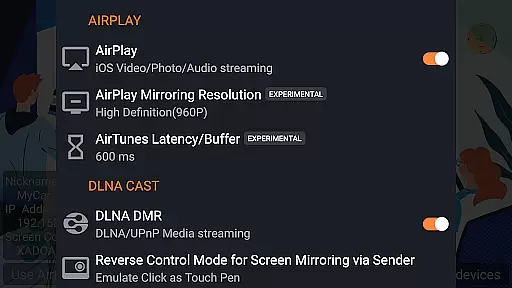
AirPin PRO is a cutting-edge screen mirroring and media streaming receiver app designed for Android devices, including phones, tablets, TVs, set-top boxes, and projectors. As the first Android application to support both AirPlay and DLNA protocols since its initial release in July 2012, it enables users to share media and screens from Apple, Windows, and Android devices onto larger displays.
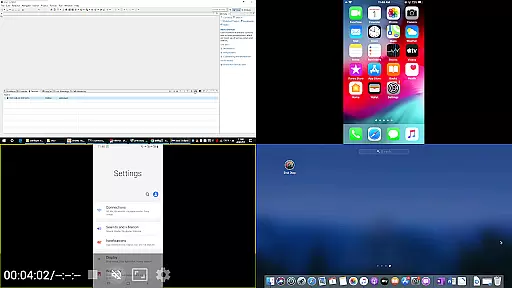
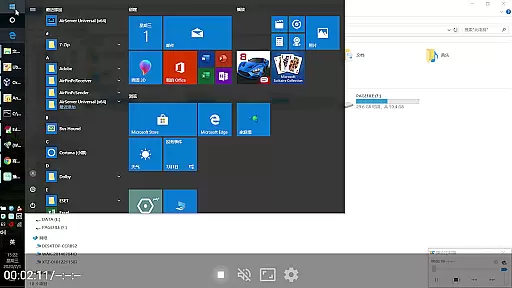
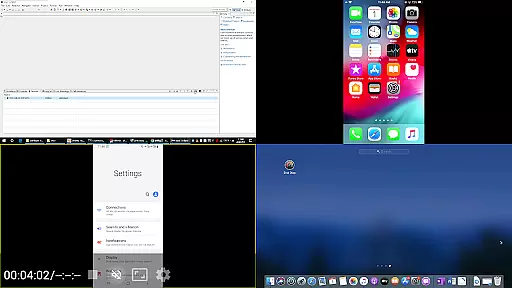
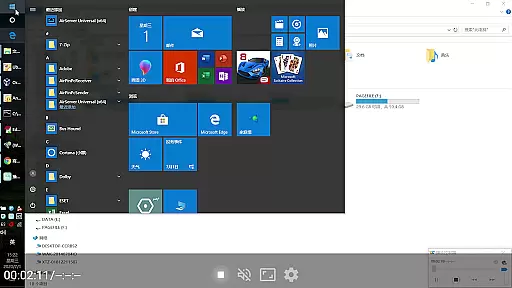
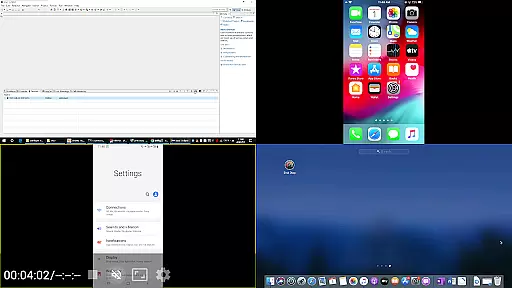
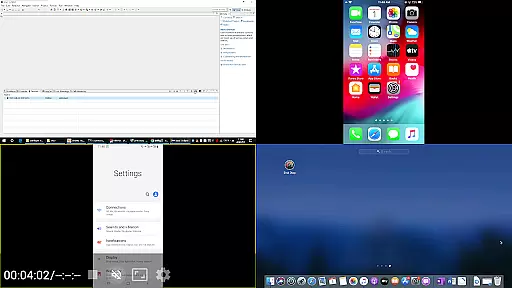
This PRO version stands out by allowing simultaneous display of up to four device screens, enhancing collaborative and presentation scenarios. Whether you're sharing content from an iPhone, iPad, MacBook via AirPlay, or a Windows PC through AirPinPcSender.exe, or even from other Android devices using AirPinCast, AirPin PRO facilitates seamless connectivity and high-quality streaming experiences.
AirPin PRO offers a comprehensive suite of features that cater to diverse multimedia sharing needs. It supports simultaneous display of multiple device screens (up to four), making it ideal for presentations, classrooms, and collaborative work environments. The app fully supports AirPlay video/music streaming and screen mirroring across all iOS and MacOS versions, ensuring compatibility with Apple devices.
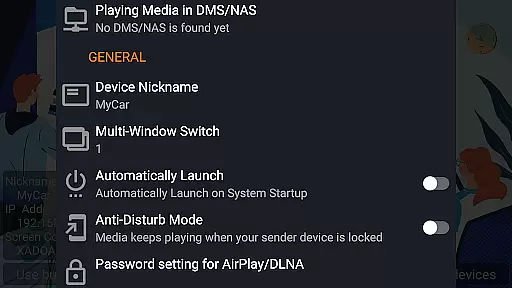
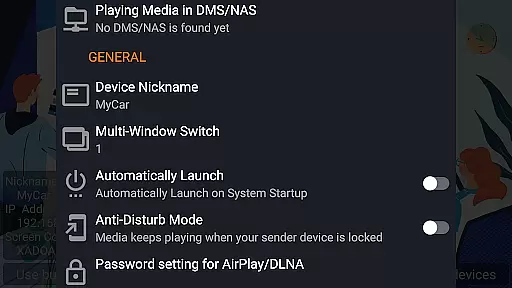
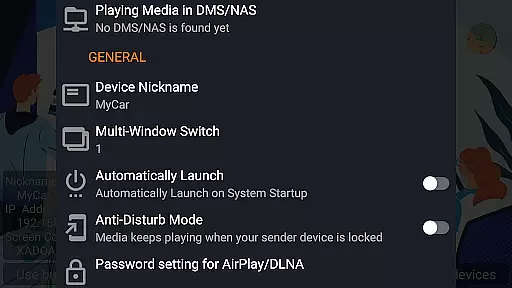
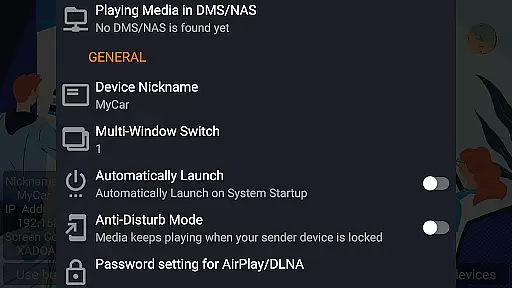
Notably, AirPin PRO is the first app to support the latest YouTube AirPlay streaming, slideshow functionality for AirPlay photo streaming, and AirPlay password protection. Additionally, it is the only app supporting both Renderer and Player modes for Android-based TVs, allowing direct pulling of media from DLNA/NAS/Samba servers for playback. With options like automatic startup, configurable service shutdown, background audio streaming without delay, anti-disturb mode, and support for external players, AirPin PRO delivers a robust and versatile user experience.
Video format compatibility is a crucial feature for any video player, ensuring that users can enjoy content in various formats without technical hindrances. AirPin PRO excels in this area by supporting an extensive range of video formats, making it versatile for different user needs.
This application supports both AirPlay and DLNA protocols, allowing seamless streaming from Apple, Windows, and Android devices. Whether you're looking to mirror your iPhone screen or stream a movie from your PC, AirPin PRO handles the necessary video codecs with ease.
Users benefit from the app's ability to directly pull media from DLNA/NAS/Samba servers, playing videos without the need for prior conversion. This saves time and enhances the viewing experience, as content plays smoothly without interruptions.
The versatility in video format support extends to external players too, meaning that even if a particular format isn't natively supported, users have the option to use third-party players within the AirPin ecosystem. This flexibility ensures that no matter what device or file type you're working with, AirPin PRO provides a solution for uninterrupted entertainment.
AI-powered editing features represent the cutting edge of video player functionality, offering smart tools that enhance the user experience through automation and intelligent processing. While AirPin PRO focuses primarily on screen mirroring and media streaming, its integration with advanced playback options showcases some AI-like capabilities.
One standout feature is the automatic continuation of media playback from the last pause point. This indicates a level of intelligence in tracking user behavior and preferences, optimizing the vieweru2019s experience by eliminating the need to manually search for where they left off.
Additionally, AirPin PRO offers anti-disturb modes which ensure videos keep playing even when the controlling device disconnects. Such a feature hints at proactive problem-solving akin to AI systems, maintaining continuity in entertainment without manual intervention.
While not traditionally categorized under video editing, these smart functionalities streamline media consumption and sharing processes significantly. Users enjoy an uninterrupted, intuitive interface that adapts to their habits and maintains high-quality performance across multiple platforms and devices.
First app with AirPlay & DLNA support
Multi-screen display capability
Seamless cross-platform compatibility
Advanced security features
Regular updates and bug fixes
Paid PRO version required
Occasional connectivity issues
Limited free features
Device-specific optimizations needed
Complex setup for beginners

Fast, private downloading, video saving, social media
 4.50
4.50
Powerful, professional, versatile teleprompter. Developed by an active film crew
4.00
Video Player - Unlimited features, 30 days money back guarantee.
4.60
Search & download videos from net with all video downloader, auto-detect & safe.
4.60
Make your own Animations, Video and Photo Edits, Visual Effects, and more!
4.00
Browser for Samsung TV to stream webvideos, online movies and livestreams in HD
4.10
AI Video Editor with Music, Filter, Slideshow, Effect, Merge & Trim Video.
4.80
Fast & Private HD Video Downloader with Built-in Proxy Browser and Video Player.
4.50
Download Hub, easy and private way to download and enjoy your videos offline
4.80
Video Trimmer, Video to MP3 Converter. Extract music from video, Easy & Fast.
4.80
Screen recorder with audio to take live videos & Screenshot in high quality!
4.70
Fast & easy HD video downloader for all formats, support 4K playback & download.
4.60
IPTV Loader, loads your own Playlist. DOES NOT CONTAIN ANY LIST OR CHANNELS
4.60
HD video maker with no watermark, no ads & vlog maker with music, PIP, text
4.50
Video Downloader, Multiple Resolution Options, Video Player
4.50
Video player, file manager for all formats, 4K/HD media player supports subtitle
4.30
Fast private browser with secure, seamless access & supported video downloads!
4.00
Kodi media center, a free and open source cross-platform entertainment hub
3.60
Play and download HD videos from all sources — fast, simple, and all-in-one.
4.2


User Reviews