
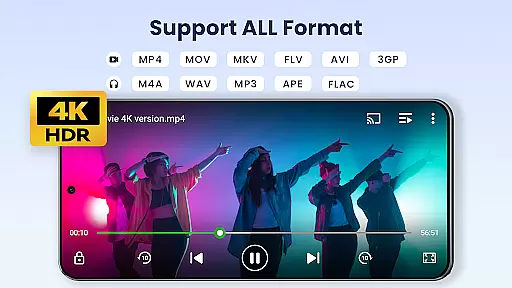



Video Player All Format is a versatile video playback tool designed for Android users. This professional-grade player supports all video formats, including 4K and ultra HD resolutions, ensuring high-definition playback on both tablets and smartphones. The app features advanced functionalities such as hardware acceleration, Chromecast support, and subtitle downloader, making it one of the best choices for media enthusiasts.
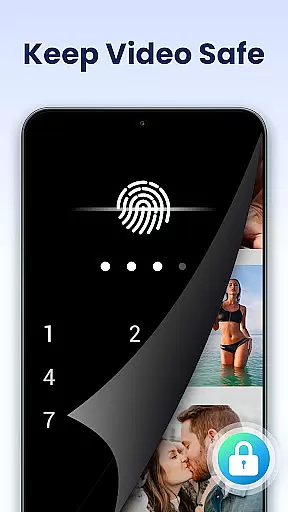
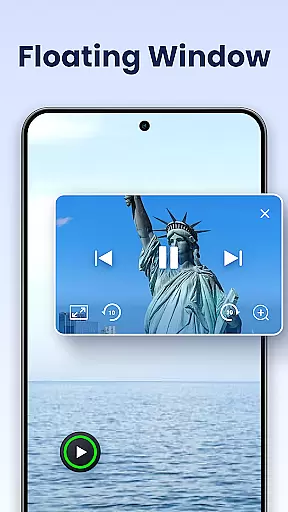
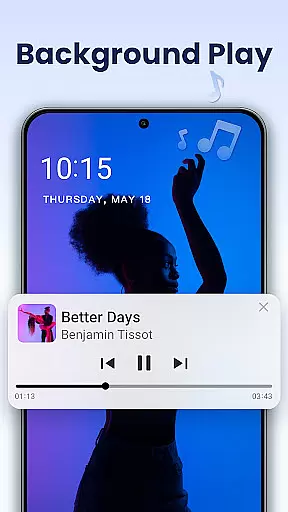
Beyond its core playback capabilities, the app offers unique privacy features. Users can create private folders protected by passwords to safeguard sensitive content from unauthorized access. Additional features like pop-up window playback, background play, and night mode provide flexible viewing options. With automatic file identification and easy management of videos stored on both internal memory and SD cards, this app delivers a comprehensive video management solution.
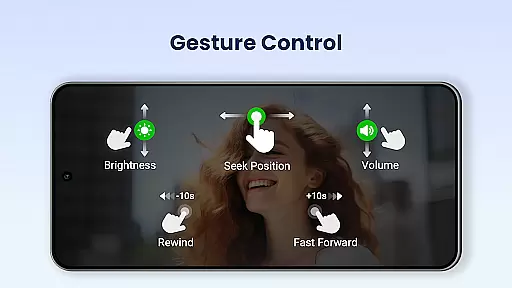
The application's user-friendly interface allows effortless control over volume, brightness, and playback speed through simple screen gestures. Its multi-playback options include auto-rotation, aspect ratio adjustment, and screen lock functionality. Whether you need professional-grade features for media production or simply want an enhanced viewing experience, Video Player All Format provides a complete package that caters to various user needs while maintaining exceptional performance standards.
Video Player All Format distinguishes itself through its extensive feature set tailored for diverse user requirements. The application supports all major video formats including MKV, MP4, AVI, and more, while maintaining smooth playback even for 4K and ultra HD content. Its hardware acceleration capability ensures optimal performance without compromising device resources, making it suitable for both high-end and mid-range Android devices.
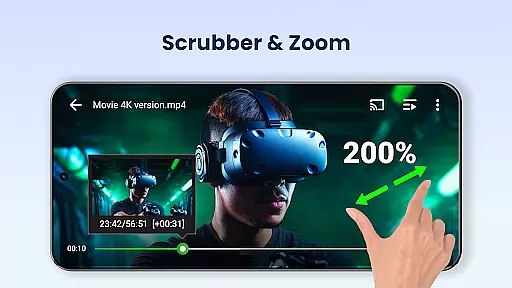
One of the standout features is its comprehensive privacy protection system. The private folder functionality allows users to password-protect sensitive videos, preventing unauthorized access or accidental deletion. The app's Chromecast integration enables seamless streaming to television sets, while its subtitle downloader enhances viewing experiences for foreign language content. Advanced playback controls include variable speed settings ranging from 0.5x to 2.0x, quick mute functionality, and precise progress tracking.
The floating video player and background playback modes offer unparalleled multitasking capabilities. Users can resize and move the floating window across their screen while performing other tasks, or listen to videos in the background like audio files. These features, combined with automatic file detection and easy sharing options, make Video Player All Format a comprehensive solution for managing and enjoying multimedia content across different devices and usage scenarios.
Video Player All Format stands out as a versatile video playback tool that supports an extensive range of video formats, making it adaptable to various user needs.
The application is designed to handle ALL video formats including MKV, MP4, AVI, and more, ensuring that users are not limited by the file type when choosing videos to play. This comprehensive support extends to high-definition formats such as 4K and ultra HD, providing crisp, clear visuals for an enhanced viewing experience.
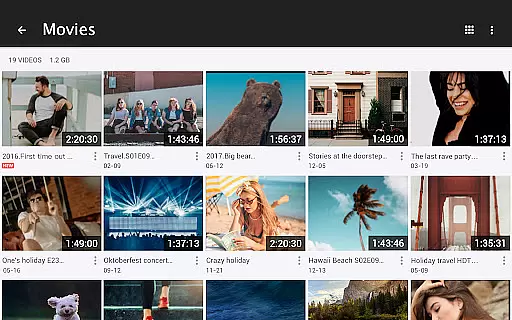
With this level of compatibility, users can enjoy seamless playback without the need for additional software or format conversion, thus simplifying their media consumption process. The app's ability to automatically identify all video files on both the device and SD card further streamlines access to one's video library.
Beyond its core functionality as a video player, Video Player All Format incorporates AI-powered features that augment the user's ability to manage and interact with their video content effectively.
One notable feature is the automatic identification and organization of video files, which not only saves time but also enhances the management of large video libraries through smart categorization. Additionally, the inclusion of advanced playback options like speed control from 0.5 to 2.0 allows users to customize their viewing experience according to personal preference or specific use-cases.
Moreover, innovative functionalities such as pop-up video, split-screen mode, and background play leverage AI to enable multitasking and flexible usage scenarios. These smart features ensure that whether watching casually or engaging in precise video analysis, users have the tools they need at their fingertips.
Supports all video formats
Excellent 4K playback
Strong privacy features
Chromecast integration
User-friendly interface
May drain battery faster
Some features are premium
Interface looks outdated
Occasional crashes reported
Large app size

Connect 2 UVC devices for recording and broadcast video/audio stream
 3.90
3.90
Powerful, professional, versatile teleprompter. Developed by an active film crew
4.00
Video Player - Unlimited features, 30 days money back guarantee.
4.60
A Quick and Pro Video Editor
4.70
AirMirror is Receiver for Screen Mirroring and Casting from Apple Devices.
3.60
Video player with powerful streaming playback and various convenient features.
2.10
Cast to Smart TV, Fire TV. Cast video, photo - Fast & Stable!
3.90
Browser + Remote for Roku to stream webvideos, online movies and livestreams
4.60
Screen recorder with audio to take live videos & Screenshot in high quality!
4.70
An easy-to-use and all-round screen recorder with audio
4.80
High-Quality USB Camera Viewer & HDMI Display
4.70
GENRAL PRO - General Pro is the best video player that fully supports all formats.
4.70
Search & download videos from net with all video downloader, auto-detect & safe.
4.60
IPTV Loader, loads your own Playlist. DOES NOT CONTAIN ANY LIST OR CHANNELS
4.60
Cast movies, tv shows and live streams to Chromecast, Roku, DLNA, Fire TV & more
4.60
Download website videos fast&privacy
4.40
Stream Web Videos to Chromecast, Samsung, LG, Sony, Roku, Fire TV, DLNA + more
4.00
Explore the largest library of free GIFs, Stickers & Memes - or create your own!
3.90
Client application for NextPVR software
3.00


User Reviews