

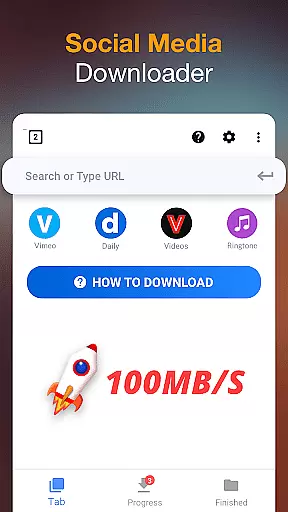

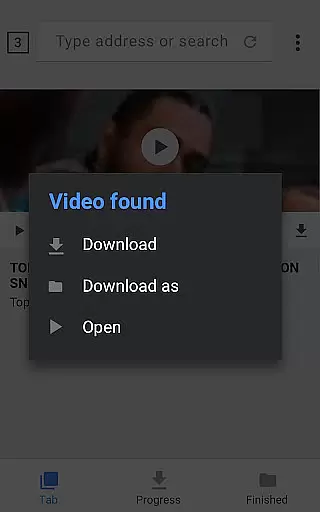

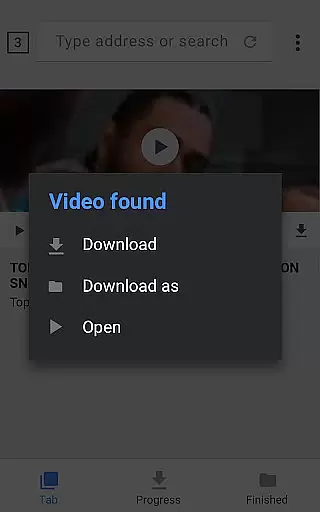

Video Downloader is a versatile tool designed for users who need to download and manage video content directly on their mobile devices. The app supports all popular formats, including MP4, AVI, and WMV, making it suitable for various use cases from entertainment to professional needs. Its key feature is the auto-detection of videos across websites, enabling one-click downloads.
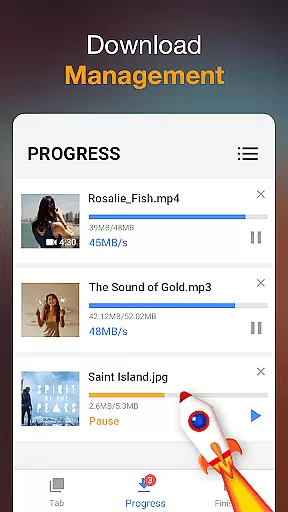
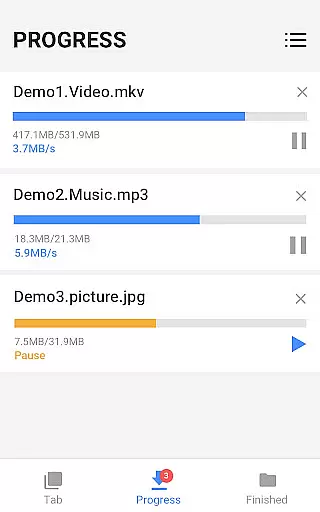
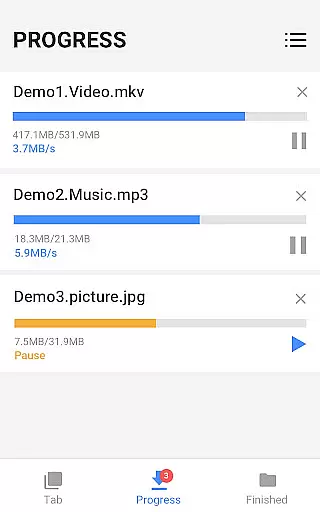
In addition to its primary function, Video Downloader offers advanced capabilities such as background downloading, pause-resume functionality, and support for large file downloads. These features make it an ideal choice for users who require reliable offline access to media files. Whether you're a student saving educational videos or a traveler collecting entertainment for flights, this app ensures seamless access to your favorite content without internet connectivity.
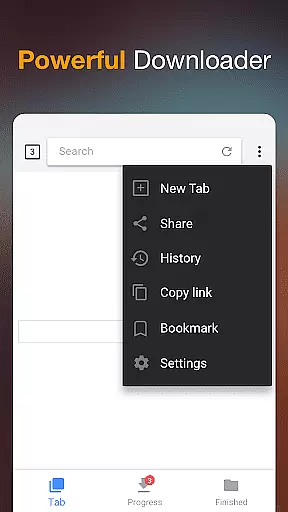
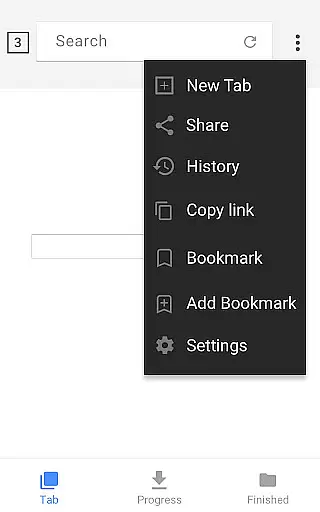
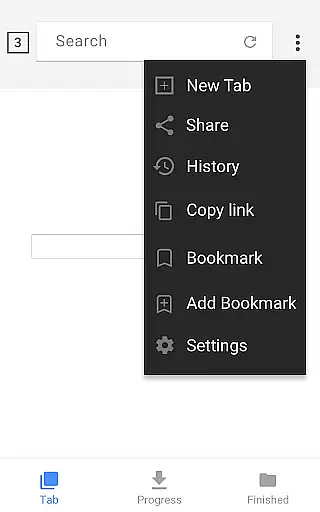
Video Downloader stands out with its comprehensive set of features tailored for efficient media management. One of its core strengths is the built-in browser, which allows users to browse and detect downloadable videos seamlessly. This eliminates the need for switching between apps, streamlining the entire download process. Additionally, the app provides a powerful download manager that supports multiple simultaneous downloads, background operation, and the ability to pause or resume downloads at any time.
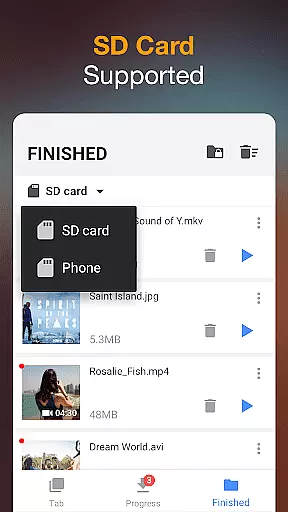
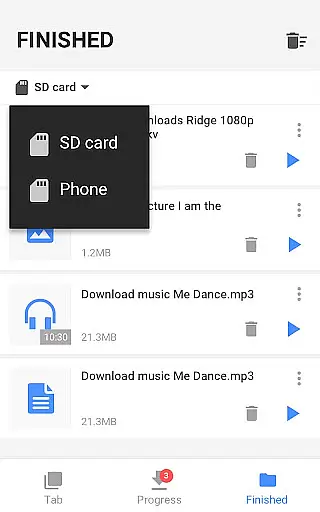
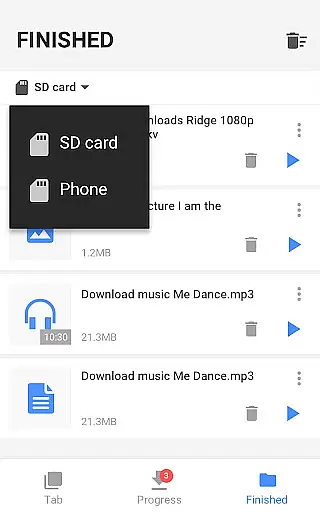
Another notable feature is the app's support for password-protected folders, ensuring user privacy and security when storing sensitive media files. It also includes a built-in media player for offline playback, supporting HD video and fast download speeds. With compatibility for SD cards and the ability to handle large files, Video Downloader caters to both casual users and professionals who demand high performance and reliability in managing their digital content.
Video format compatibility is a crucial feature for any video player and editor application. The Video Downloader app excels in this area by supporting all major video formats, including mp3, m4a, mp4, m4v, mov, avi, wmv, and more.
This extensive format support ensures that users can download and play videos from virtually any source without worrying about compatibility issues. Whether you're downloading music, movies, or other video content, the app handles it seamlessly.
The built-in browser auto-detects videos across websites, allowing users to download them with just one click. This functionality extends to various file types, making it an all-in-one solution for your multimedia needs.
Additionally, the app supports SD card storage, background downloads, and fast download speeds, enhancing the overall user experience when dealing with different video formats.
AI-powered editing features are revolutionizing how users interact with video content. The Video Downloader app incorporates advanced AI technology to provide users with powerful editing capabilities right at their fingertips.
One of the standout features is the automatic video detection tool, which uses AI algorithms to identify downloadable content on web pages. This simplifies the process of finding and saving videos, as users can easily select their desired files with minimal effort.
Moreover, the app offers a full-featured download manager that allows users to pause, resume, and remove downloads efficiently. This AI-driven management system ensures that even large files are handled smoothly, providing a seamless experience for users managing multiple downloads simultaneously.
With these intelligent features, the Video Downloader app not only enhances productivity but also makes video management more accessible and user-friendly for everyone.
User-friendly interface
Fast download speeds
Supports all formats
Pause-resume functionality
Offline playback
Limited free features
Ads can be intrusive
Requires permissions
No cloud integration
Occasional bugs

A full editing room to accompany your Insta360 cameras and handheld gimbals.
 3.30
3.30
HD Video player all format, HD Videos, Cast & Subtitle. No annoying ads.
4.60
Save photos and videos from social apps in one tap.
3.60
Video Trimmer, Video to MP3 Converter. Extract music from video, Easy & Fast.
4.80
1)AirPlay/DLNA Mirroring/Streaming, up to 4 connections; 2)Samba/NAS/DMS Player.
4.00
Fast & Private Video Downloader App. Save all videos easily from the Internet.
4.40
Mix with Virtual DJ directly from your phone or tablet !
3.10
Livestream, news, & gaming content. Watch, chat, and upload. Join Rumble today!
3.80
convenient, safe and fast at Video Downloader & Player
4.60
#1 Torrent App on Android ** No Ads Ever + Battery Saver **
4.80
Pro video editor app for Instagram, edit video with song, AI, effect & slowmo.
4.80
Watch a large amount of high-definition short drama content
4.60
Auto video maker with music & exclusive filters. Video editing made simple.
4.50
AirMirror Receiver - Screen mirroring/cast web videos to Android TV by AirPlay.
4.40
Viddo: Generate Action Figure, AI Anime, AI kiss, AI hug Video from image & text
4.40
Cast to Smart TV, Fire TV. Cast video, photo - Fast & Stable!
3.90
Client application for NextPVR software
3.00
The essential companion to your Blue Iris PC software
2.50
Powerful HD video player with support for all formats & subtitles.
4.2


User Reviews