
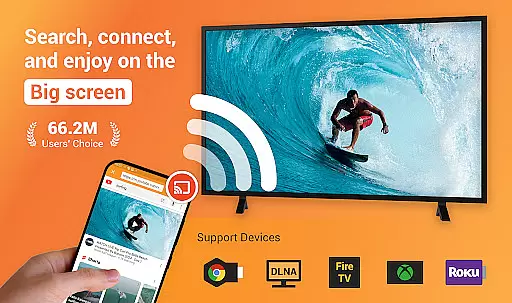
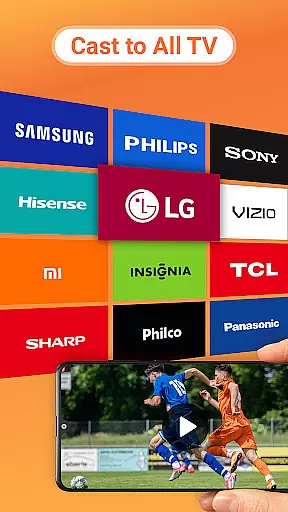
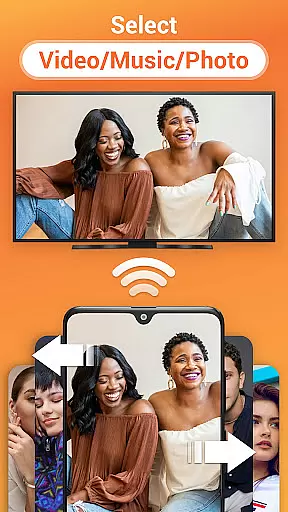
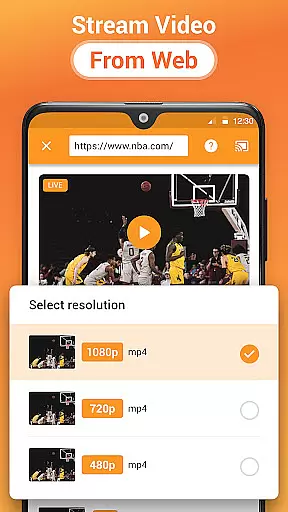


Cast to TV is a versatile media streaming application that allows users to cast various types of content to multiple devices. With the ability to stream online videos, live streams, local videos, music, and images, this app transforms your smartphone into a powerful remote control for your smart TV ecosystem. The app supports casting to popular platforms like Chromecast, Roku, Amazon Fire Stick, Xbox, Apple TV, and other DLNA-enabled devices.
One of the standout features of Cast to TV is its user-friendly interface that simplifies the casting process. Whether you're looking to enjoy a movie night with friends or create a photo slideshow for a family gathering, this app provides seamless integration across different devices. Its built-in browser enables web video casting, while the intuitive media management system lets you organize and play your files in shuffle, loop, or repeat modes.
The true value of Cast to TV lies in its versatility and convenience. By supporting a wide range of formats and devices, it eliminates compatibility issues that often hinder multimedia sharing. Users can easily control their TV experience directly from their phone, adjusting volume, skipping tracks, or managing playlists. This makes it an essential tool for anyone looking to enhance their home entertainment system without the need for additional hardware.
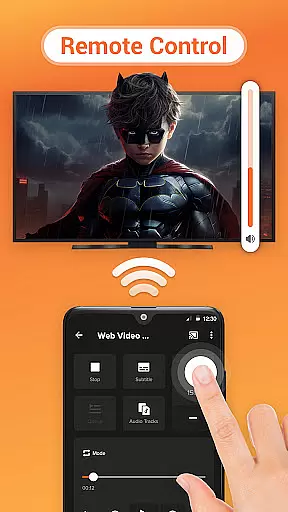
Cast to TV distinguishes itself through its comprehensive feature set designed to enhance the multimedia streaming experience. One of its core strengths is the ability to control various aspects of media playback directly from your mobile device. Users can pause, adjust volume, skip forward or backward, and navigate between tracks - all through an intuitive touch interface that mimics traditional remote controls but offers much more functionality.
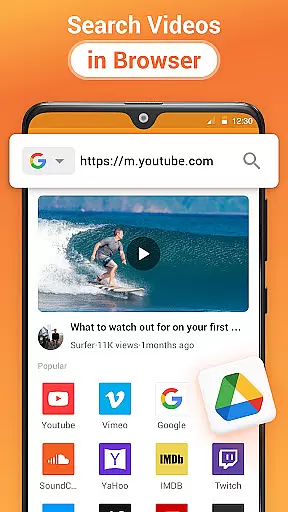
The application's built-in browser represents another significant advantage, allowing users to search and cast web content without switching between multiple apps. This feature is particularly useful for streaming live sports events or accessing online video platforms. Additionally, the app's automatic file recognition system scans both internal storage and SD cards, making it easy to identify and organize video, audio, and image files for immediate casting.
What sets Cast to TV apart from competitors is its robust queue management system and multi-format support. The Play Queue feature enables users to create customized playlists that can be shuffled or looped according to preference. Furthermore, the app's compatibility with various streaming protocols ensures smooth transmission of media across different devices and network conditions. These technical capabilities are complemented by thoughtful design elements that make complex operations feel natural and intuitive.
Cast to TV, Chromecast & Roku stands out with its extensive video format compatibility, ensuring that users can cast virtually any type of video content to their preferred devices without hassle.
The app supports a wide array of formats including MP4, AVI, MKV, and more, making it versatile for different user needs. Whether you're looking to stream local videos or online content, the app identifies and processes these files seamlessly.
This broad compatibility is crucial for uninterrupted streaming experiences, allowing users to enjoy movies, live streams, and personal recordings on larger screens like TVs and projectors without worrying about format restrictions.
By removing technical barriers, Cast to TV enhances accessibility and convenience, letting users focus on enjoying their content rather than troubleshooting playback issues.
While primarily a casting app, Cast to TV incorporates AI-powered features that enhance the media management and streaming process. These intelligent tools assist in organizing and optimizing your media library for effortless casting.
The app's AI capabilities include automatic file recognition, which scans your device and SD card to identify video, audio, and photo files. This feature ensures that all your media is readily accessible for casting, saving users time and effort in manual searches.
Additionally, the built-in browser utilizes AI algorithms to optimize web video casting, providing smoother streaming and better format handling. The app also offers smart playlist creation, enabling users to shuffle, loop, or repeat media based on their preferences.
These AI-driven enhancements not only streamline the user experience but also demonstrate the app's commitment to leveraging technology for improved functionality and convenience.
User-friendly interface
Wide device compatibility
Comprehensive format support
Intuitive media controls
Efficient queue management
Wi-Fi dependent performance
Occasional connection issues
Limited offline functionality
Device-specific limitations
Requires compatible hardware

Client application for NextPVR software
 3.00
3.00
You can play SWF format file!
2.50
Video Player - Unlimited features, 30 days money back guarantee.
4.60
1)AirPlay/DLNA Mirroring/Streaming, up to 4 connections; 2)Samba/NAS/DMS Player.
4.00
Fast & Private Video Downloader App. Save all videos easily from the Internet.
4.40
Cast to Smart TV, Fire TV. Cast video, photo - Fast & Stable!
3.90
This app is an emulator of some specific IPTV boxes
3.50
Fast private browser with secure, seamless access & supported video downloads!
4.00
Photo editor & video maker with music and slideshows.
4.10
Play ALL formats in 4K & HD. Video downloader, MP3 player, Chromecast & more.
4.80
Support 1000+ Video Format, Subtitle Download, mp3 & Background Play, Cast On TV
4.60
Browser + Remote for Roku to stream webvideos, online movies and livestreams
4.60
HD video maker with no watermark, no ads & vlog maker with music, PIP, text
4.50
Browser for Fire TV to stream webvideos, online movies, livestreams in HD
4.40
Video player, file manager for all formats, 4K/HD media player supports subtitle
4.30
Create & edit videos with AI
4.30
Make your own Animations, Video and Photo Edits, Visual Effects, and more!
4.00
Kodi media center, a free and open source cross-platform entertainment hub
3.60
Powerful HD video player with support for all formats & subtitles.
4.5


User Reviews