
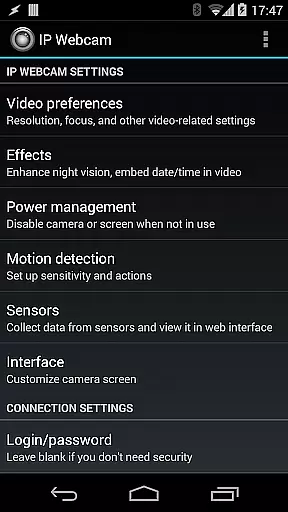
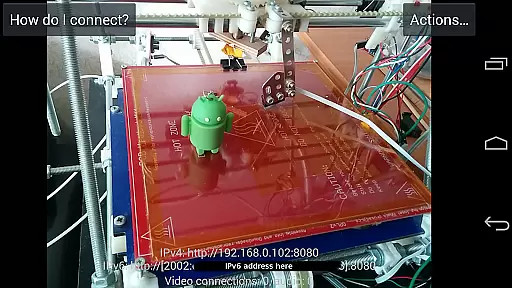
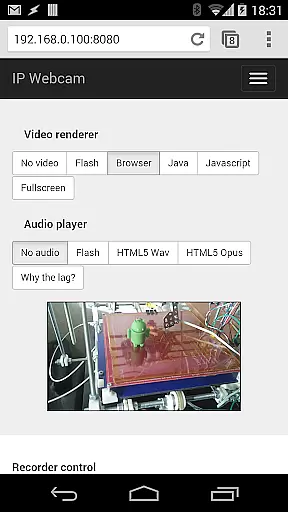
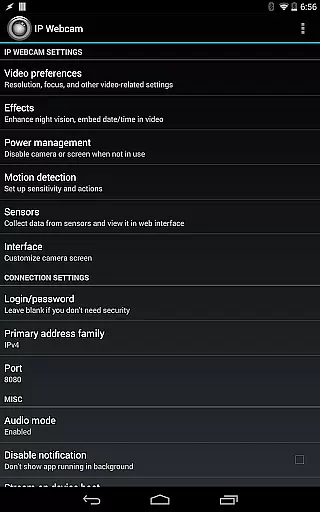
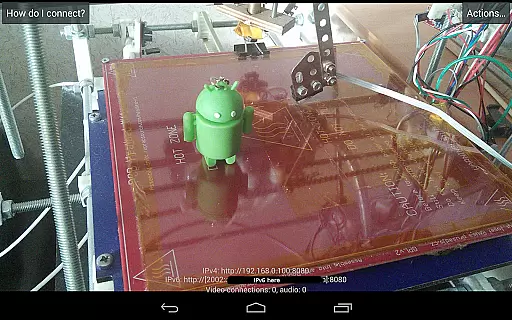
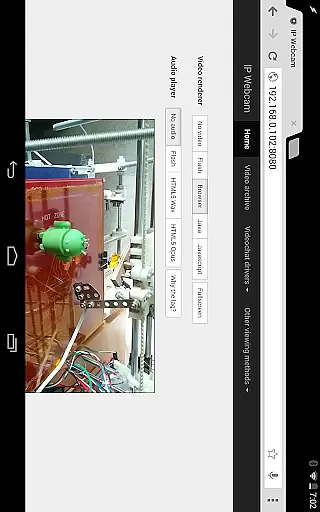
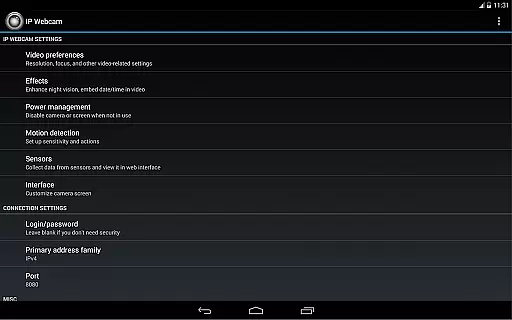
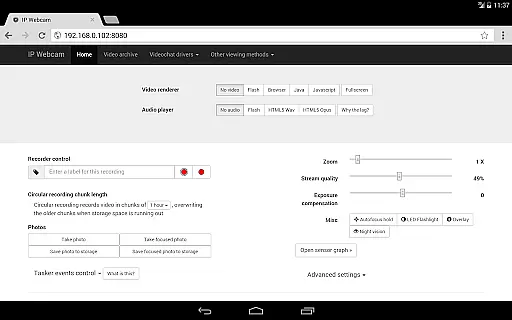
IP Webcam Pro transforms your smartphone into a versatile network camera, enabling real-time video streaming across multiple platforms. With support for VLC player and web browsers, it allows users to view their camera feed on any device within the same WiFi network without requiring internet access.
The application offers advanced features such as two-way audio communication when paired with tinyCam Monitor on another Android device. Additionally, IP Webcam Pro supports integration with third-party MJPG software, making it suitable for video surveillance systems, security monitors, and various audio players.
Designed for both personal and professional use, this app is ideal for creating a comprehensive monitoring system for homes or offices. Its customizable options and extensive functionalities provide users with an adaptable solution for remote viewing and recording needs.
IP Webcam Pro boasts a rich set of features designed to enhance user experience. The app supports video uploads to popular cloud services like Dropbox, SFTP, FTP, and Email using the Filoader plugin. Users can choose from several web renderers including Flash, Javascript, or built-in options to suit their preferences.
For video recording, the app offers multiple formats such as WebM, MOV, MKV, or MPEG4 (on Android 4.1+). Audio streaming is available in wav, opus, and AAC formats, with AAC requiring Android 4.1+. Advanced functionalities include motion detection with sound triggers, Tasker integration, and overlays for date, time, and battery level on the video feed.
Additional features encompass sensor data acquisition with online web graphing, videochat support for Windows and Linux via an MJPEG driver, and cloud-based services like push notifications on motion and sound, cloud recording, and online broadcasting powered by Ivideon. These capabilities make IP Webcam Pro a powerful tool for diverse monitoring applications.
IP Webcam Pro excels in video format compatibility, ensuring users can stream and record in multiple formats. The app supports WebM, MOV, MKV, or MPEG4 (on Android 4.1+), catering to a wide range of user preferences and device capabilities.
This flexibility in video formats allows users to choose the best option for their specific needs, whether it's for quality, file size, or compatibility with other software and devices. Such versatility is crucial for both personal and professional video projects.
Moreover, the ability to switch between different formats easily means that users can optimize their video streaming and recording experience without needing additional conversion tools. This seamless integration enhances workflow efficiency and reduces potential technical barriers.
While IP Webcam Pro focuses primarily on video streaming and surveillance, it incorporates AI-powered features that enhance the video monitoring experience. These include motion detection with sound triggers and sensor data acquisition with online web graphing.
The app intelligently detects movements and sounds, providing real-time alerts and cloud push notifications. This smart detection system ensures that users are promptly informed of any activity, making it an excellent tool for security monitoring and pet or baby care.
Additionally, the sensor data acquisition feature offers valuable insights by graphing environmental information online. This functionality not only extends the app's utility beyond simple video monitoring but also brings a sophisticated analytical dimension to everyday surveillance tasks.
User-friendly interface
Wide compatibility
Advanced motion detection
Cloud integration
Customizable settings
Paid version only
Complex setup required
Limited free features
High resource usage
Occasional connectivity issues

IPTV-Smarters Player Pro M3U - Watch Live Stream TV Channels with Chromecast
 4.00
4.00
A Quick and Pro Video Editor
4.70
Search & download videos from net with all video downloader, auto-detect & safe.
4.60
Create photo video with music & template. AI video maker for stunning slideshow.
4.60
Stream high quality video from your camera over NDI protocol
4.4
Seamlessly connect and control your smart devices, anytime, anywhere with ease.
4.60
#1 Torrent App on Android ** No Ads Ever + Battery Saver **
4.80
Create, Publish & Maximize
4.70
Make videos you’re proud to share with Edits, a video editor for creators.
4.70
Fast, private downloading, video saving, social media
4.50
HD video maker with no watermark, no ads & vlog maker with music, PIP, text
4.50
Add date and time watermark to photos and videos
4.50
Browser for Fire TV to stream webvideos, online movies, livestreams in HD
4.40
Viddo: Generate Action Figure, AI Anime, AI kiss, AI hug Video from image & text
4.40
Video player, file manager for all formats, 4K/HD media player supports subtitle
4.30
All format media Player, no need video converter any more!
4.00
HD video & music player - All format support with floating & PIP mode!
3.80
Live TV, anywhere in your home
3.80
Client application for NextPVR software
3.00


User Reviews