
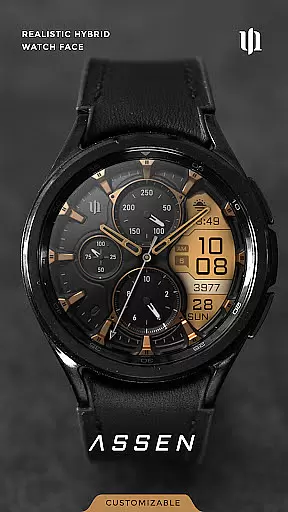
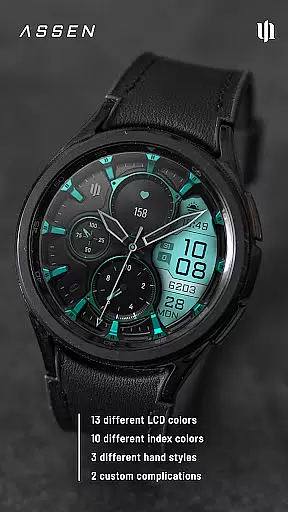
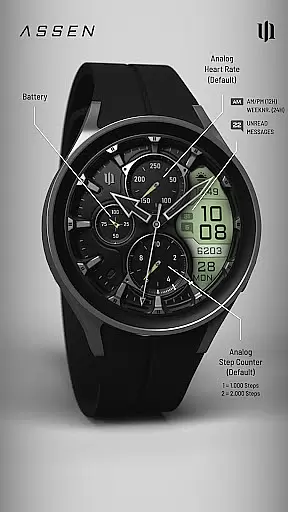
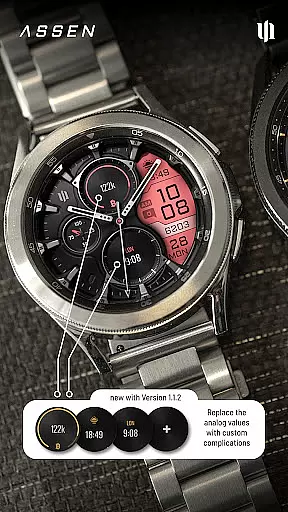
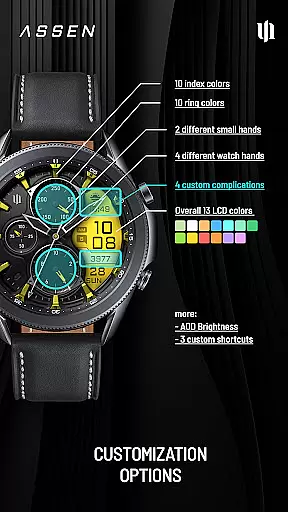
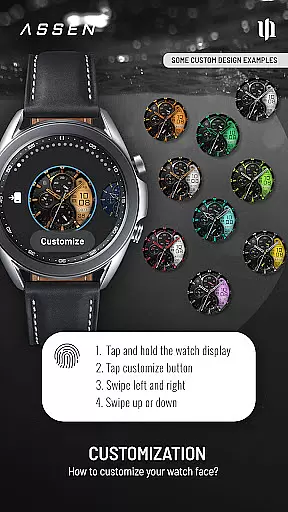
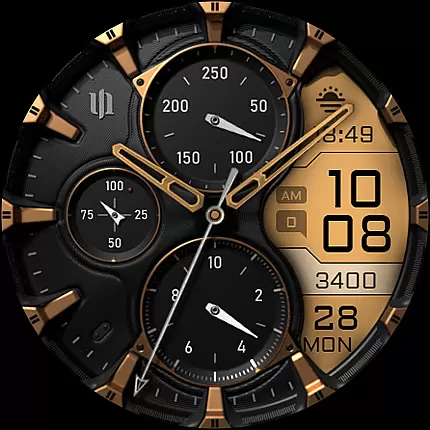
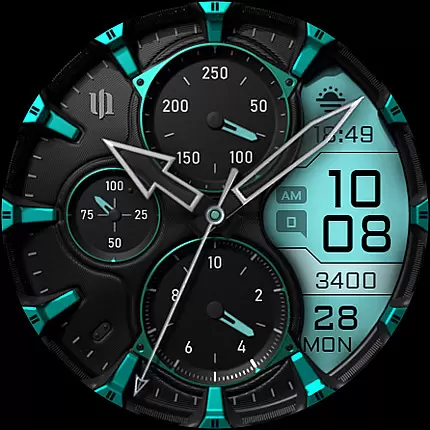
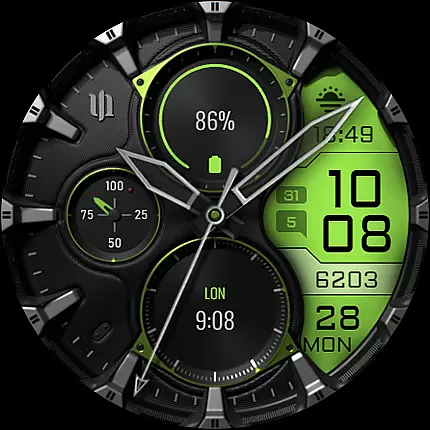
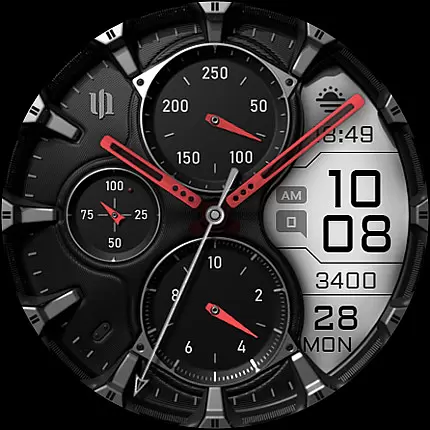
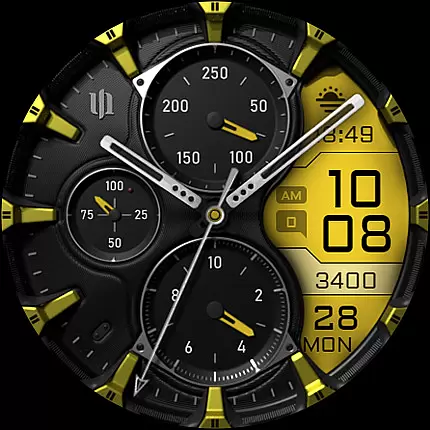
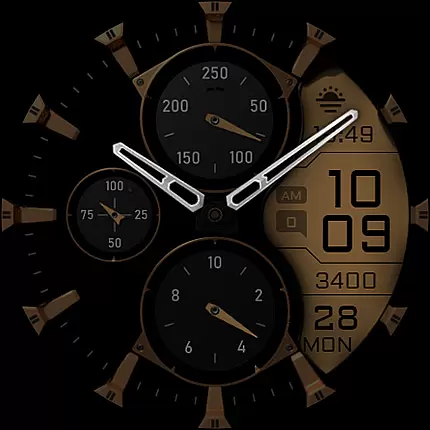
S4U Assen is a premium Wear OS watch face that combines realistic analog design with practical digital elements. Featuring a hybrid dial, it displays essential information such as time, steps, heart rate, and unread messages while offering customization options for colors, hands, complications, and shortcuts.
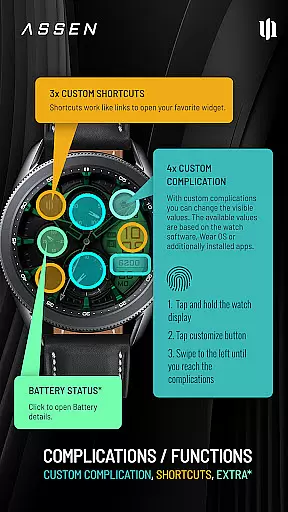
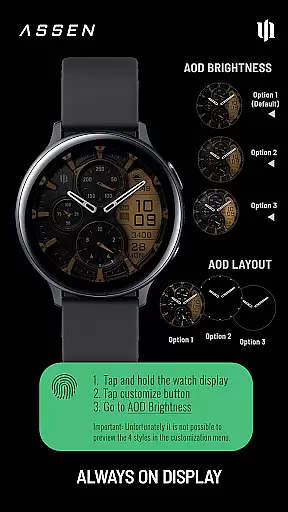
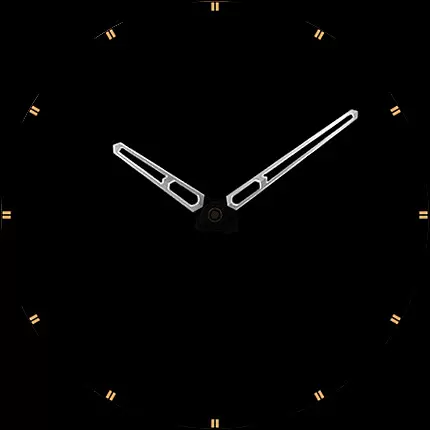
With support for 4 custom complications and 3 app shortcuts, users can personalize their watch face to display the most relevant data. The always-on display (AOD) provides three brightness levels and a minimal layout option, ensuring both functionality and battery efficiency. Compatible with Wear OS 4+ devices like Samsung Galaxy Watch series and Google Pixel Watch.
The S4U Assen watch face stands out with its extensive customization capabilities. Users can choose from 13 LCD colors, 10 index colors, and multiple hand styles to create a personalized look. The inclusion of 4 custom complications and 3 app shortcuts allows seamless access to frequently used widgets and data.
A unique feature is the Always-On Display (AOD), which offers three adjustable brightness levels and synchronized color settings with the main display. For added convenience, tapping the battery indicator opens detailed battery information. These features make the watch face not only visually appealing but also highly functional for everyday use.
Companion app integration is essential for a seamless Wear OS experience. The S4U Assen watch face offers a dedicated companion app that simplifies the setup and customization process. This ensures users can easily access all available features without hassle.
The companion app provides clear instructions for installation and troubleshooting. If users encounter any issues, they can follow the detailed steps in the Install/Issues section. This guarantees a smooth experience even for those new to Wear OS devices.
Through the companion app, users gain access to advanced customization options. These include color schemes, complications, and shortcuts. Such comprehensive control enhances user satisfaction and allows for a personalized experience.
Additionally, the app serves as a support channel. Users can reach out via wear@s4u-watches.com for further assistance. This direct line to support ensures any technical difficulties are promptly addressed, maintaining the device's functionality.
Ensuring compatibility with the latest Wear OS versions is crucial for optimal performance. The S4U Assen watch face supports smartwatches running Wear OS 4 or higher (Wear OS API 33+). This includes popular models like Samsung Galaxy Watch series and Google Pixel Watch.
Compatibility extends to various functionalities such as Always-On Display (AOD) and customizable complications. Users can enjoy features like AOD brightness levels and multiple color options only on supported devices. This maximizes the utility and visual appeal of the watch face.
For users experiencing issues, the companion app offers solutions. By following the provided steps, most problems can be resolved efficiently. This proactive approach minimizes downtime and enhances user experience.
Overall, focusing on Wear OS/device compatibility ensures that users benefit from the latest technological advancements. It guarantees access to a wide array of features designed to elevate the smartwatch experience.
Highly customizable
User-friendly interface
Extensive compatibility
Battery efficient
Unique AOD options
Wear OS 4+ only
Complex setup
Limited free options
Not for all devices
Premium cost

Wear Os Watch Face - Animated Snow Effect & Christmas Lights
 4.2
4.2
Animated Watch Face and Customizable with 24 Backgrounds. Perfect for Christmas!
3.90
A watch face that fuses motorsport precision with contemporary smartwatch design
4.3
Connect to your Bluelink equipped Hyundai vehicle from your smartphone.
4.50
Period, ovulation & pregnancy tracker. Fertility insights & menstrual calendar.
4.90
Animated video-game inspired “secret agent” simulation, right on your wrist!
4.20
Premium hybrid watch face with many customizations for Wear OS devices.
4.40
Hybrid watch face for Wear OS with customizable complications by Matteo Dini MD
4.70
Toyota app currently supports 2010 or newer vehicles (2018 or newer for Hawaii).
4.50
Gym Log & Workout Tracker | Fitness Journal, Training & Weight Lifting Planner
4.90
Simple, helpful messaging by Google
4.60
Fast and smart typing with Emojis, GIFs, and more
4.50
Digital watch face. For Wear OS devices.
4.40
Bold weather Digital watchface with forecast & optional animated background
4.40
Watch face for Wear OS.
4.20
Let's celebrate Thanksgiving - Wear Os watch face
4.20
Hyper-Realistic Airplane Dashboard Watch Face With 10 Skins and Custom AOD
4.00
Watch face designed for Thanksgiving Day. 7 Background Styles included.
3.20
Stunning modern digital watch face with 7 complications and strong contrast
4.5


User Reviews