
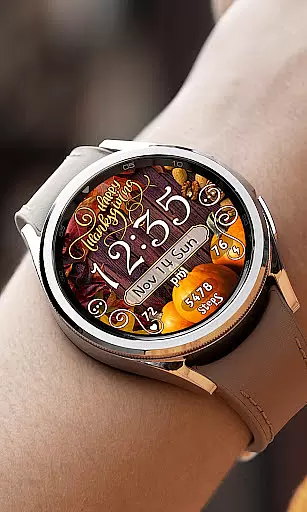
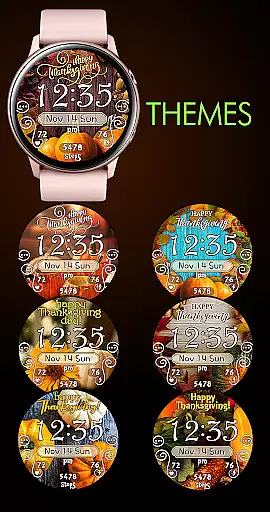

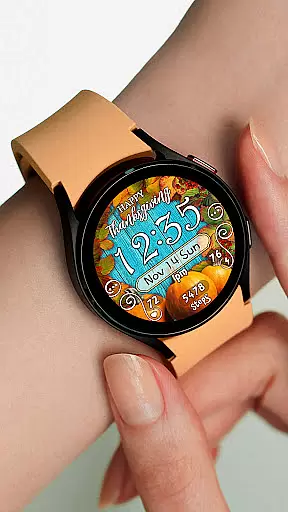
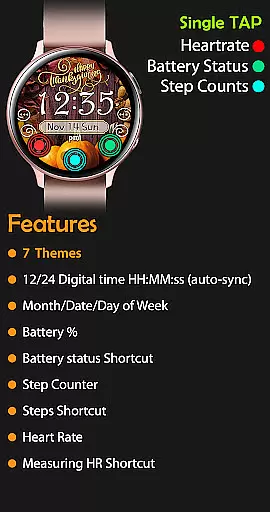
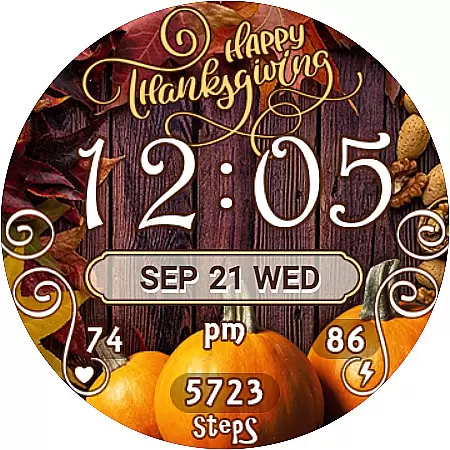
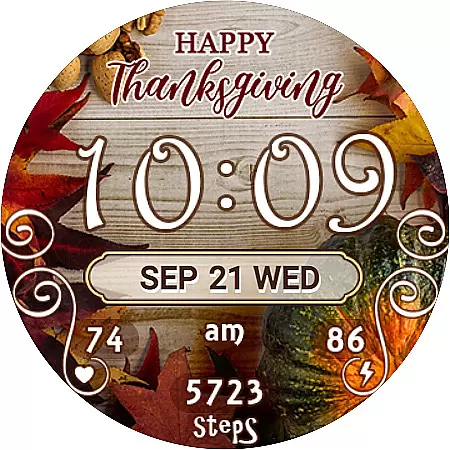
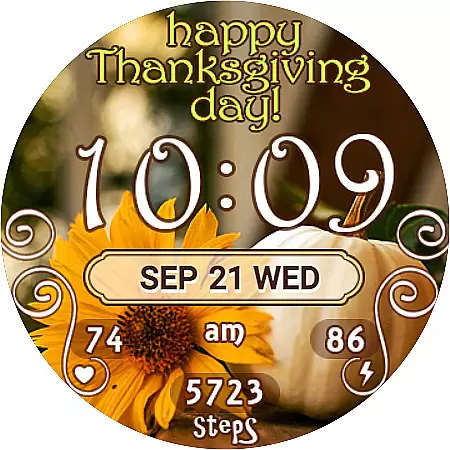
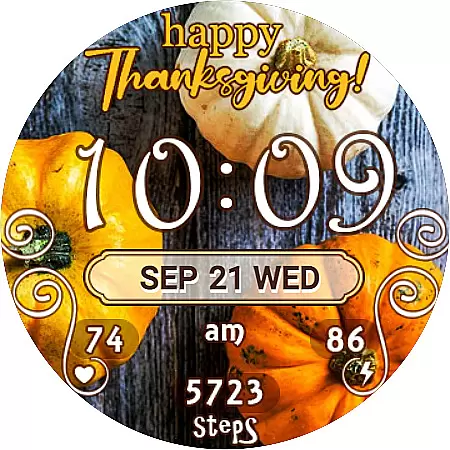
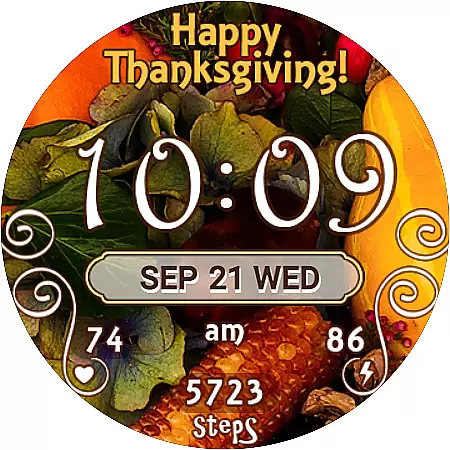
Thanksgiving Day Watch Face is a specially designed Wear OS watch face that brings festive spirit to your smartwatch. The app features a 12/24 digital time display (HH:MM) that automatically syncs with your phone's time, ensuring accurate timekeeping without leading zeros in the 12-hour mode.
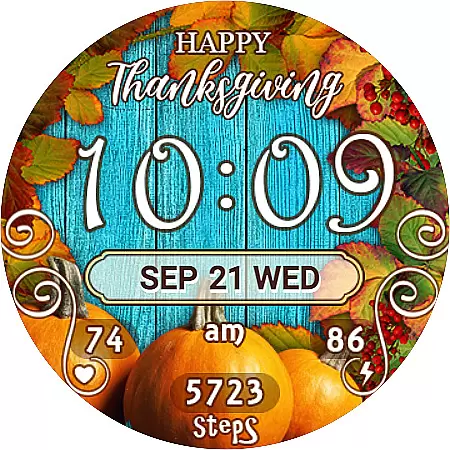
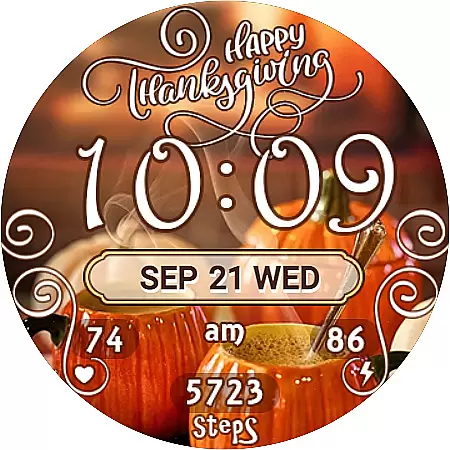
With seven unique background themes, users can easily customize their watch face to match their personal style. The active mode provides essential widgets and shortcuts including day/date/month, battery percentage, step counter, SHealth steps shortcut, and heart rate monitor with a direct link to the Heart Rate app.
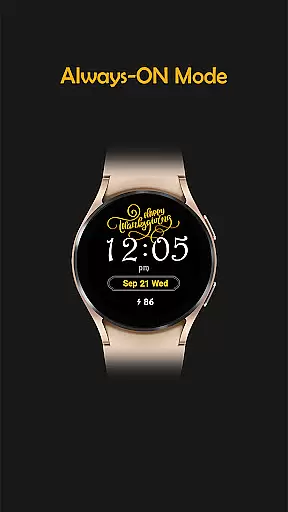
The always-on display ensures you can check the time, date, and battery level at a glance, even when the watch is inactive. This makes it an ideal choice for those who want both functionality and festivity on their smartwatches during the Thanksgiving season.
Thanksgiving Day Watch Face offers a rich set of features tailored for Wear OS devices. One of its standout capabilities is the automatic time synchronization between your phone and watch, displaying either 12 or 24-hour digital time formats depending on your preference.
The app includes seven beautifully designed background themes that celebrate the essence of Thanksgiving. Users can effortlessly switch between these themes to suit their mood or outfit. Additionally, the active mode showcases various useful widgets such as day/date/month, battery percentage indicator, step counter, and shortcuts to health apps like SHealth Steps and Heart Rate monitoring.
In always-on mode, the watch face continues to display crucial information like time, date, and battery level, ensuring you stay informed without needing to wake the device. These practical features make this watch face not only visually appealing but also highly functional for everyday use.
Companion app integration is essential for a seamless smartwatch experience. The Thanksgiving Day Watch Face ensures that your wearable device stays in perfect sync with your smartphone. This synchronization allows for automatic time updates, ensuring that the displayed time on your watch face matches your phone's time precisely.
The app provides users with seven unique background themes that can be easily switched through the companion app. This feature enables customization according to personal preference and mood, enhancing the overall user experience. Moreover, the useful widgets and shortcuts included on the watch face are also managed via the companion app, providing quick access to important features like step counters and heart rate monitoring.
By utilizing the companion app, users gain the ability to configure their watch face with ease. Whether it's adjusting the time format or toggling between different display elements such as battery percentage and date, the process is intuitive and user-friendly. This level of integration not only simplifies navigation but also enriches the functionality of the smartwatch.
Ensuring compatibility across various Wear OS devices is crucial for any watch face application. The Thanksgiving Day Watch Face has been specifically designed to work harmoniously with Wear OS, offering a consistent experience regardless of the smartwatch model you own. This compatibility means that users can enjoy the same high-quality performance and design on different devices.
This watch face supports both active and always-on display modes, which is a testament to its adaptability to different usage scenarios and power-saving preferences. In active mode, users benefit from a full set of features including digital time, day, date, battery percentage, and health tracking widgets. While in always-on mode, the watch maintains essential information visible at a glance without compromising battery life.
Furthermore, the emphasis on compatibility extends to the installation process. Users are guided through a straightforward setup that involves syncing purchased watch faces from the Google Play Store to their devices. With clear instructions provided, even those new to smartwatches can navigate the setup confidently, making sure they get the most out of their Wear OS device with this festive-themed watch face.
Perfect for Thanksgiving
Easy theme selection
Accurate time sync
Useful widgets included
Always-on functionality
Limited to Wear OS
No leading zero option
Few customization options
Installation may delay
Some features need sync

Diet tracker for weight loss - track calories, food and macros. Simple and easy!
 4.70
4.70
WTW M17 is a premium and luxurious hybrid watch face
4.70
Snowflake Rose Gold Watch Face - Digital, modern, & sleek with GYRO effect.
4.10
Embrace the festive spirit with our Christmas Countdown watchface for Wear OS
4.10
Find EV charging stations
4.30
Stylish, Energizing and Modern Watch Face crafted by Dominus Mathias.
4.50
A modern hybrid informative watch face for Wear OS designed by BALLOZI
4.80
Connect, create, and collaborate with Gmail, part of Google Workspace.
4.10
Back up your contacts & access them anywhere
4.30
Gym Log & Workout Tracker | Fitness Journal, Training & Weight Lifting Planner
4.90
The most customizable minimal watch face. For Wear OS 5.0, API 34+ and later
4.70
Walking app for weight loss: walk & step tracker, pedometer, indoor treadmill
4.60
Deck out your Wear OS Watch face with a beautifully decorated pine wreath!
4.50
A white realistic classic analog watch face with many customization options.
4.40
Christmas watch face. For Wear OS devices.
4.30
Bold, Modern Hybrid Watch Face for Wear OS. 10 Colors, Rich Info Display.
4.30
Your music, your playlists, and more—offline and unlimited.
4.20
"PER27 Galaxy Digital" is a digital Wear OS watch face designed by PERSONA
4.10
Viewer for Wyze/Yi/Eufy/Arlo/ONVIF/RTSP/P2P IP cams w/ adv. features & DIY DVR
4.00


User Reviews