
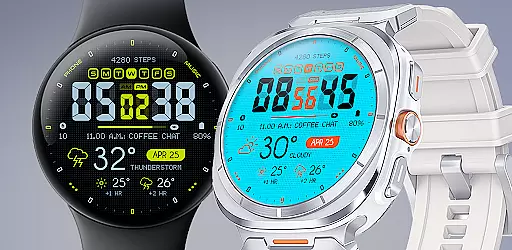
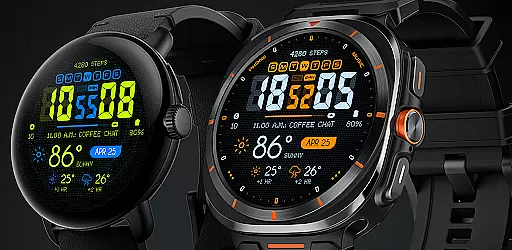
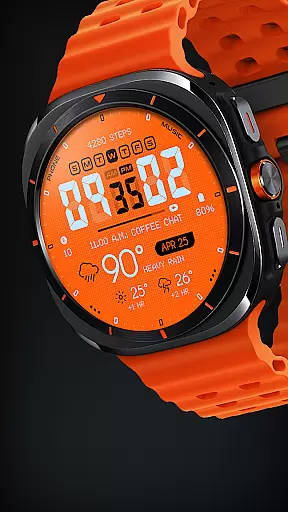
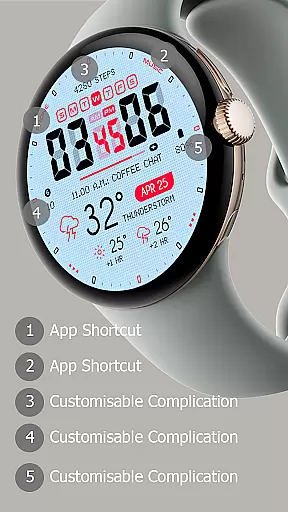
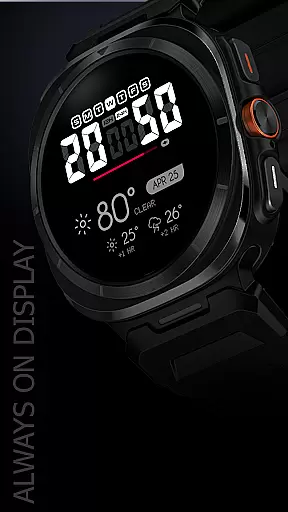
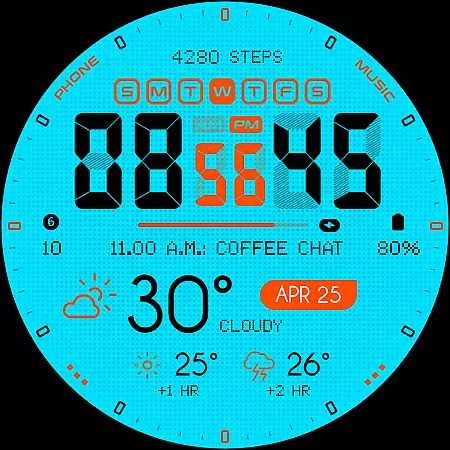
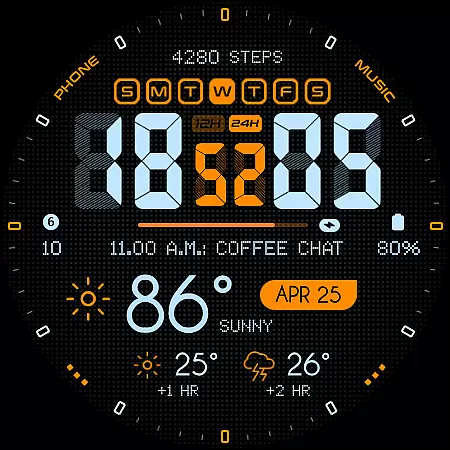
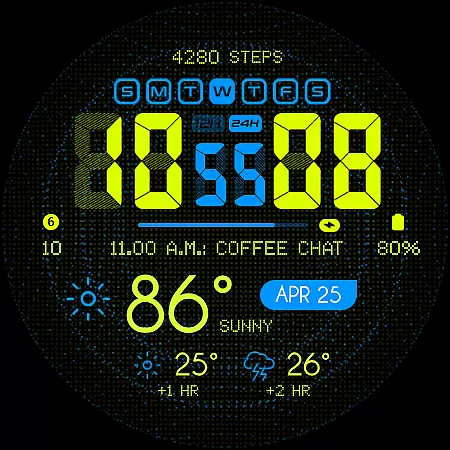
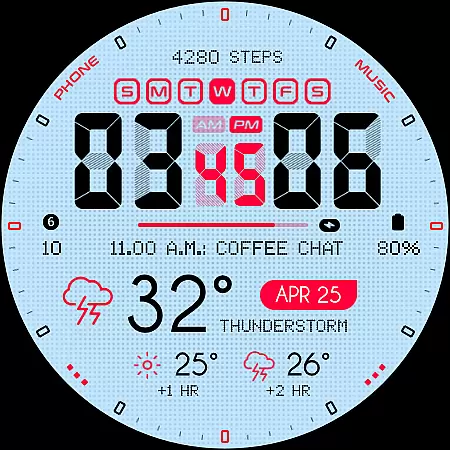
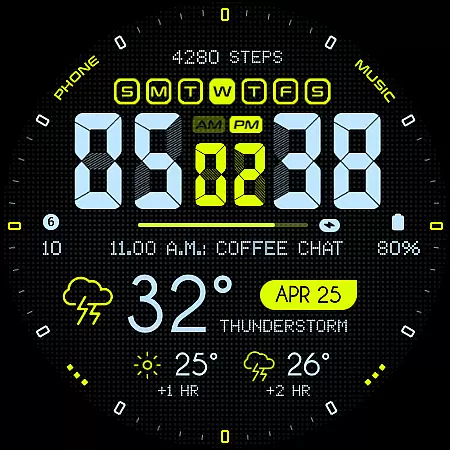
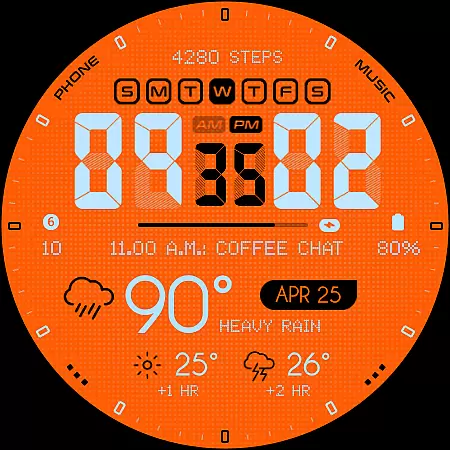
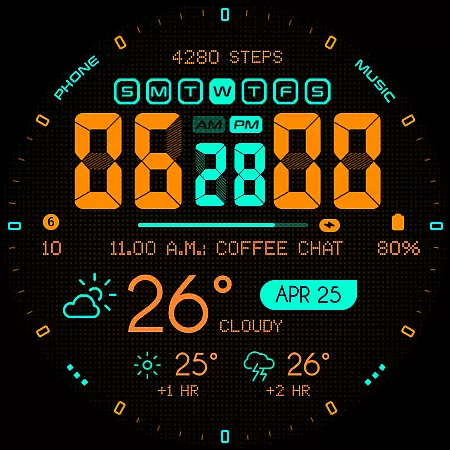
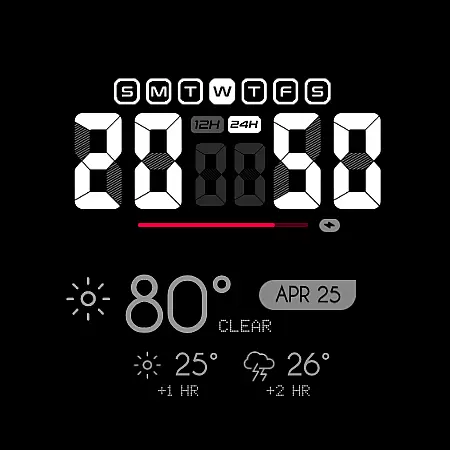
Oogly Atmos is a dynamic weather-themed watch face designed for Wear OS devices. It combines vivid colors with a clean layout to display current weather conditions and a 2-hour forecast directly on your smartwatch. The watch face offers both style and functionality, featuring customizable elements like animated backgrounds and index toggles.
This app is optimized for WEAR OS API 34+ and compatible with Galaxy Watch 5 or newer, Pixel Watch, Fossil, and other Wear OS devices with minimum API 30. Whether you're looking for real-time weather updates or simply want an aesthetically pleasing design, Oogly Atmos delivers both form and function in one sleek package.
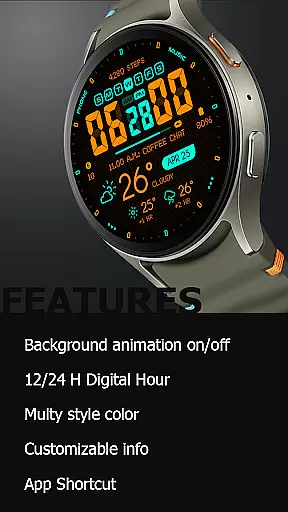
Oogly Atmos stands out with its range of customization options tailored for weather enthusiasts and design-conscious users alike. Key features include support for both 12/24 hour formats, background animations that can be toggled on or off, and the ability to customize displayed information to suit individual preferences.
The watch face also includes practical functionalities such as an always-on display mode and app shortcuts for quick access to frequently used features. These thoughtful additions ensure that users can personalize their experience while staying informed about the latest weather updates without compromising on style or usability.
Companion app integration is essential for a seamless wearable experience. Oogly Atmos ensures that all features are perfectly synchronized between your smartphone and smartwatch.
The watchface offers real-time weather updates and customizable settings that can be easily managed through its companion app. This allows users to personalize their watchface with minimal effort while maintaining functional consistency across devices.
With options like 12/24 hour format selection, background animation control, and information customization, the companion app provides comprehensive management tools. These features ensure that your wearable device adapts to both your style preferences and practical needs.
By integrating advanced functionalities such as app shortcuts and always-on display settings, Oogly Atmos delivers an unmatched user experience. The synchronization process is designed to be intuitive, making it easy for users to maintain their preferred configurations without hassle.
Ensuring broad device compatibility is crucial for any Wear OS application. Oogly Atmos is designed to work seamlessly with WEAR OS API 34+ and supports devices like Galaxy Watch 5 or newer, Pixel Watch, Fossil watches, and other Wear OS devices with a minimum API of 30.
This wide compatibility range means that whether you're using the latest tech or slightly older models, you can enjoy the vivid colors and clean layout of this weather-themed watchface. The design adapts well to various screen sizes and resolutions, providing a consistent look and feel.
Features such as 12/24 hour format, background animation toggle, index visibility, and customizable information ensure that every user gets a personalized yet cohesive experience regardless of their specific device model.
For those who encounter issues or have questions about compatibility, support is readily available via email at ooglywatchface@gmail.com or through the official Telegram channel https://t.me/ooglywatchface. This commitment to customer service underscores the reliability and accessibility of Oogly Atmos across different platforms.
Visually appealing design
Customizable features
Real-time weather updates
Compatible with multiple devices
User-friendly interface
Limited to Wear OS
Requires API 30+
Animation may drain battery
No iOS support
Premium features may cost extra

WTW M17 is a premium and luxurious hybrid watch face
 4.70
4.70
Highly customizable hybrid watch face for Wear OS, perfect for everyday use.
4.60
Wear Os Watch Face - Animated Snow - Sesonal for Christmas & Winter
4.2
Easy Voice Recorder is your everyday companion to record important moments.
4.70
The most customizable minimal watch face. For Wear OS 5.0, API 34+ and later
4.70
Structured watch face with seven complications and modular UI elements
3.90
sleep, alarm, snoring, stress, healing, focus, sound therapy, circadian rhythm
4.10
Daily Weather forecast with 15 weather images for Day & Night plus Big Bold time
4.10
Your music, your playlists, and more—offline and unlimited.
4.20
Gym Log & Workout Tracker | Fitness Journal, Training & Weight Lifting Planner
4.90
Nutrition, Macro tracker: Food, fitness & healthy diet tracking for weight loss
4.60
A realistic hybrid watch face with many customization options.
4.60
Ideal for surviving in the wasteland left after nuclear fallout
4.50
The ultimate destination for kids ages 3-8 to explore the Marvel Universe!
4.30
Calming & relaxing sounds for sleeping and stress relief. Stay focused all day!
4.20
Get helpful reminders, take progress photos and find answers to your questions.
3.90
Watch face designed for Thanksgiving Day. 7 Background Styles included.
3.20
Wear Os Watch Face - Animated Snow Effect & Christmas Lights
4.0
Simple Analog-Digital Watchface For Wear OS 3.0 and Up Smartwatches
4.1


User Reviews