
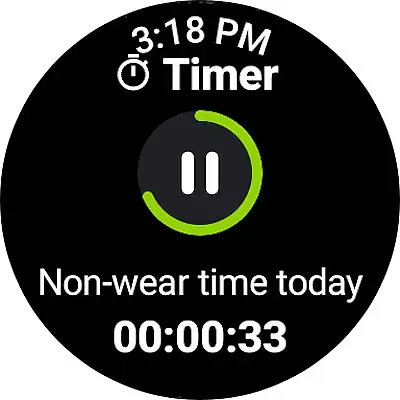
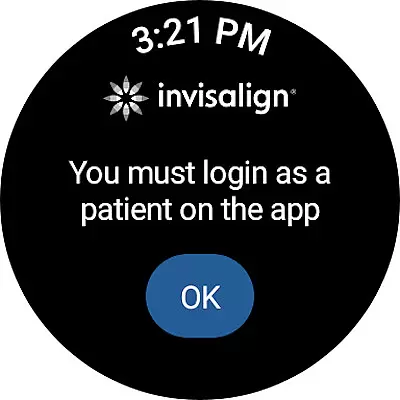
My Invisalign is a comprehensive application designed specifically for Android Wear users undergoing orthodontic treatment with Invisalign clear aligners. The app serves as a complete solution for managing and enhancing the treatment journey. It provides essential features such as tracking aligner wear time, receiving timely reminders for aligner changes, and offering virtual care options through which patients can share progress updates with their doctors.
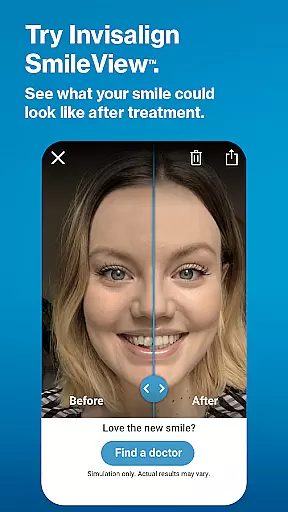
In addition to these core functionalities, My Invisalign also offers innovative tools like SmileView™, allowing users to simulate their post-treatment smile and share it with friends and family. Patients can locate nearby Invisalign specialists, schedule consultations, and even refer friends to earn rewards. For those further along in their treatment, the app allows viewing of ClinCheck® plans and personalized treatment calendars, ensuring seamless management of appointments and milestones.
This app proves invaluable for anyone invested in achieving a healthier, more beautiful smile through Invisalign treatment. By integrating seamlessly with Wear OS devices, My Invisalign ensures that users have constant access to critical treatment data and support systems right from their wrists, making the entire process more convenient and efficient.
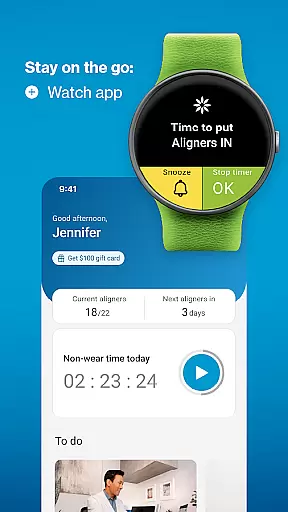
My Invisalign stands out due to its rich array of specialized features tailored for orthodontic patients. One of the key highlights is the integration with Wear OS, enabling users to monitor their aligner wear time directly from their smartwatches. This feature not only enhances convenience but also encourages better adherence to treatment protocols by providing real-time tracking and reminders.
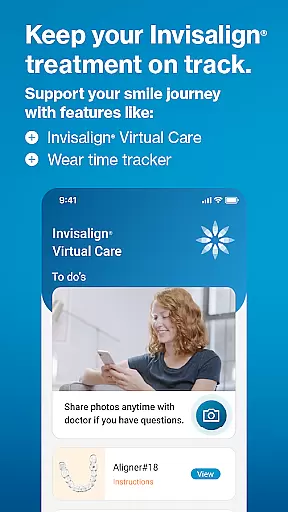
The app also includes sophisticated tools like SmileView™, which uses advanced imaging technology to simulate potential treatment outcomes. Users can visualize their future smiles and share these simulations with others, adding a motivational aspect to their treatment journey. Furthermore, the ClinCheck® treatment plan viewer and Virtual Care options allow for enhanced communication between patients and doctors, facilitating remote monitoring and feedback.
Additional notable features include customizable treatment calendars, historical wear-time tracking, and the ability to view and share progress videos and before-and-after photos. These elements collectively contribute to a more engaging and transparent treatment experience, empowering users to take an active role in their orthodontic care while staying connected with their healthcare providers.
Companion app integration is crucial for users who want a seamless experience between their mobile devices and wearables. The My Invisalign app excels in this area by offering comprehensive features that sync with its Wear OS counterpart.
Through the companion app, users can access the custom aligner tracker directly on their smartwatches, ensuring they never miss an update on their treatment progress. This synchronization allows for real-time data sharing, making it easier to monitor wear-time and receive timely reminders.
The benefit of such deep integration is significant. Patients in Invisalign treatment can conveniently track their daily aligner wearing time and receive notifications when it's time to change aligners, all from their wrist. This ensures continuous adherence to treatment plans without needing to constantly check their phones.
Ultimately, the companion app integration enhances user convenience and treatment compliance, providing a holistic approach to managing orthodontic care through coordinated functionality across devices.
Ensuring compatibility with Wear OS and various devices is essential for apps targeting wearable technology users. The My Invisalign app offers robust support for Wear OS, enhancing its utility for patients undergoing orthodontic treatment.
This compatibility extends the app's core functionalities to smartwatches, allowing users to utilize features like the custom aligner tracker directly from their wrists. By connecting their Wear OS device to their phone, users gain quick access to critical treatment data without needing to handle their mobile devices constantly.
For those invested in their dental health journey, having Wear OS compatibility means more frequent and accessible monitoring opportunities. It simplifies tracking wear-time progress and receiving timely reminders, which are vital for maintaining treatment schedules.
In summary, the My Invisalign appu2019s compatibility with Wear OS devices not only broadens its accessibility but also reinforces patient engagement and adherence to prescribed dental regimens through innovative technological integration.
User-friendly interface
Comprehensive treatment tracking
Real-time wear-time monitoring
Remote doctor communication
Motivational smile simulation
Limited to Invisalign patients
Some features require doctor invitation
Premium features may incur costs
Dependent on smartphone connection
Occasional syncing issues reported

A Wintery Snow Globe on Your Wrist; now celebrating Christmas!
 4.2
4.2
Simple Analog-Digital Watchface For Wear OS 3.0 and Up Smartwatches
4.2
Sleek, highly customizable watch face inspired by Galaxy Watch Circle Dashboard.
4.5
Digital watch face with big numbers and many customization for Wear OS devices
4.40
Fitness interactive virtual pet super fighter boy watch face
4.5
Stay in touch with your friends and family using LINE!
3.40
The most customizable hybrid watch face. For Wear OS 5.0, API 34+ and later
4.70
Hyper-Realistic Airplane Dashboard Watch Face With 10 Skins and Custom AOD
4.00
Hybrid Vibrant Health Watch Face for Wear OS
4.1
Christmas Theme Watch Face for Wear Os
5.00
The most customizable minimal watch face. For Wear OS 5.0, API 34+ and later
4.70
MyNISSAN® lets you remotely control your car from your phone.*
4.50
A white realistic classic analog watch face with many customization options.
4.40
Christmas watch face. For Wear OS devices.
4.30
The ultimate destination for kids ages 3-8 to explore the Marvel Universe!
4.30
Authentic military-tactical design with ZULU time! Realistic and functional!
3.80
A full-featured Amazon Alexa voice assistant that can show you things.
3.70
Contemporary digital watch face with five complications
4.2
Minimalistic design modern digital watch face.
4.1


User Reviews