
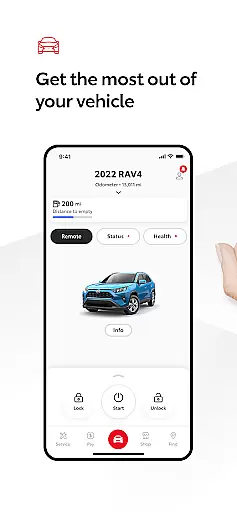
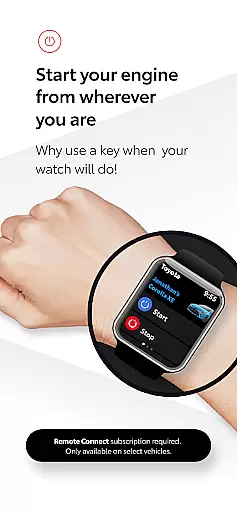
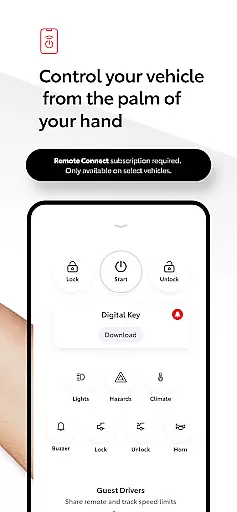
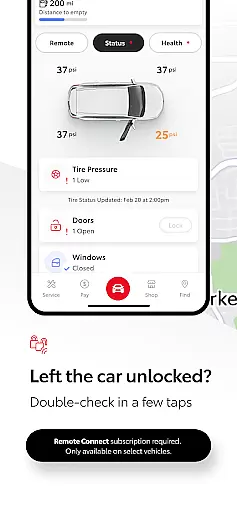
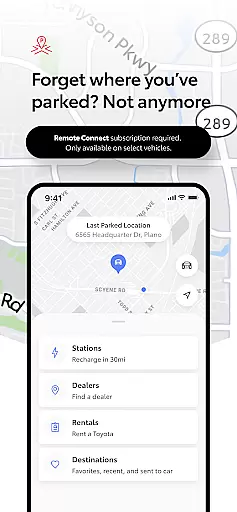
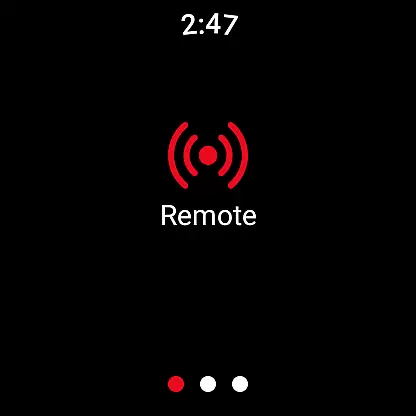
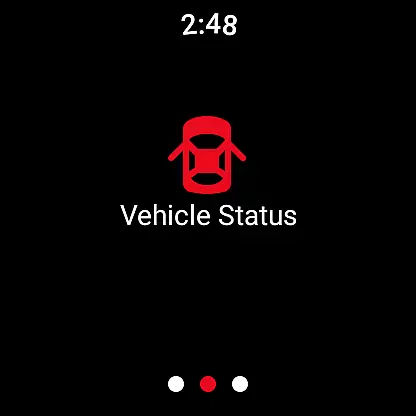
The Toyota app is a comprehensive vehicle management solution designed specifically for Toyota owners. This innovative application allows users to maintain complete control over their vehicles through a range of connected services. Key features include Remote Connect functionality, which enables users to start or stop the engine, lock or unlock doors, and even locate their vehicle's last parked position. The app also provides essential maintenance tools through Service Connect, allowing owners to schedule dealer services and monitor their vehicle's health effortlessly.
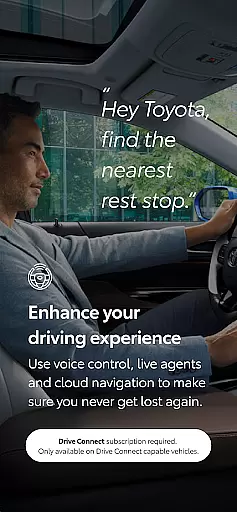
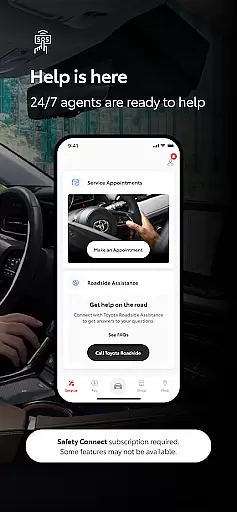
Drive Connect enhances navigation with cloud-based mapping and live agent support, while voice commands ensure safe and convenient driving experiences. Safety Connect offers peace of mind with roadside assistance and emergency support features. Additionally, the app includes valuable owner resources such as digital access to owner's manuals and warranty information. Designed for seamless integration with Android Wear devices, the companion Wear OS app extends remote service capabilities directly to users' wrists, making vehicle management more accessible than ever before.
The Toyota app distinguishes itself through its comprehensive suite of connected services tailored for modern vehicle owners. The Remote Connect feature stands out by providing advanced digital key functionality and real-time vehicle status updates, allowing users to manage their vehicles from anywhere using their mobile device or Wear OS smartwatch. Service Connect revolutionizes vehicle maintenance by automatically tracking service intervals and enabling direct communication with authorized Toyota dealers for seamless service scheduling.
Drive Connect represents a significant technological advancement, offering cloud-based navigation that adapts to real-time traffic conditions and provides intelligent route suggestions. The system's voice recognition capabilities allow hands-free operation through natural language commands. Safety Connect ensures maximum security with its SOS button and 24/7 roadside assistance support. Furthermore, the app's integration with Android Wear devices creates a truly connected ecosystem, where users can perform essential vehicle functions directly from their smartwatches, enhancing convenience without compromising safety.
Companion app integration is a crucial feature that enhances the overall functionality of wearable devices. The Toyota app offers seamless connectivity between your smartphone and Wear OS devices, creating a unified ecosystem for vehicle management.
This integration allows users to access key remote services directly from their smartwatch. Whether you need to lock or unlock your vehicle, start the engine, or locate where you last parked, these functions are now conveniently accessible on your wrist. This ensures you're always connected to your Toyota, even when you're on the move.
The benefits of this integration extend beyond mere convenience. By having essential vehicle controls at your fingertips, you can respond quickly to various situations. For instance, if you're unsure whether you locked your car, a quick tap on your watch can secure it instantly. This peace of mind is invaluable in today's fast-paced world.
Toyota's commitment to providing a comprehensive companion app experience demonstrates their understanding of modern users' needs. By bridging the gap between smartphones and wearables, they've created a truly integrated solution that enhances both safety and convenience for drivers.
Device compatibility is a fundamental aspect of any successful wearable application. The Toyota app excels in this area by offering broad support for various Wear OS devices, ensuring that most smartwatch users can benefit from its features.
This compatibility extends across multiple brands and models of Wear OS devices, making it accessible to a wide range of users. Whether you own a popular brand or a niche device, chances are high that you'll be able to use the Toyota app's full functionality. This inclusivity helps maximize the app's reach and utility among different user groups.
The app's developers have paid special attention to optimizing performance across different devices. They've ensured that core features like remote start, door lock/unlock, and location tracking work smoothly regardless of which Wear OS device you're using. This consistency in performance builds trust and reliability among users.
Furthermore, Toyota regularly updates the app to maintain compatibility with new Wear OS devices as they enter the market. This ongoing support demonstrates their dedication to keeping pace with technological advancements and providing users with the best possible experience across all their devices.
User-friendly interface
Comprehensive vehicle control
Real-time maintenance alerts
Advanced safety features
Seamless smartwatch integration
Limited to Toyota models
Subscription required
Network dependency
Device compatibility issues
Learning curve for new users

Gym Log & Workout Tracker | Fitness Journal, Training & Weight Lifting Planner
 4.90
4.90
Christmas watch face. For Wear OS devices.
4.30
Christmas - Festive - Christmas Village - Winter - Christmas lights
5.00
Bold, Modern Hybrid Watch Face for Wear OS. 10 Colors, Rich Info Display.
4.30
Digital watch face with big numbers and many customization for Wear OS devices
4.40
Reliable phone calls with spam protection, caller ID and more helpful features
4.40
Real-time results, stats, schedules and player profiles for all leagues
4.60
Premium hybrid watch face with many customizations for Wear OS devices.
4.40
From periods to pregnancy & perimenopause, Flo helps you track it all. Try now.
4.70
Christmas Theme Watch Face for Wear Os
5.00
Easy Voice Recorder is your everyday companion to record important moments.
4.70
A modern premium sporty hybrid watch face for Wear OS by Ballozi
4.70
Stylish, Energizing and Modern Watch Face crafted by Dominus Mathias.
4.50
Bold weather Digital watchface with forecast & optional animated background
4.40
Locate your family members by GPS phone location tracker everywhere and anytime
4.30
The ultimate destination for kids ages 3-8 to explore the Marvel Universe!
4.30
Embrace the festive spirit with our Christmas Countdown watchface for Wear OS
4.10
The #1 source of faces for your smartwatch!
4.00
Get helpful reminders, take progress photos and find answers to your questions.
3.90


User Reviews