
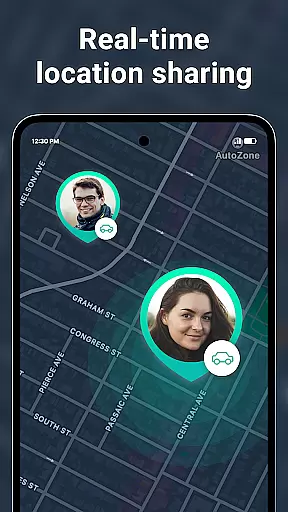

Geozilla is a comprehensive family safety and location-sharing app designed for Android Wear devices, ensuring peace of mind for families who prioritize safety and transparency. The app's core functionality revolves around real-time GPS tracking, allowing family members to share their live locations within a private circle. This feature proves invaluable in scenarios where parents need to monitor their children's whereabouts or when caregivers assist dependents.
Beyond basic location sharing, Geozilla offers advanced features like geofencing alerts, driving reports, and emergency notifications. Users can set up specific zones (home, school, work) and receive instant alerts when circle members arrive or leave these locations. The app also monitors phone battery levels and provides insights into driving habits, promoting safer travel practices. With its Wear OS compatibility, Geozilla extends these capabilities to smartwatches, enabling location sharing directly from wearable devices.
The true value of Geozilla lies in its commitment to privacy, transparency, and user consent. Every feature requires explicit permission from all parties involved, ensuring that location data is shared only among trusted individuals who have actively agreed to participate. This approach fosters trust and responsible usage while maintaining strict adherence to privacy standards and local regulations.
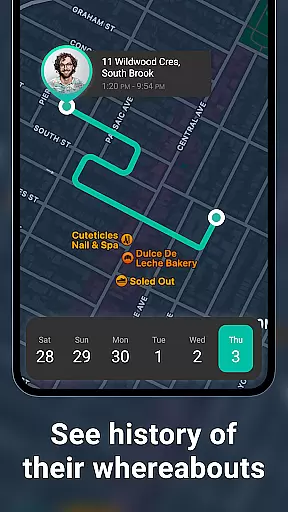
Geozilla distinguishes itself through its robust set of features tailored specifically for family safety on Android Wear devices. At its core, the app provides real-time location tracking with remarkable accuracy, allowing family members to view each other's precise GPS coordinates. This functionality is enhanced by the location history feature, which creates detailed movement timelines for each circle member throughout the day.
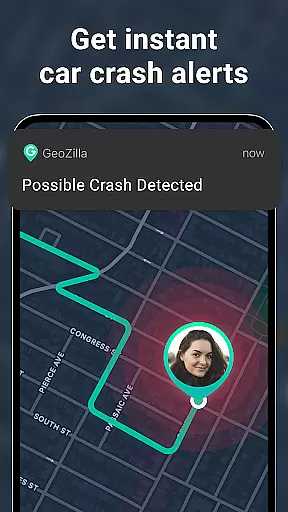
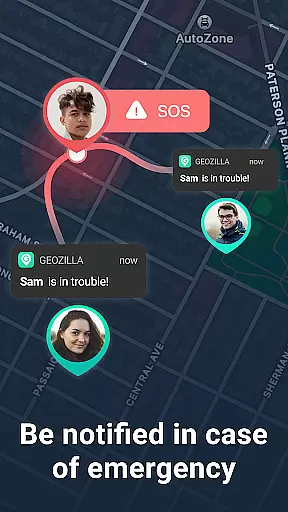
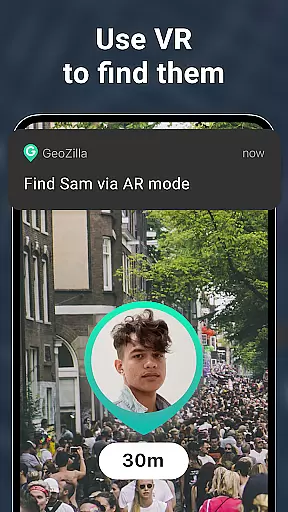
The app's geofencing capabilities are particularly noteworthy. Users can define multiple safe zones and receive instant notifications when family members enter or exit these areas. Additional features include battery monitoring, which alerts users when a connected device is running low on power, and driving insights that help improve road safety through behavior analysis. The AR Finder and Crash Detection with SOS Alerts provide extra layers of security and emergency response.
What sets Geozilla apart is its implementation of transparent privacy measures. Unlike many location-sharing apps, Geozilla requires explicit consent at every step. Invitations must be accepted, permissions granted, and purposes clearly communicated before any data sharing occurs. This commitment to ethical usage, combined with its specialized Wear OS compatibility, makes Geozilla a unique solution in the family safety market.
Companion app integration is essential for wearable devices to function seamlessly with smartphones. Geozilla excels in this area by ensuring that its Android Wear application works in harmony with the main mobile app.
The smartwatch version of Geozilla allows users to access key features such as real-time location sharing and geofencing alerts directly from their wrist. This means family members can quickly check each other's locations or receive important notifications without needing to take out their phones.
Furthermore, Geozilla ensures that all interactions on the wearable are mirrored on the smartphone app, providing a consistent experience across devices. Users can trust that actions taken on one device will be accurately reflected on the other, maintaining reliable communication within the family network.
This level of integration not only enhances convenience but also reinforces safety, allowing families to stay connected and informed at all times, which is crucial for peace of mind when it comes to loved ones' wellbeing.
For an app designed to work with wearable technology, Wear OS/device compatibility is paramount. Geozilla has been optimized to function smoothly on Wear OS, Googleu2019s platform for smartwatches, ensuring broad device support.
Geozilla supports a wide range of Wear OS devices, allowing families to use the service regardless of their choice of smartwatch. Whether it's through Samsung, Fossil, or any other major brand running Wear OS, users can rely on Geozilla to deliver its safety features consistently.
In addition to supporting various hardware, Geozilla maintains high standards of performance. The app is designed to run efficiently on Wear OS, preserving battery life while still delivering timely updates and alerts.
By focusing on compatibility and performance optimization, Geozilla provides a dependable solution for families looking to extend their safety network to their wrists, making sure that no matter where they are, they remain just a glance away from vital information about their loved ones.
User-friendly interface
Real-time location tracking
Comprehensive safety features
Transparent privacy controls
Wear OS compatibility
Limited to family use cases
Requires mutual consent
Dependent on active participation
Premium features may cost extra
Background location affects battery

Embrace the festive spirit with our Christmas Countdown watchface for Wear OS
 4.10
4.10
Wear Os Watch Face - Animated Snow Effect & Magic Spark - 6 Scenes
4.10
3 Complications. All shadow on/off. 30 Themes color palette...
4.3
The ultimate destination for kids ages 3-8 to explore the Marvel Universe!
4.30
Real-time weather radar with temperatures, warnings, hurricanes, and widgets
4.80
Start and succeed with PAP
4.10
Control your Samsung Smart TVs, appliances, and SmartThings-compatible devices
4.60
Track airplanes and follow flights with our real-time flight tracker
4.50
Spam call blocker and caller ID for automatic call protection!
4.40
Monitor health with the stress test and pulse checker in the heart rate app.
4.60
Simple, helpful messaging by Google
4.60
Stylish, Energizing and Modern Watch Face crafted by Dominus Mathias.
4.50
Current temperature, weather hourly, weather radar by the weather forecast app
4.40
Digital watch face. For Wear OS devices.
4.40
A customizable Christmas watch face for Wear OS with a countdown.
4.20
Your music, your playlists, and more—offline and unlimited.
4.20
Christmas and New Year - Themed Watchface
4.1
Precision analog watch face with 7 complications and style options
4.2
Contemporary digital watch face with five complications
4.0


User Reviews