
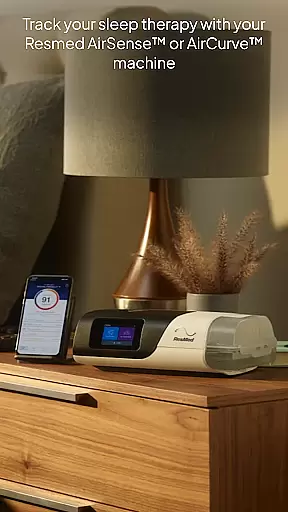
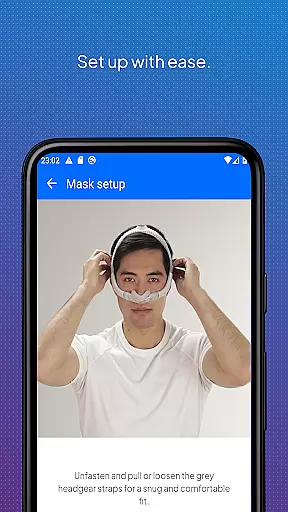
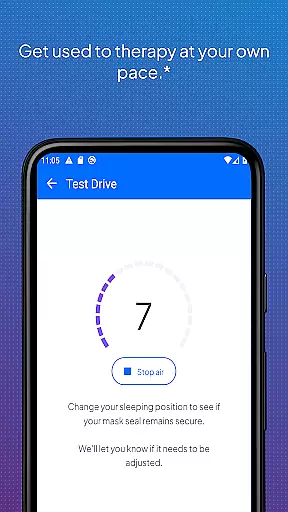
myAir by Resmed is an innovative app designed exclusively for users of Resmed AirSense and AirCurve devices, enabling them to take control of their sleep therapy journey. The app offers a comprehensive guided setup process that includes interactive voice-guided instructions through the Personal Therapy Assistant feature, helping users set up their equipment with ease. Additionally, the Test Drive feature allows users to acclimate to therapy by adjusting air pressure levels.
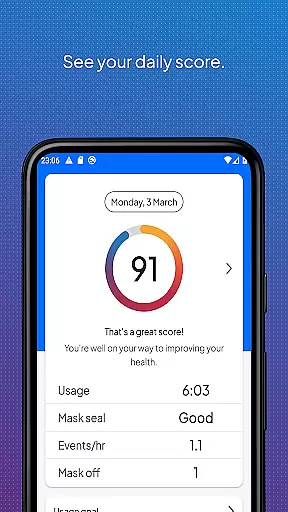
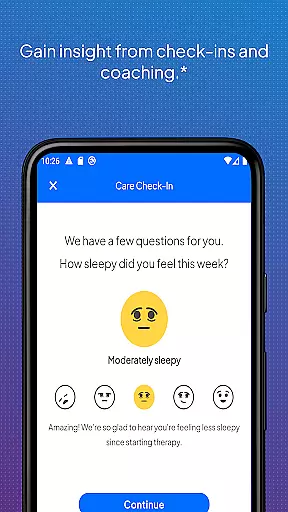
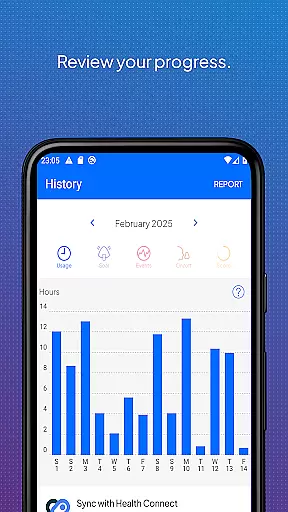
Beyond setup, myAir provides personalized support acting as a virtual sleep coach. It delivers tailored coaching, tips, and educational content to enhance user comfort and therapy success. Users can track their sleep therapy progress with detailed metrics and receive proactive check-ins via email and push notifications. Integration with Apple Health and Health Connect further enhances the user experience by displaying health data alongside therapy metrics.
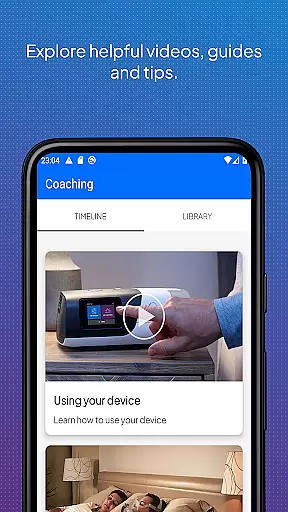
One of the standout features of myAir is its ability to provide personalized guidance and support throughout the sleep therapy process. The app's Personal Therapy Assistant and Test Drive functionalities ensure users can confidently set up and adjust to their therapy equipment. These features are complemented by a rich library of instructional videos and guides tailored to specific devices and masks.
myAir excels in offering continuous support through tailored coaching and regular check-ins, ensuring users stay on track with their therapy goals. The app's integration capabilities extend its utility by syncing with health applications to display a holistic view of the user's health data. This seamless integration helps users monitor various health metrics such as steps, heart rate, and oxygen saturation alongside their therapy data, providing deeper insights into their overall well-being.
Companion app integration is essential for users who want a seamless experience between their Resmed AirSense or AirCurve machines and the myAir app. This feature ensures that data from your therapy equipment is accurately reflected in the app, providing real-time insights into your sleep therapy progress.
The myAir app by ResMed offers an integrated solution where users can access their sleep therapy data directly on their smartphones. By syncing with AirSense 11 machines, it provides detailed metrics and a nightly myAir score to help track therapy effectiveness over time.
Users benefit from this synchronization as it allows them to monitor their sleep quality and adjust their habits accordingly. The ability to download therapy summary reports further enhances communication with healthcare providers, ensuring personalized care adjustments based on accurate data.
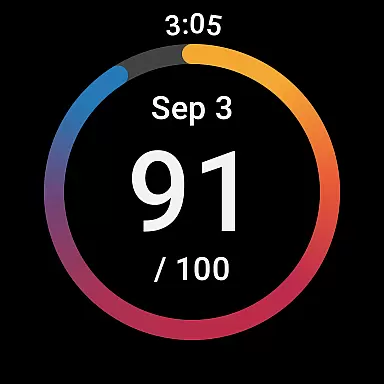
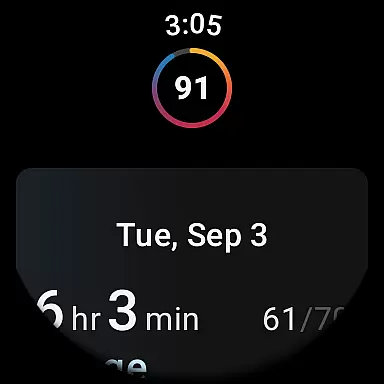
Wear OS/device compatibility extends the functionality of the myAir app to smartwatches, offering users convenience and accessibility. With support for compatible Samsung Galaxy Watches, patients using ResMed's AirSense and AirCurve machines can now view their sleep therapy data directly on their wrists.
This compatibility transforms how users interact with their health information. Instead of reaching for a phone, they can quickly check notifications and updates about their therapy performance right from their watch face. This immediacy encourages more consistent engagement with oneu2019s treatment plan.
By integrating advanced features like viewing nightly scores and receiving reminders through Wear OS devices, myAir ensures continuous connectivity without compromising ease-of-use. Such innovations not only enhance user experience but also promote better adherence to prescribed therapies due to increased awareness and motivation.
User-friendly interface
Comprehensive guided setup
Personalized therapy coaching
Detailed sleep tracking metrics
Integration with health apps
Limited to Resmed devices
Some features require specific machines
Dependent on wireless connectivity
Premium features may need subscription
Initial setup can be time-consuming

Beautiful artistic animated digital watch face, with a customizable layout!
 4.40
4.40
Digital watch face with big numbers and many customization for Wear OS devices
4.40
Ideal for surviving in the wasteland left after nuclear fallout
4.50
sleep, alarm, snoring, stress, healing, focus, sound therapy, circadian rhythm
4.10
Hyperlocal rain alerts by MyRadar using patent-pending technology, radar & more
4.80
Real-time results, stats, schedules and player profiles for all leagues
4.60
A white realistic classic analog watch face with many customization options.
4.40
Your music, your playlists, and more—offline and unlimited.
4.20
Your local weather forecast, storm tracker, radar maps & live weather news
3.40
Period, ovulation & pregnancy tracker. Fertility insights & menstrual calendar.
4.90
The most customizable hybrid watch face. For Wear OS 5.0, API 34+ and later
4.70
The ultimate destination for kids ages 3-8 to explore the Marvel Universe!
4.30
Animated video-game inspired “secret agent” simulation, right on your wrist!
4.20
"PER27 Galaxy Digital" is a digital Wear OS watch face designed by PERSONA
4.10
Professional weather radar and more
3.90
A full-featured Amazon Alexa voice assistant that can show you things.
3.70
Stay in touch with your friends and family using LINE!
3.40
an Analog Watch Face for winter season with freeze winter background for Wear OS
4.2
A Wintery Snow Globe on Your Wrist; now celebrating Christmas!
4.1


User Reviews