
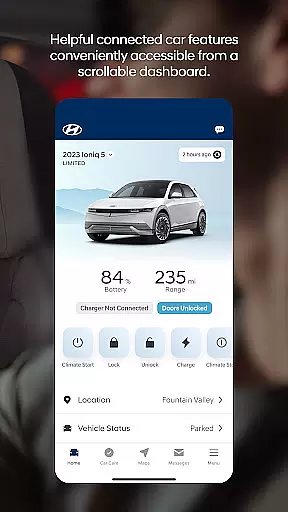
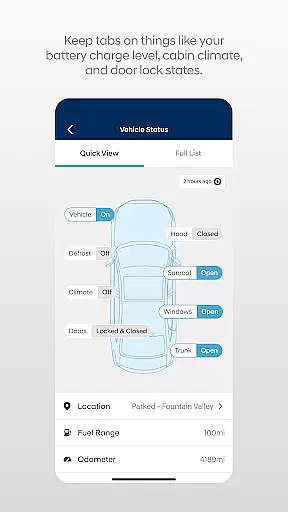

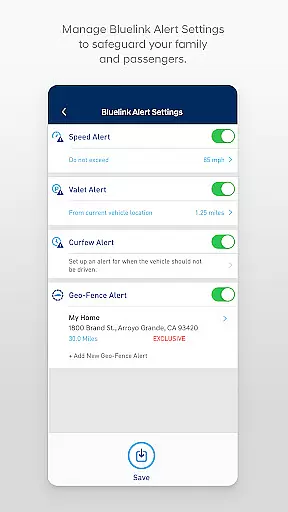
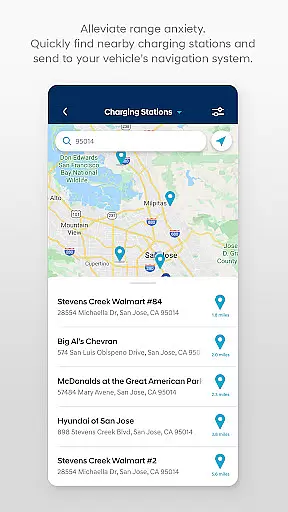
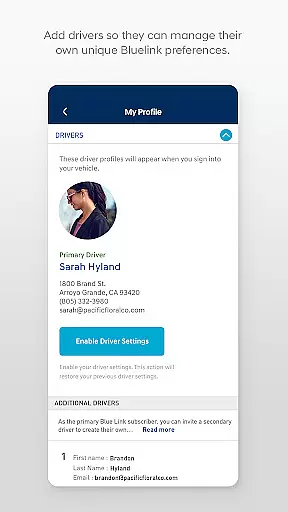
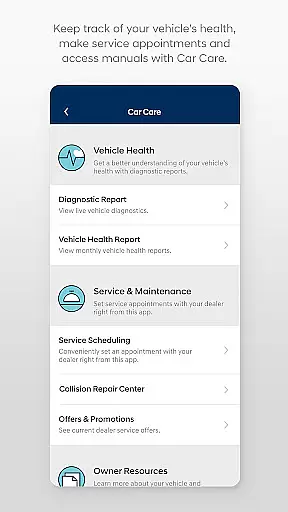
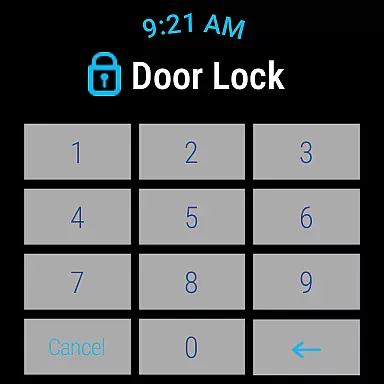
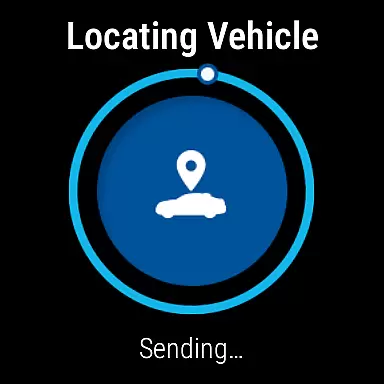
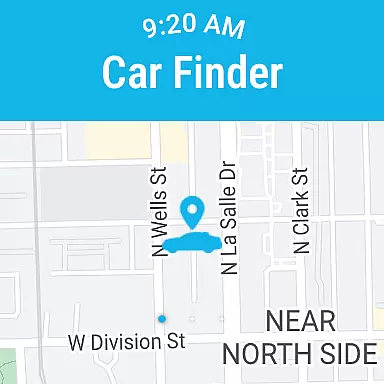
The MyHyundai app with Bluelink is a comprehensive vehicle management solution designed specifically for Hyundai car owners. This innovative application allows users to remotely interact with their Bluelink-enabled vehicles directly from their mobile devices, providing unprecedented convenience and control.
Core features include remote start/stop functionality, door lock/unlock capabilities, horn and light activation, and vehicle location services. The app also offers advanced functionalities for electric and hybrid vehicles, such as charging management and status monitoring. Additionally, users can access maintenance information, schedule service appointments, and explore various Points of Interest (POI) directly from their phones.
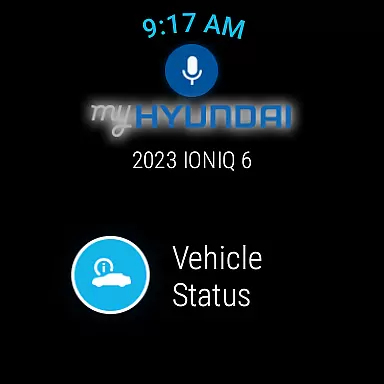
This application proves particularly valuable during inclement weather conditions when users can start their vehicles remotely to adjust climate settings before driving. The integration with Wear OS smartwatches further enhances accessibility, allowing drivers to perform essential functions through voice commands or smartwatch menus.
The MyHyundai app distinguishes itself through its comprehensive suite of remote vehicle management tools. The application's most notable feature is its robust remote control capabilities, which allow users to start their vehicles, activate climate control systems, and manage security features from virtually anywhere.
A key innovation is the app's support for both traditional combustion engine vehicles and electric/hybrid models. For EV and PHEV owners, the app provides detailed charging management features, including real-time status updates and customizable charging schedules. The integration with Wear OS expands these capabilities to smartwatches, enabling users to perform critical functions without needing their phones.
The application also incorporates practical features like maintenance tracking, POI management, and customer support access. These features are complemented by biometric authentication options, enhancing security while maintaining user convenience. The inclusion of phone widgets for quick access to frequently used functions demonstrates the app's commitment to user-friendly design.
Companion app integration is a crucial feature for users who want seamless connectivity between their smart devices and vehicles. The MyHyundai app excels in this area by offering comprehensive integration with Bluelink-enabled Hyundai vehicles.
This application allows you to remotely control various vehicle functions directly from your smartphone or Wear OS smartwatch. You can start the engine, lock or unlock doors, activate the horn and lights, and even locate your car, all through intuitive touch or voice commands. This level of integration ensures that you remain connected to your vehicle no matter where you are.
The benefits of such deep companion app integration include enhanced convenience and peace of mind. Whether you're at home, in the office, or out running errands, you have full control over your vehicle's key functionalities. This means you can warm up your car on a cold morning or ensure it's locked safely after parking, all from the comfort of your current location.
Ultimately, the MyHyundai app transforms how you interact with your vehicle by bridging the gap between mobile technology and automotive functionality. This seamless connection empowers users to enjoy a smarter, more responsive driving experience.
Wear OS/device compatibility is essential for users who want to extend the functionality of their vehicle management apps to their smartwatches. The MyHyundai app offers robust support for Wear OS, ensuring that key features are accessible right from your wrist.
With the MyHyundai app for Wear OS, you can perform several critical actions without needing to take out your phone. These include remotely starting your vehicle, locking or unlocking the doors, activating the horn and lights, and locating your car. Voice commands and smartwatch menus make these interactions quick and effortless, providing a high degree of convenience.
This compatibility enhances user experience by allowing immediate access to important vehicle controls. For instance, if you're carrying groceries or need to quickly locate your car in a crowded parking lot, having these features available on your smartwatch can be incredibly beneficial.
In summary, the MyHyundai app's Wear OS compatibility ensures that you stay connected to your vehicle in the most convenient way possible. By leveraging wearable technology, the app delivers an innovative solution that keeps pace with modern lifestyles, making vehicle management easier and more efficient than ever before.
User-friendly interface
Comprehensive vehicle control
Advanced EV/PHEV support
Wear OS integration
Biometric authentication
Subscription required
Limited vehicle compatibility
Feature restrictions
Connectivity issues
Additional costs

A watch face that fuses motorsport precision with contemporary smartwatch design
 4.0
4.0
Bold, Modern Hybrid Watch Face for Wear OS. 10 Colors, Rich Info Display.
4.30
Ideal for surviving in the wasteland left after nuclear fallout
4.50
Nutrition, Macro tracker: Food, fitness & healthy diet tracking for weight loss
4.60
Professional weather radar and more
3.90
Retro digital watch face with customizable colors and a unique lighting effect
4.60
Connect, create, and collaborate with Gmail, part of Google Workspace.
4.10
Your local weather forecast, storm tracker, radar maps & live weather news
3.40
Back up your contacts & access them anywhere
4.30
Beautiful, colorful and practical watch face. For Wear OS devices.
5.00
The most customizable minimal watch face. For Wear OS 5.0, API 34+ and later
4.70
Your second brain for organizing your life: to-do, calendar, reminder.
4.70
Highly customizable hybrid watch face for Wear OS, perfect for everyday use.
4.60
Gym & home workout plans with strength training, exercise tracking, HIIT & more.
4.60
Simple, helpful messaging by Google
4.60
Embrace the festive spirit with our Christmas Countdown watchface for Wear OS
4.10
A digital watch face that celebrates Christmas.
4.00
Want to take charge of your health? Let Google Fit help you reach your goals.
3.50
Christmas and New Year - Themed Watchface
4.1


User Reviews