

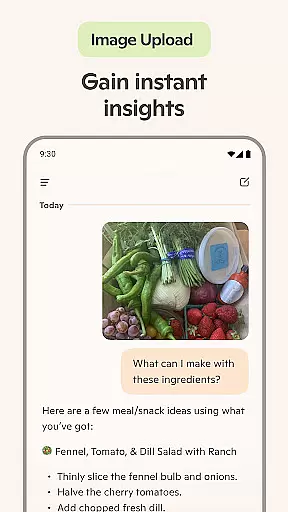
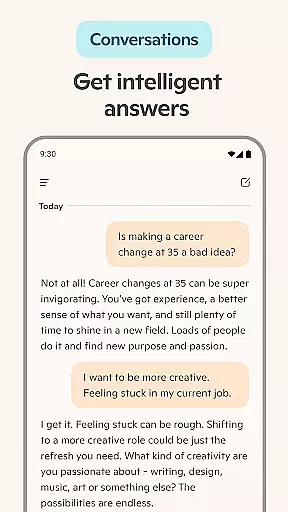
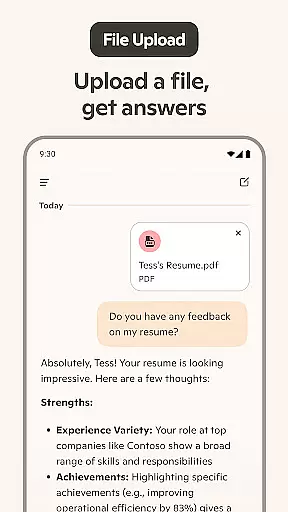
Microsoft Copilot is an advanced AI productivity tool designed to enhance your daily workflow. This application combines the latest OpenAI and Microsoft AI models, offering users a comprehensive AI companion experience. The app's core functionality lies in its ability to serve as both a writing assistant and creative partner.
The application supports various productivity tasks such as document composition, email drafting, and content creation. Additionally, it features an innovative AI photo generator that transforms text prompts into visual designs. Users can leverage Copilot's capabilities across multiple platforms, making it an essential tool for both personal and professional projects.
One notable use case is streamlining business communications through automated email generation and resume building. The app's smart summarization feature provides quick answers to complex questions, demonstrating its value in knowledge-based work environments.
Microsoft Copilot distinguishes itself through several key features that enhance user productivity. The application's most prominent capability is its integration of GPT-5 technology, which combines advanced reasoning and conversational models into a unified experience. This enables users to engage in natural language conversations while receiving intelligent responses.
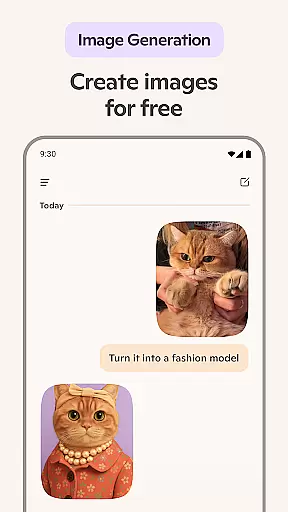
The app's functionality extends to creative domains through its AI photo generator, allowing users to create visual content from textual descriptions. Another significant feature is its multilingual support, which enables translation and proofreading across hundreds of languages, including regional dialects. The voice chat capability adds another dimension to user interaction, permitting hands-free operation.
What sets Microsoft Copilot apart is its versatility in handling both analytical and creative tasks. From generating shopping lists to creating professional documents, the application adapts to various user needs. Its ability to produce high-quality visuals and assist with content creation makes it particularly valuable for marketing and design professionals.
Microsoft Copilot excels in core task management by integrating advanced AI capabilities to streamline daily activities. The application leverages the latest OpenAI and Microsoft AI models to offer users an intuitive platform for organizing tasks efficiently.
Through its AI chat assistant, Copilot simplifies complex processes such as drafting emails, creating shopping lists, and even proofreading across multiple languages. This functionality ensures that users can accomplish more with less effort, enhancing productivity in both personal and professional settings.
Moreover, the app provides instant sharp summaries and helpful rewrites, which are crucial for effective communication. Whether you need to compose a cover letter or update your resume, Copilot's AI helper is designed to deliver precise and tailored assistance, making task management seamless and efficient.
Cross-device synchronization is a pivotal feature of Microsoft Copilot, ensuring that users have access to their data and AI-generated content across all devices. This reliability is achieved through robust cloud integration, allowing real-time updates and seamless transitions between smartphones, tablets, and computers.
The synchronization process is not only about transferring data but also maintaining consistency in AI model interactions. Users can start a conversation or task on one device and continue it on another without losing context or progress. This interconnected ecosystem enhances user experience by providing flexibility and continuity in managing daily tasks.
Furthermore, Copilotu2019s ability to sync AI-generated images, text prompts, and other creative outputs ensures that users can leverage their ideas wherever they go. This cross-device reliability empowers users to explore endless possibilities, from drafting documents to generating artwork, with confidence in the integrity and availability of their work.
Advanced AI capabilities
Multilingual support
Versatile functionality
Intuitive interface
Comprehensive features
Premium subscription required
Occasional response delays
Limited offline functionality
Resource-intensive
Learning curve present

AI Video AI Image Private LLM AI Browser Llama Gemma Ollama Connect LLM Studio
 4.3
4.3
Planet Free VPN - The best Fast Unlimited and Secure VPN Without Logs
4.50
Android Wallet Password Manager
4.80
Absolutely the best CNC machinist speed and feed calculator around. fswizard.com
4.60
IP Camera Viewer - Android TV : RTSP Surveillance camera viewer for Android TV
4.2
Fill, sign & send docs, forms, agreements & contracts via electronic signature.
4.50
Code on-the-go with VScode for Android. Edit,debug and collaborate from mobile!!
3.10
Access, manage and transfer files on Android, PC, Mac, NAS and cloud storages.
4.30
Scientific calculator for Android - looks and operates like the real thing!
4.90
Mind Map and brainstorm, note taking and idea collection
4.80
Direct Chat without saving contacts & Dual WA Account on Single Device
4.70
A beautiful digital clock with autostart and many other functions
4.70
A customizable calendar for your Wear OS watch
4.20
Device's storage information in a simple and clear graphical form (infographics)
4.10
Font maker keyboard with your own handwriting
4.10
Customizable calendar widget for seamless event sync, planning & scheduling.
4.00
Create and edit presentations with Google Slides, part of Google Workspace.
4.00
Mega cloud explorer plugin for Solid Explorer
3.80
Remotely view listen control and record cameras.
3.70


User Reviews