




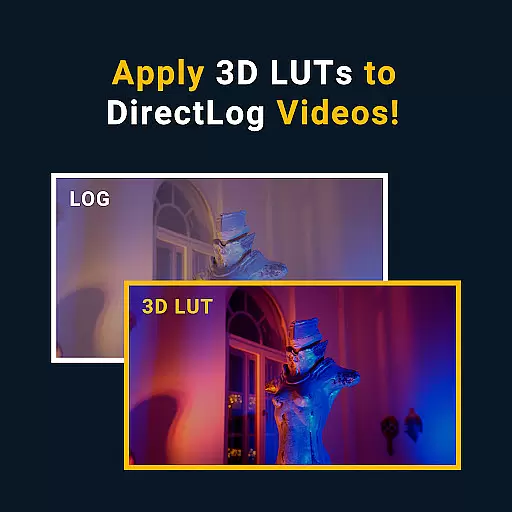


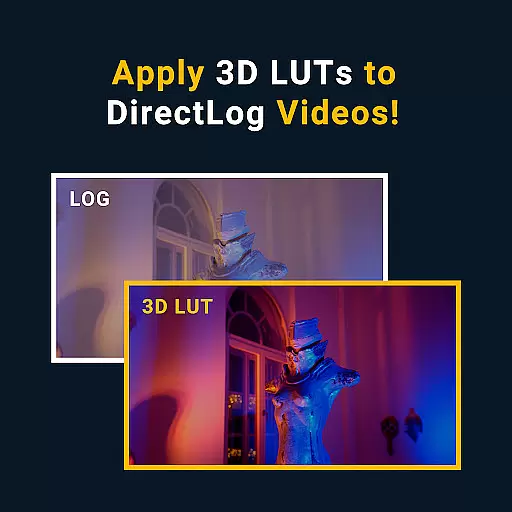
MotionCam Pro revolutionizes mobile photography by offering professional-grade tools directly on your smartphone. The app's standout feature is its ability to capture RAW videos, a first for smartphone cameras. This allows photographers and videographers to retain maximum detail and flexibility during post-processing.
In addition to video capabilities, MotionCam Pro enhances still photography through advanced computational algorithms. These replace standard camera software, enabling users to produce stunning images with improved dynamic range and color accuracy. Whether you're an amateur enthusiast or a seasoned professional, this app provides the tools needed to elevate your mobile photography game.
MotionCam Pro stands out with its innovative features tailored for both photographers and videographers. The app's hallmark is its support for RAW video capture, allowing users to record footage with unparalleled quality and editability. This feature alone transforms how content creators approach mobile videography.
Beyond video, MotionCam Pro incorporates sophisticated computational photography techniques. These algorithms process images in real-time, delivering photos with exceptional clarity, reduced noise, and accurate colors. Users can expect DSLR-like results from their smartphone cameras, making it an indispensable tool for capturing life's moments in stunning detail.
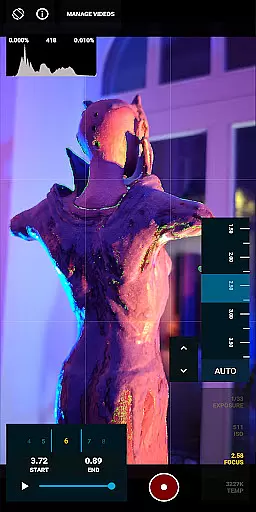
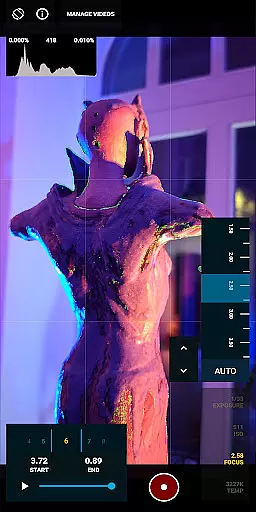
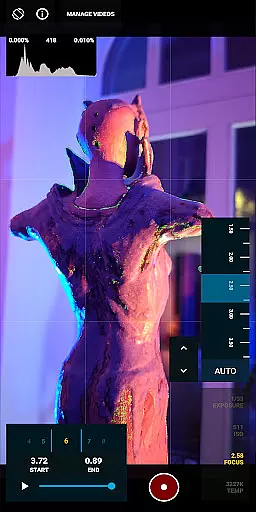
Real-time capture and preview functionality is essential for photographers who need to see the exact image they are capturing. MotionCam Pro excels in this area by providing users with a live view of their shot before taking it, ensuring precision and satisfaction with each photo.
The app's advanced computational photography algorithms process images instantly, offering a seamless experience as you frame your shots. This real-time feedback allows users to adjust settings such as exposure, focus, and white balance on-the-fly, which is crucial for achieving professional-quality results.
With MotionCam Pro, photographers can trust that what they see on their smartphone screen is what they will get in the final image. This feature not only enhances creative control but also saves time during post-processing since many adjustments are made directly within the app.
MotionCam Pro incorporates AI beauty and enhancement features that bring out the best in every photo while maintaining natural aesthetics. Unlike other apps that may over-process images, MotionCam uses sophisticated AI to enhance facial features subtly without losing authenticity.
This application intelligently recognizes faces and applies enhancements that highlight natural beauty. It smooths skin textures gently, brightens eyes naturally, and refines facial contours with care, ensuring subjects look like themselvesu2014only better.
Photographers using MotionCam Pro benefit from its ability to deliver stunning yet believable portraits. The AI-driven enhancements preserve details and textures, making each portrait appear vibrant and lifelike, thus elevating the overall quality of photographs taken with smartphones.
RAW video capture
Advanced photo algorithms
Professional-grade tools
Real-time image processing
High dynamic range
Premium pricing
Steep learning curve
Limited device support
Heavy file sizes
Intensive battery use

Effortlessly organize, view and share your photos & videos with Gallery app!
 4.40
4.40
How would you look like with a differently shaped nose, chin or lips?
3.90
1M influencer's special filter
4.60
Professional video recording application with manual controls for filmmakers!
2.80
Perfect body tune & face app - photo retouch, makeup, slim body & beautify face.
4.80
Light-weight Media Gallery app for Android made with Jetpack Compose
4.60
Photo Exif Editor allows to view, add and modify EXIF data of multiple photos
4.50
HD Camera Pro with HD Video shooting, Panorama, Photo editor , Beauty Camera.
4.50
Welcome to ProShot, the most powerful camera app on Android.
4.20
Android Native system HD camera app. Never been so simple and faster.
4.70
Cartoon and artistic effects for your photos and videos
4.70
Amazing Photo Effects - The most fun you can have with your photos!
4.70
Discover & download millions of art for The Frame TV or Hisense CanvasTV
4.60
Create collages easily! Nice pic collage maker & background eraser for Instagram
4.50
How old age camera Gender Swap App Face Shape Hairstyle App Hair Styler App fun!
4.00
Gallery Slideshow is slideshow maker app for slideshow from your gallery photos.
3.90
Turn photos into cartoons & avatars! - Photo Editor, Cartoon Face!
3.90
GCamera allows all GCam features on all phone models! Better photos with GCamera
3.30
Superimpose one photo on top of another using the original Superimpose app!
3.20


User Reviews