
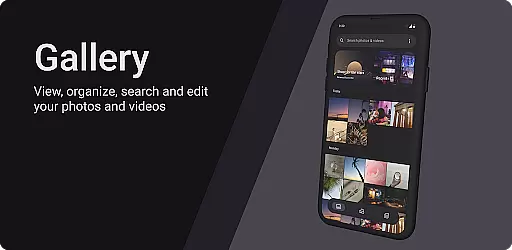
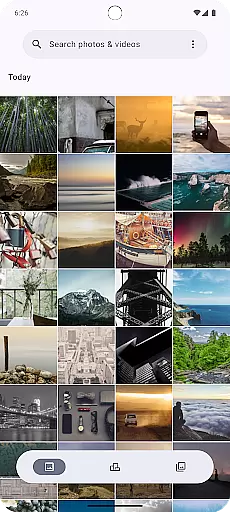
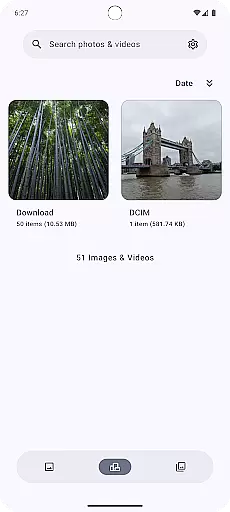
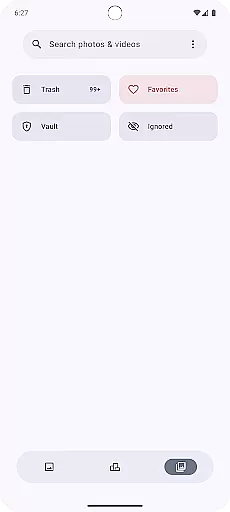
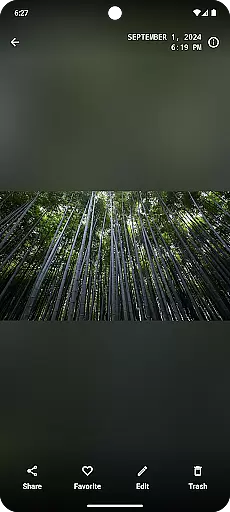
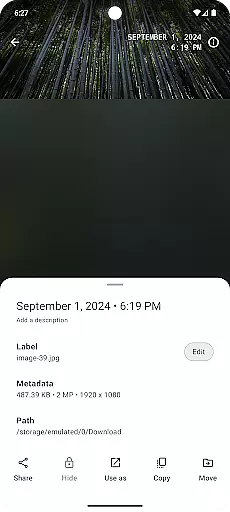
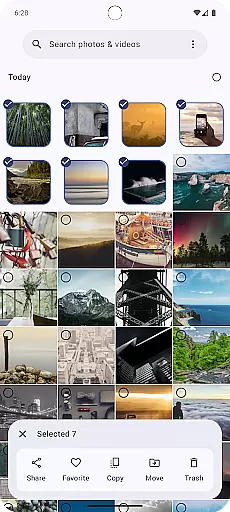
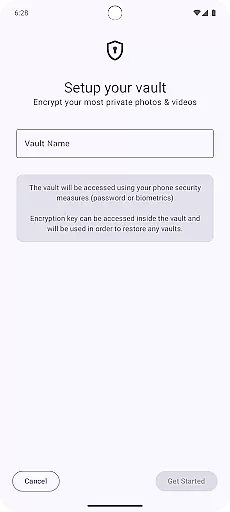
Gallery is a modern photography app designed for Android users who want an intuitive and efficient way to manage their photos. Built with Jetpack Compose, this app offers a sleek interface that makes photo organization simple and enjoyable. Users can easily browse through their image library, edit pictures, and share their favorite moments with friends and family.
The app supports various file formats and provides seamless integration with cloud services, ensuring your memories are always backed up and accessible from any device. Whether you're a casual photographer or a professional, Gallery catifies all your photo management needs in one place.
Gallery stands out with its powerful features tailored for photography enthusiasts. The app includes advanced editing tools that allow users to adjust brightness, contrast, saturation, and apply filters to enhance their images. With the built-in AI recognition feature, it automatically tags and categorizes photos based on content, making searching effortless.
Another notable feature is the privacy mode, which lets users hide sensitive images behind a secure passcode. Additionally, Gallery supports high-resolution image viewing and sharing, ensuring every detail is preserved. These capabilities make Gallery not just a tool but a comprehensive platform for managing digital memories.
Real-time capture and preview functionality is essential for any photography app, allowing users to see exactly what the camera sees before taking a shot. This feature ensures that users can make necessary adjustments to their composition, lighting, and focus in real time, leading to better-quality photos.
Gallery, built with Jetpack Compose, offers an intuitive real-time capture experience by leveraging advanced camera APIs. The app provides users with a responsive interface that accurately reflects the camera's view, ensuring minimal lag between the action and what is displayed on the screen.
With this capability, users of Gallery can confidently frame their shots, knowing that what they see on the screen is precisely what they will capture. This immediate feedback loop enhances the overall photography experience, making it easier for both amateur and professional photographers to achieve their desired results.
AI beauty and enhancement features have become increasingly popular in photography apps, offering users the ability to improve their photos through automated enhancements. The naturalness of these enhancements is crucial, as overly processed images can appear artificial and lose their original charm.
Gallery incorporates sophisticated AI algorithms that analyze each photo's unique characteristics to apply enhancements that look natural. By focusing on subtle improvements to skin tone, lighting, and details, the app ensures that edited photos retain their authenticity while still benefiting from AI-driven touch-ups.
This approach not only elevates the quality of photos but also respects the photographer's intent and the subject's natural appearance. Users can enjoy enhanced images that look professionally retouched yet remain true to life, providing a satisfying balance between technology and artistry.
User-friendly interface
Advanced photo editing
AI-powered tagging
Secure privacy mode
Cloud integration
Limited video support
No desktop version
Frequent updates needed
Ads in free version
Storage limitations

Remote control of the phone camera from your Wear OS smartwatch
 3.70
3.70
Search, tag and rate your way to an organized image gallery
4.40
Natural Beauty, Selfie Retouch
4.30
Perfect body tune & face app - photo retouch, makeup, slim body & beautify face.
4.80
Create AI photos & videos with Enhancer; restore, fix, beautify, enhance photos
4.50
GCamera allows all GCam features on all phone models! Better photos with GCamera
3.30
Smart, light, and fast photo and video gallery
4.30
PhotoSync Bundle Add-On License. Enables all features and services in PhotoSync.
4.60
Discover & download millions of art for The Frame TV or Hisense CanvasTV
4.60
See your baby AI baby face generator AI baby maker Face generator babymaker fun!
4.70
1M influencer's special filter
4.60
Automatically backup your photos and videos to computer, NAS and Cloud services
4.60
Create collages easily! Nice pic collage maker & background eraser for Instagram
4.50
AI photo enhancer with Sora 2! Enhance, descratch, and colorize your old photos.
4.50
Shooting photos and records video easily and efficient with professional Camera
4.30
A light meter for true photographers.
4.20
The #1 app for B&W film developing featuring an advanced darkroom timer.
4.10
Professional quality photo edits with the new Snapseed.
4.00
USB Storage Access for Photos, Videos, Music and Documents
3.80


User Reviews