

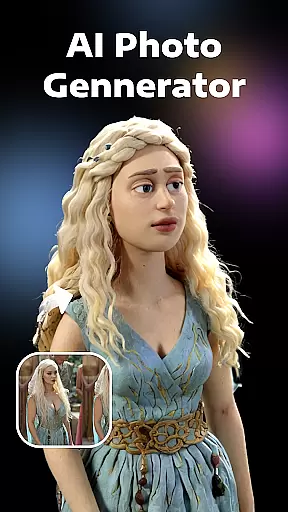


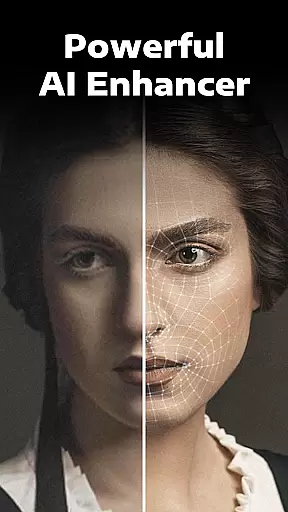
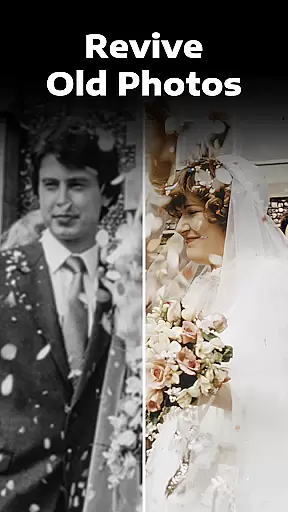

Evoke - AI Photo Enhancer is a cutting-edge photography app that utilizes advanced AI technology to restore and enhance your old photos. The app's core functionality lies in its ability to fix various photo issues such as blurriness, scratches, discoloration, and even convert black-and-white images into vivid color photos. Powered by state-of-the-art models like Gemini 2.5 Flash Image and Kling AI 2.5, it ensures high-quality restoration while preserving consistent details and natural aesthetics.
One of the standout features of this app is its versatility. Whether you're looking to breathe new life into faded family pictures or generate creative AI portraits with alternate versions of yourself, Evoke offers an intuitive and seamless experience. Its powerful algorithms work quickly, often completing enhancements within seconds, making it suitable for both casual users and professional photographers who need efficient editing tools on the go.
This app is particularly valuable for individuals seeking to preserve cherished memories or explore imaginative possibilities through AI-generated content. By combining practical restoration tools with innovative features like AI Portraits, Evoke not only revives old photos but also allows users to reimagine themselves in unique scenarios, adding a layer of personal creativity to their digital collections.
Evoke - AI Photo Enhancer stands out due to its robust set of features designed to cater to diverse user needs. At the heart of the app is its Advanced AI Technology, which employs intelligent recognition systems capable of detecting human faces and restoring intricate details with precision. This ensures every strand of hair, skin texture, clothing, and background elements are delicately enhanced, delivering results that feel authentic and lifelike.
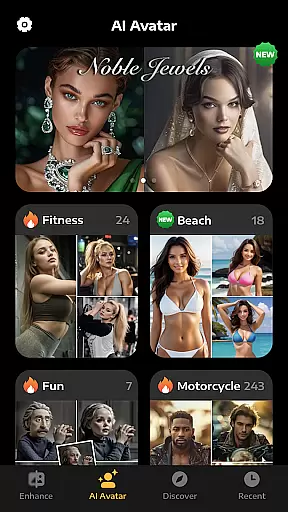
Beyond basic enhancement, the app includes specialized functions such as Colorize, Descratch, and AI Portraits. The Colorize feature transforms black-and-white photos into vibrant, colorful images, rekindling nostalgia with stunning accuracy. Meanwhile, the Descratch tool intelligently repairs physical imperfections like scratches and wrinkles, revitalizing damaged photos without compromising their original essence. For those interested in creative exploration, the AI Portraits mode generates imaginative renditions of users in different roles—be it a bride, doctor, bodybuilder, or other personas—offering a fun way to visualize alternate realities.
The app's integration with industry-leading models like Gemini 2.5 Flash Image and Kling AI 2.5 guarantees reliable performance and exceptional output quality. These technologies ensure consistency across edits while maintaining a natural look and feel. With its fast processing speed and user-friendly interface, Evoke empowers users to achieve professional-grade results effortlessly, whether they're enhancing single images or experimenting with AI-driven transformations.
Real-time capture and preview functionality is essential for photography applications as it allows users to see exactly what the camera is capturing before taking a shot. This ensures that the framing, lighting, and composition are perfect before committing to a photo.
AI Photo Enhancer provides an intuitive real-time capture experience by leveraging advanced AI algorithms. The app processes images instantly, offering users a seamless preview of their photos with potential enhancements already applied. This feature saves time in post-processing and helps users make informed decisions about their photography.
The benefit to users is significant. With real-time previews, photographers can adjust settings such as exposure, focus, and filters on the fly, ensuring that the final image meets their expectations without the need for extensive editing afterward. This capability is particularly useful for professional photographers who require precision and efficiency in their work.
Ultimately, the real-time capture and preview feature in AI Photo Enhancer empowers users to take better photos with confidence. By providing instant feedback and adjustments, the app enhances the overall photography experience, making it more interactive and satisfying.
AI beauty and enhancement features have become increasingly popular in photography apps, allowing users to refine and beautify their images while maintaining a natural look. The challenge lies in applying these enhancements without making the results appear artificial or overly processed.
AI Photo Enhancer excels in this area by using sophisticated AI models to analyze and enhance facial features with subtlety and care. The app intelligently recognizes human faces and applies enhancements that preserve natural skin textures, colors, and details. This approach ensures that edited photos retain their authenticity while still benefiting from improved clarity and aesthetics.
Users gain immense value from this feature as it allows them to achieve professional-quality edits with minimal effort. Whether it's smoothing out imperfections, adding a healthy glow, or subtly reshaping features, the enhancements are designed to complement the subject's natural beauty rather than overshadow it.
In conclusion, the AI beauty and enhancement capabilities of AI Photo Enhancer offer a powerful yet natural way to improve photos. By focusing on maintaining the integrity of the original image, the app delivers stunning results that enhance the user's photography without compromising on realism.
Advanced AI tech
Fast processing
Versatile features
User-friendly UI
Creative options
Premium features
Internet required
Storage intensive
Limited free trials
Occasional bugs

Photo editor: face & body editor, beauty cam, filters and quality enhancer.
 4.00
4.00
1M influencer's special filter
4.60
A reflected light meter with spot metering and incident light metering.
4.40
Future baby face generator: AI kids generator, kid face! What my baby look like?
4.40
Luminar: Photo Editor - easy picture editing with AI
4.20
Transform Photos: Edit, Beautify and Craft Memories & Make Collages!
4.10
live datamoshing
4.00
Snap photos remotely using your Garmin watch as the camera trigger
4.5
Your Family Calendar + Photos. Manage your Skylight Calendar and Skylight Frame.
4.40
Find time and duration of different sunlight phases at any location
4.90
Photo editor: AI filters, photo enhancer, pic collage maker, AI art generator.
4.80
Cartoon and artistic effects for your photos and videos
4.70
A must-have app for landscape photographers
4.60
Cut and paste photo editor & eraser to customize photos easy and swap faces fun
4.50
AI photo editor with hair editor, retouch tools, hair color changer & filters!
4.50
AI portrait generator and polaroid AI selfie, fun AI generated AI photo creator!
4.30
Smart, light, and fast photo and video gallery
4.30
A light meter for true photographers.
4.20
Professional video recording application with manual controls for filmmakers!
2.80


User Reviews