
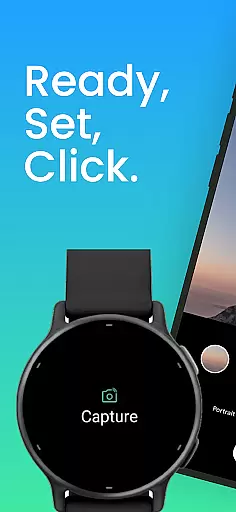
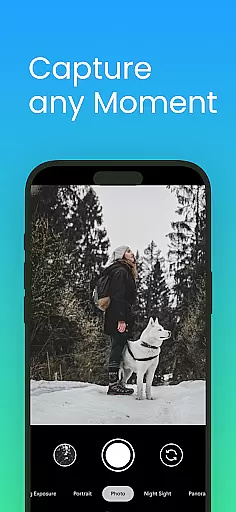
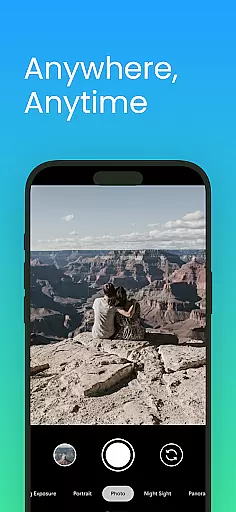
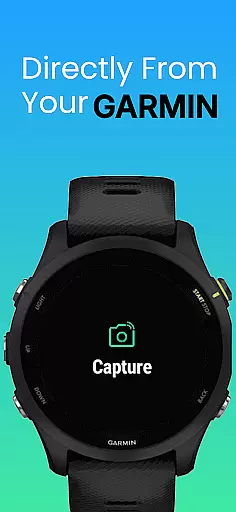
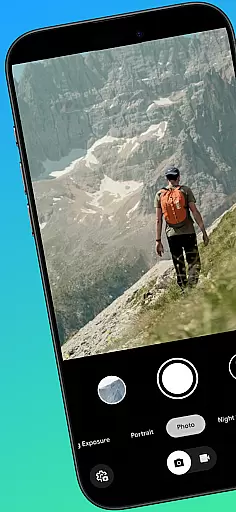
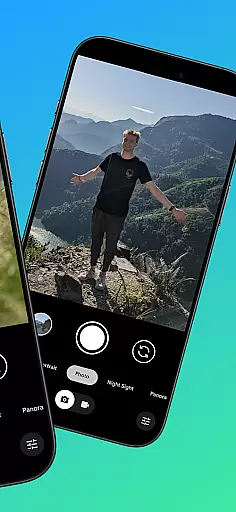
CameraClick is a powerful photography app that connects your Garmin smartwatch with your Android phone, enabling wireless remote control of your camera. This seamless integration allows users to capture photos and videos directly from their wrist, making it ideal for group shots, solo adventures, or distance recordings.
The app works with your phone's native camera application, ensuring that all your preferred quality settings, lens choices, and storage paths remain intact. By leveraging Android’s AccessibilityService, CameraClick interacts directly with the camera shutter button, offering compatibility across a wide range of devices and camera apps.
Whether you're an athlete recording workouts, a creator capturing content, or simply someone who wants to take photos without handling your phone, CameraClick provides a reliable and easy-to-use solution for remote shooting.
CameraClick offers several standout features that enhance the photography experience. First, it enables wireless camera control directly from Garmin smartwatches, providing convenience and flexibility for users who need to capture moments from a distance.
Another key feature is its compatibility with the phone's native camera app. Instead of relying on a custom viewer, CameraClick triggers the existing camera interface, preserving user preferences such as quality settings and lens choice. This ensures that photos and videos maintain their intended characteristics.
Additionally, the app supports a wide range of Android devices, including popular brands like Google, Samsung, Motorola, Xiaomi, and others. This broad compatibility makes CameraClick a versatile tool for creators, athletes, and everyday users looking to enhance their photography setup.
Real-time capture and preview functionality is essential for ensuring that every photo or video taken meets the user's expectations without delay. CameraClick excels in this area by providing seamless integration between your Garmin smartwatch and Android phone.
This application leverages the native camera app on your phone, which means it maintains all the settings and preferences you have configured. By using Androidu2019s AccessibilityService, CameraClick interacts directly with the camera shutter button, enabling instant triggering of the camera from your wrist.
Users benefit from this real-time functionality as it allows them to capture moments precisely when they happen. Whether shooting a group photo or recording an adventure, the ability to control the camera remotely ensures that you never miss a moment.
The value of real-time capture is further enhanced by compatibility with a wide range of devices, including popular brands like Google, Samsung, and Xiaomi. This broad compatibility ensures that no matter what device you use, CameraClick delivers a reliable and responsive photography experience.
AI beauty and enhancement features are increasingly important in photography apps, offering users the ability to refine and enhance their images naturally. While CameraClick focuses primarily on remote control capabilities, its integration with existing camera apps can indirectly support these enhancements.
By working with the phoneu2019s native camera app, CameraClick preserves the preferred quality settings and lens choices. This means any AI beauty features already present in the camera app remain active and effective, allowing users to take advantage of advanced image processing without compromising on quality.
The natural enhancement aspect is crucial for maintaining authenticity in photos. Users appreciate when AI-driven adjustments improve image quality without making the results appear overly processed or artificial. CameraClick supports this by not interfering with the camera app's inherent capabilities.
Overall, while CameraClick does not directly implement AI beauty features, its seamless interaction with the phoneu2019s native camera app ensures that any such enhancements are utilized effectively. This approach provides users with the best of both worldsu2014remote control convenience and access to sophisticated AI-driven photo enhancements.
Wireless control
Native app support
Wide device support
Easy to use
Reliable performance
Requires permissions
Garmin watch needed
Limited iOS support
Accessibility setup
Feature limitations

Easily stitch panoramas from multiple photos or video.
 4.40
4.40
HD Photo gallery and photo manager to edit, hide private photos, videos & albums
4.4
Cut and paste photo editor & eraser to customize photos easy and swap faces fun
4.50
All-in-One Editor & AI Photo Enhancer, Collage, Cartoonify, Funny Stickers & BGS
4.10
Be your best in every shot! Fix, edit and retouch your face in selfies & photos.
3.70
Create Business Headshots, Polaroid Filter, Retake Photos,Profile Pics,AI Photos
4.50
GCamera allows all GCam features on all phone models! Better photos with GCamera
3.30
Collage your moments in one tap: 1000+ layouts, filters, stickers, and texts.
4.90
Welcome to ProShot, the most powerful camera app on Android.
4.20
Cartoon and artistic effects for your photos and videos
4.70
The original Rarevision VHS look seen everywhere!
4.70
Light-weight Media Gallery app for Android made with Jetpack Compose
4.60
Safe & smart flight with Go Fly drone controller for 40+ drone camera, zone map
4.50
AI photo enhancer with Sora 2! Enhance, descratch, and colorize your old photos.
4.50
RAW video capture with advanced controls
4.40
Virtual makeup, hair filters & body tuner—edit from face to full body!
4.20
Create & Edit with AI: AI Remove, Enhance, Retouch, Filter
4.10
USB Storage Access for Photos, Videos, Music and Documents
3.80
Raw Image Viewer. Gallery with support of raw images (.cr3, .cr2, .nef, .raf).
2.00


User Reviews