
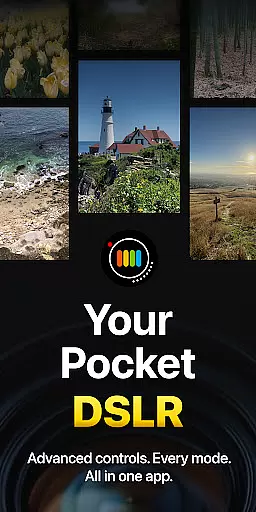
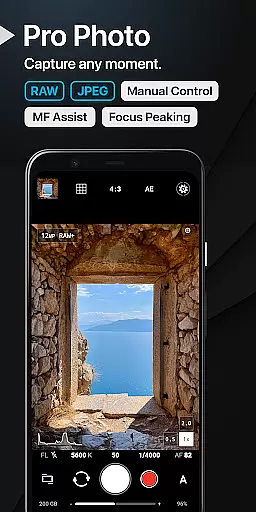
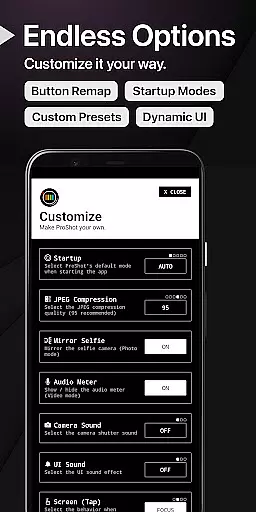
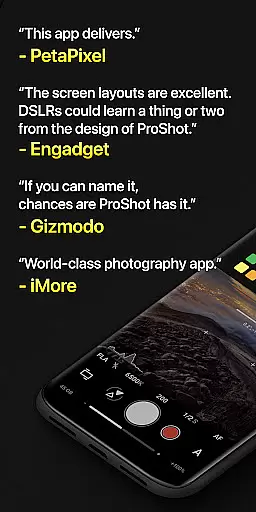
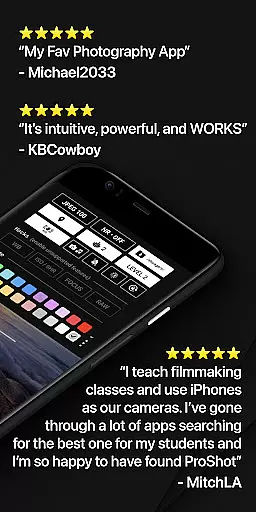
ProShot is a professional-grade photography and filmmaking application designed for Android users who demand full creative control over their mobile photography experience. This app offers an expansive suite of manual controls comparable to DSLR cameras, including shutter speed, ISO, white balance, and focus adjustments. With dedicated modes for Auto, Program, Manual, and Custom settings, ProShot caters to both amateur enthusiasts and seasoned professionals.
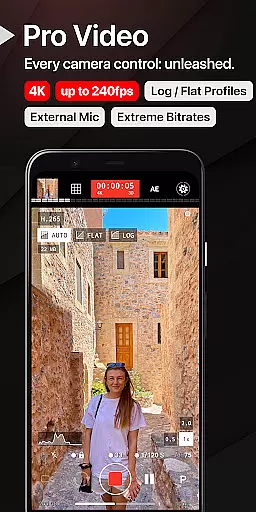
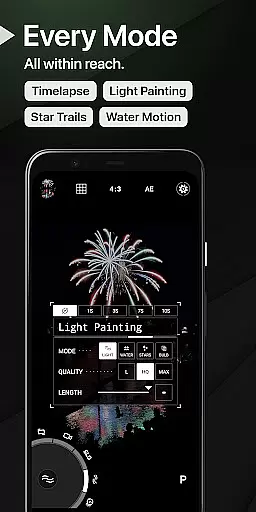
The app's unique Dual Dial system allows for swift navigation through camera settings, while specialized features like Light Painting and Bulb mode enable capturing stunning long-exposure shots. ProShot supports various formats including RAW (DNG), JPEG, and HEIC on compatible devices, ensuring maximum flexibility in post-processing. The inclusion of advanced video capabilities, such as up to 8K recording with extreme bitrate options and LOG/FLAT color profiles, makes it a comprehensive tool for mobile cinematography.
Whether you're capturing professional-quality images or experimenting with creative techniques, ProShot provides the tools necessary to produce exceptional results directly from your Android device.
ProShot distinguishes itself through its extensive feature set that mirrors professional camera capabilities. The app implements Google's camera2 API to deliver precise manual controls across all essential photography parameters. Users can switch between different shooting modes - Auto, Program, Manual, and two Custom modes - each offering varying degrees of control over exposure settings.
A notable innovation is the Dual Dial interface, enabling efficient adjustment of camera parameters. The app supports RAW (DNG) capture, providing photographers with maximum editing flexibility. Advanced features include Light Painting modes for capturing water and star trails, Bulb mode for extended exposures, and comprehensive manual focus assist tools with focus peaking.
Video capabilities are equally impressive, with support for up to 8K resolution, adjustable frame rates from 24 FPS to 240 FPS, and professional color profiles. The app maintains complete camera control during video recording, including real-time audio monitoring and simultaneous audio playback functionality. These features, combined with customizable interface elements and storage options, create a powerful mobile photography studio.
Real-time capture and preview functionality is essential for photographers who need to see exactly what their camera is capturing without delays. ProShot excels in this area by providing a responsive and accurate live view that mirrors the real world through the device's camera lens.
The app leverages advanced processing capabilities to ensure minimal lag between the action happening in front of the lens and what users see on their screen. This immediacy allows photographers to make instant adjustments, ensuring they capture the perfect moment with precision.
Moreover, ProShot offers an extensive range of manual controls within this live view, enabling users to tweak settings like ISO, shutter speed, and white balance on-the-fly. Such responsiveness not only enhances user experience but also empowers photographers to experiment creatively without missing a beat.
By delivering such a seamless real-time capture and preview feature, ProShot ensures that users can rely on their mobile devices for professional-grade photography work, thus eliminating the need to carry bulkier equipment.
While ProShot does not specifically market itself as an AI beauty enhancement tool, it provides features that allow for natural-looking photo improvements. The emphasis on manual controls means that any enhancements are deliberate and controlled by the user rather than automated processes which can sometimes distort images unnaturally.
ProShot includes options for adjusting JPEG quality, noise reduction, sharpness, tone mapping, and more. These tools give users the power to enhance their photos while maintaining a natural aesthetic. By having full control over these parameters, photographers can subtly refine their images without compromising authenticity.
Furthermore, shooting in RAW format gives photographers even greater flexibility during post-processing. With ProShotu2019s support for RAW (DNG) files, users have the ability to make detailed edits that preserve the original character of their shots while still enhancing key elements.
This approach to image enhancement ensures that all modifications look genuine and true to life, offering a level of polish typically reserved for high-end DSLRs but accessible directly from an Android device.
User-friendly interface
Extensive manual controls
RAW image support
Advanced video capabilities
Regular feature updates
Steep learning curve
High device requirements
Premium price point
Complex settings
Limited beginner guidance

Photo editor: face & body editor, beauty cam, filters and quality enhancer.
 4.00
4.00
Add Watermark - Sign your pictures with a text or logo. Effective, quick, easy!
4.50
Perfect photos with body shaping, BG changer and object remover.
3.70
Edit like a pro with Hypic. Apply filters, AI effects, & magic touch.
4.40
Superimpose one photo on top of another using the original Superimpose app!
3.20
Amazing Photo Effects - The most fun you can have with your photos!
4.70
Professional quality photo edits with the new Snapseed.
4.00
Collage your moments in one tap: 1000+ layouts, filters, stickers, and texts.
4.90
A unique animation app. Powerful, easy to use, and lots of fun.
4.30
Photo prints, cards, & gifts at Walgreens. Easy ordering & fast local pickup !
4.80
Take videos and pictures with the popular TikTok TIME WARP SCAN filter.
4.60
A must-have app for landscape photographers
4.60
Enhance, retouch & create your story - Share the moment with Photoshop Express.
4.60
AI photo enhancer with Sora 2! Enhance, descratch, and colorize your old photos.
4.50
Fit multiple photos on one post. Create carousels & scroll layouts for Instagram
4.50
AI portrait generator and polaroid AI selfie, fun AI generated AI photo creator!
4.30
All-in-One Editor & AI Photo Enhancer, Beautify & Retouch, Collage, Cartoonify
4.20
Professional photography on your mobile phone
4.20
Turn photos into cartoons & avatars! - Photo Editor, Cartoon Face!
3.90


User Reviews