
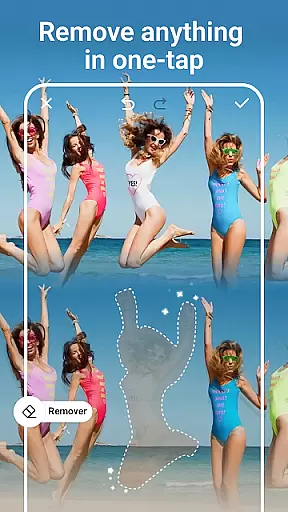
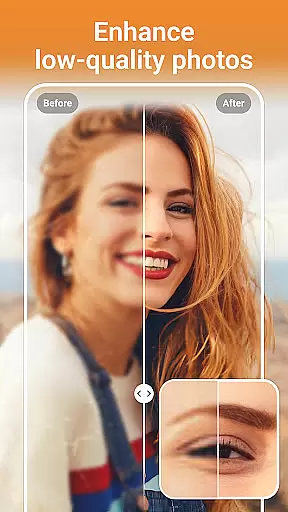
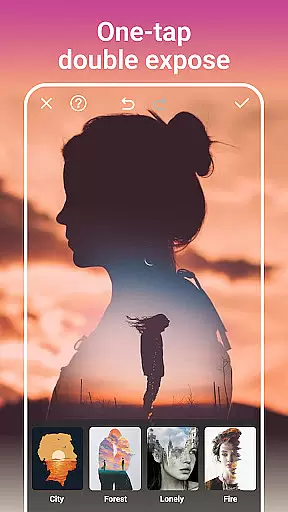
PhotoArt is an advanced AI-powered photo editing application that caters to a wide range of users, from beginners to professionals. The app offers an extensive suite of features including One-Tap Enhance, Magic Eraser, AI Face Swap, and creative effects like Double Exposure. With over 100 filters and effects, users can explore various styles such as retro, film, portrait, and more.
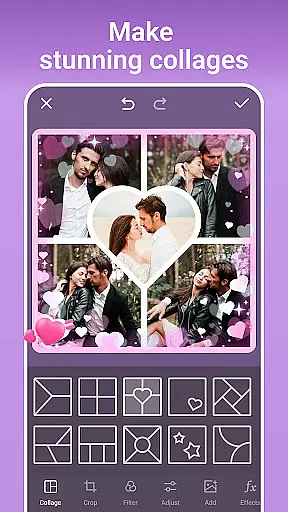
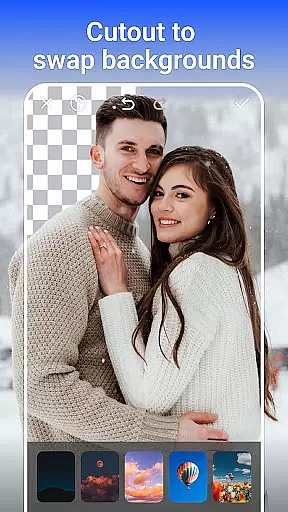
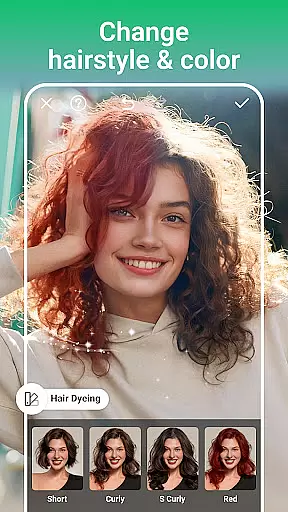
The app provides easy-to-use tools for color adjustments, resolution enhancement, and background removal. Users can create stunning collages, perfect portraits with makeup tools, and even transform photos into cartoon art. Advanced AI tools allow for age manipulation, sky replacement, and eye-opening features. PhotoArt ensures high-quality, watermark-free results, making it ideal for sharing on social media platforms like Instagram and Facebook.
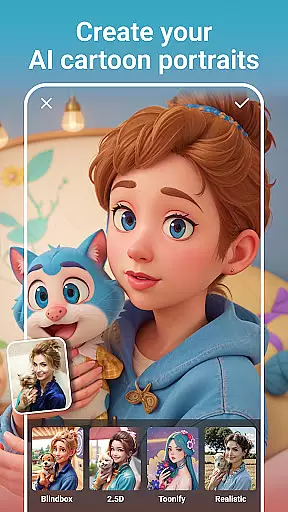
PhotoArt stands out with its comprehensive collection of AI-driven photo editing tools. The One-Tap Enhance feature allows users to instantly improve image quality, while the Magic Eraser intelligently removes unwanted objects. The AI Face Swap and AI Cartoon Filters provide fun and creative ways to alter photos, offering everything from whimsical cartoon transformations to realistic face swaps.
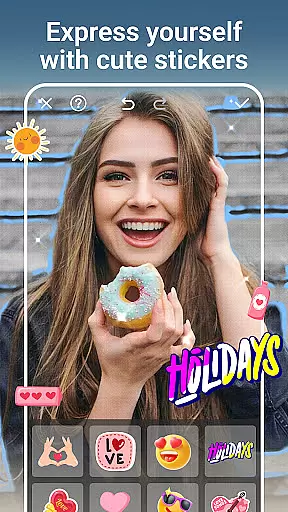
For users seeking professional-grade tools, PhotoArt includes advanced features like HSL, Highlight, Split Tone, and Curves for precise color control. The app also supports creating collages with adjustable layouts, personalized stickers, and unique graffiti decorations. With capabilities such as restoring old photos, enhancing resolution, and body reshaping, PhotoArt delivers powerful solutions for all photo editing needs.
Real-time capture and preview functionality is essential for ensuring that every photo taken meets the user's expectations immediately. PhotoArt offers a seamless experience by providing instant feedback on images captured through its advanced AI-driven interface.
The app ensures that users can see accurate representations of their shots before committing to the final image. This feature leverages sophisticated algorithms to process scenes quickly, allowing users to adjust settings such as lighting, focus, and composition in real time.
With this capability, photographers can experiment with different styles and effects without any lag, making the editing process more intuitive and engaging. The ability to preview changes instantly enhances creativity and saves valuable time during photoshoots.
Ultimately, real-time capture and preview empower users to produce high-quality images consistently, boosting confidence in their photographic skills while using PhotoArt.
AI beauty and enhancement features are crucial for refining portraits while maintaining a natural look. PhotoArt excels in this area by offering tools that intelligently retouch faces and bodies without appearing artificial or over-processed.
The application uses cutting-edge AI technology to analyze facial features and apply enhancements that complement the subjectu2019s unique attributes. Users can smooth skin textures, remove blemishes, and even reshape figures with precision, ensuring results that look authentic rather than exaggerated.
Additionally, PhotoArt provides customizable options for makeup application, allowing users to experiment with various styles that suit their preferences. These enhancements not only improve aesthetic appeal but also preserve the individuality of each portrait.
By prioritizing naturalness in its AI-driven enhancements, PhotoArt enables users to create stunning yet believable images, enhancing personal expression while fostering confidence in sharing their work across social platforms.
User-friendly interface
Extensive filter options
Advanced AI tools
High-quality results
Versatile editing features
Occasional processing delays
Some features require premium access
Learning curve for advanced tools
Limited offline functionality
Subscription costs for full access

Viewfinder, Light meter, Reciprocity failure time, DOF & Bellows Extension
 4.60
4.60
Create AI Photos, Improve and restore quality of blurry, old or damaged pics.
4.20
Superimpose one photo on top of another using the original Superimpose app!
3.20
AI Photo Editor with 100+ Filters, Effects! Remove BG, Retouch & Photo Enhancer.
4.80
Hair color changer, AI haircut app, fun hair editor and buzz cut filter for all!
3.80
Your personal guide to the sun and moon. Plan ahead, visualize and predict!
4.70
Discover & download millions of art for The Frame TV or Hisense CanvasTV
4.60
Effortlessly make high-quality GIFs from images & videos without any watermarks.
4.70
Unlock the full potential of your DJI drone with Litchi
4.50
Photo editor: AI filters, photo enhancer, pic collage maker, AI art generator.
4.80
Easily view, share, delete photos with Gallery.
4.70
Enhance, upscale, and transform your images — on your device, without limits
4.70
Create Business Headshots, Polaroid Filter, Retake Photos,Profile Pics,AI Photos
4.50
Create AI photos & videos with Enhancer; restore, fix, beautify, enhance photos
4.50
Trendy TikTok time warp scan funny filter app brings you unique photos & videos.
4.40
Remote control of the phone camera from your Wear OS smartwatch
3.70
Professional video recording application with manual controls for filmmakers!
2.80
Long exposure camera with computational photography
2.60
HD Photo gallery and photo manager to edit, hide private photos, videos & albums
4.3


User Reviews