
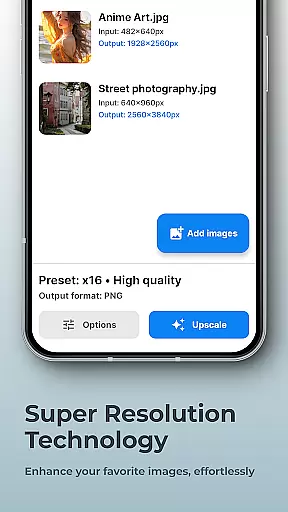
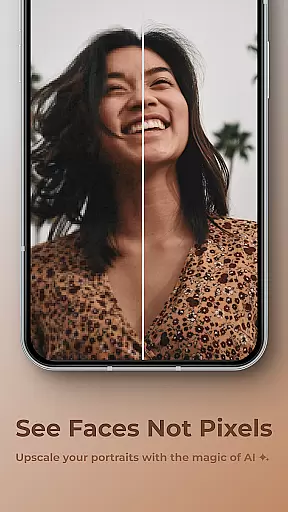
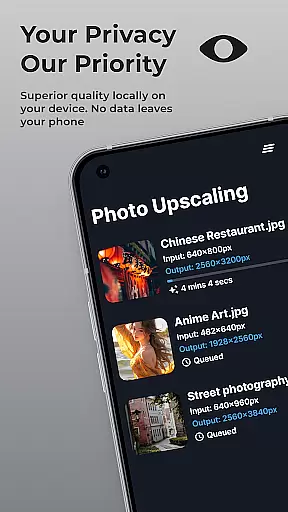
SuperImage Pro is a comprehensive AI-powered photo editing application designed for photography enthusiasts and professionals alike. This app offers advanced image enhancement features such as upscaling, background removal, and portrait refinement, all powered by on-device AI processing. With its cutting-edge technology, users can transform their images while maintaining complete privacy, as no internet connection is required. Whether you're looking to enhance low-resolution portraits or upscale wallpapers, SuperImage Pro provides the tools to achieve professional-quality results directly on your mobile device.
The application stands out with its ability to handle custom AI models, allowing advanced users to import PyTorch, ONNX, and MNN formats with ease. This flexibility makes it suitable for both casual users and professionals seeking tailored solutions. From sharpening details to creating transparent cutouts, SuperImage Pro delivers powerful editing capabilities that were previously only available on desktop software. Its intuitive interface and robust feature set make it an essential tool for anyone serious about mobile photography.
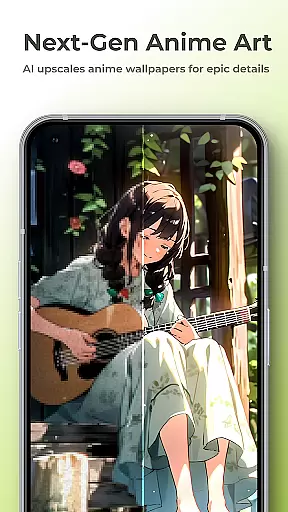
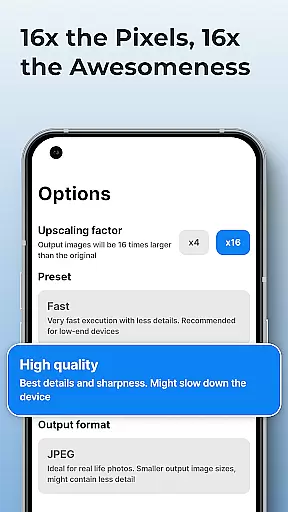
SuperImage Pro distinguishes itself through its innovative use of on-device AI processing, ensuring maximum privacy and security for users' images. The app's core features include advanced image upscaling that can increase resolution up to 16x without losing quality, making it perfect for enhancing wallpapers and detailed artwork. Its background removal tool utilizes sophisticated AI algorithms to isolate subjects with precision, while the portrait enhancement feature refines facial details and improves overall image clarity.
What sets SuperImage Pro apart from other photography apps is its support for custom AI models. Advanced users can import their preferred machine learning models in various formats, including PyTorch, ONNX, and MNN, expanding the app's capabilities beyond standard editing tools. The application also includes specialized features for anime enthusiasts, with optimized algorithms for upscaling waifu images. These technical innovations are implemented through efficient neural network architectures that run smoothly on modern mobile devices, delivering professional-grade results without compromising performance or privacy.
Real-time capture and preview functionality is essential for photography apps as it allows users to see exactly what the camera sees before taking a shot. This ensures that users can make necessary adjustments to achieve the perfect photo.
SuperImage Pro excels in this area by leveraging advanced AI models optimized for modern hardware. The app processes images directly on the device, providing instantaneous feedback without any lag. This means you can adjust settings like exposure, focus, and composition in real time.
Users benefit from this feature by being able to capture high-quality images with confidence. Knowing precisely how the final image will look reduces the chances of disappointment and the need for retakes. It's particularly useful for portrait photography where details matter.
The value of real-time capture and preview extends beyond just convenience; it enhances creativity and precision. Photographers can experiment with different angles and compositions, seeing immediate results and making informed decisions about their shots.
AI beauty and enhancement features are increasingly popular in photography apps, allowing users to refine facial features and enhance overall image quality. However, maintaining naturalness while enhancing photos is crucial to avoid artificial-looking results.
SuperImage Pro addresses this challenge by using sophisticated AI algorithms that run entirely on your device. These algorithms sharpen details, refine facial features, and enhance background clarity without compromising the authenticity of the original image. Your portraits will look more polished yet remain true to life.
This approach offers significant advantages to users who prioritize privacy and natural aesthetics. Since all processing occurs locally, there's no risk of sensitive data being uploaded to external servers. Additionally, the enhancements are subtle enough to preserve the unique characteristics of each subject.
Ultimately, SuperImage Prou2019s AI beauty and enhancement tools empower users to create stunning portraits that still feel genuine. Whether you're editing personal photos or professional projects, the app ensures that every enhancement looks natural and enhances the overall appeal of your images.
Advanced AI processing
Complete privacy protection
Custom model support
High-quality upscaling
Professional editing tools
Steep learning curve
Resource-intensive
Premium price point
Limited beginner guidance
Device compatibility issues

Photobooth mini FULL app will allow you to add more fun to your parties
 4.00
4.00
Photo editor: AI filters, photo enhancer, pic collage maker, AI art generator.
4.80
Transform photos into videos! Create realistic or anime-style images easily!
4.50
Over 800 film simulation recipes for Fujifilm. Black Friday Offer!
4.1
Light-weight Media Gallery app for Android made with Jetpack Compose
4.60
GCamera allows all GCam features on all phone models! Better photos with GCamera
3.30
AI Photo Editor with 100+ Filters, Effects! Remove BG, Retouch & Photo Enhancer.
4.80
Transform Photos: Edit, Beautify and Craft Memories & Make Collages!
4.10
Effortlessly make high-quality GIFs from images & videos without any watermarks.
4.70
Enhance, retouch & create your story - Share the moment with Photoshop Express.
4.60
A must-have app for landscape photographers
4.60
Create Business Headshots, Polaroid Filter, Retake Photos,Profile Pics,AI Photos
4.50
Smart, light, and fast photo and video gallery
4.30
All-in-One Editor & AI Photo Enhancer, Collage, Cartoonify, Funny Stickers & BGS
4.10
Professional quality photo edits with the new Snapseed.
4.00
Turn photos into cartoons & avatars! - Photo Editor, Cartoon Face!
3.90
Remote control of the phone camera from your Wear OS smartwatch
3.70
Superimpose one photo on top of another using the original Superimpose app!
3.20
An interval timer to automate photo taking process for timelapse
2.90


User Reviews