
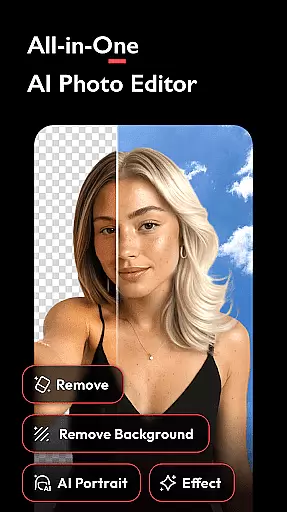


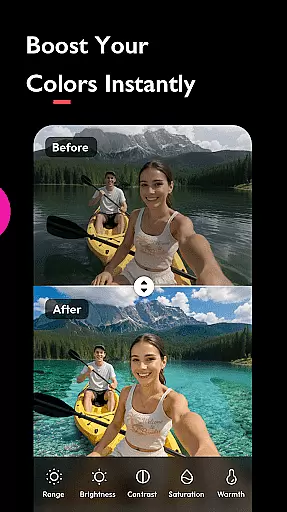
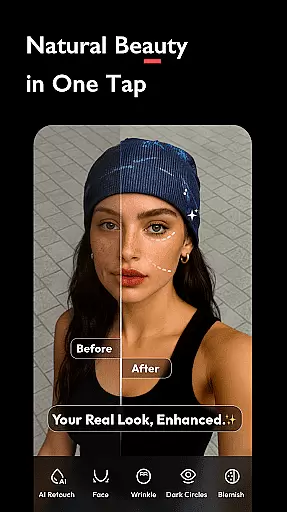
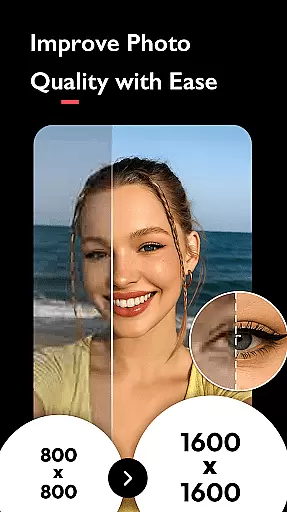
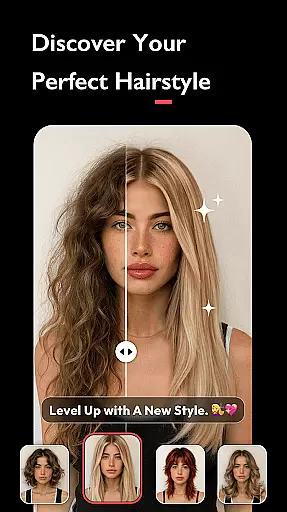
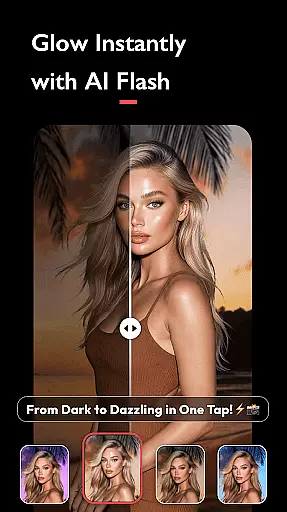
AI Photo Editor - Polish is a powerful photography app that utilizes advanced AI technology to transform your photos into professional-grade artwork. The app offers an extensive suite of editing tools, including AI filters, photo enhancers, and portrait generators, enabling users to retouch selfies, enhance image quality, and even create unique AI avatars.
Designed for creators of all skill levels, this app provides over 500 customizable options such as stickers, backgrounds, and fonts. Whether you're refining personal branding or enhancing marketing materials, the intuitive interface ensures no technical expertise is required. Polish supports creative professionals, influencers, and casual users alike, making it versatile for various platforms like LinkedIn, TikTok, and Instagram.
The app's standout feature is its ability to fix blurry images, remove unwanted objects, and beautify portraits with just one tap. With additional capabilities like body tuning, face retouching, and high-resolution exporting, AI Photo Editor - Polish empowers users to unlock their full creative potential while delivering polished results for both digital and print media.
AI Photo Editor - Polish stands out with its innovative AI-powered features designed to simplify complex editing tasks. One of the key highlights is the AI Photo Enhancer, which upgrades low-quality or blurry images to HD clarity in seconds. Additionally, the AI Remove tool allows users to effortlessly erase unwanted elements from photos, ensuring clean and professional outputs every time.
The app also includes specialized tools like AI Beautify, which refines facial features by smoothing skin and adjusting proportions, and Auto Background Remover, which uses AI cutout technology for seamless background removal. Advanced functionalities such as AI Expand enable resizing images without distortion, while the Body Tune feature lets users slim down figures, elongate legs, and achieve balanced proportions.
For artistic creativity, users can explore 100+ trendy filters, HSL color adjustments, and light effects like Bokeh and Lens Flare. These features not only enhance visual appeal but also allow personalized storytelling through photo collages and text overlays. With direct sharing options to social media platforms and watermark-free exports, AI Photo Editor - Polish delivers unmatched convenience and versatility for photographers and content creators.
Real-time capture and preview functionality is essential for ensuring that users can see the results of applying various AI filters, effects, and adjustments immediately as they edit their photos. This instant feedback allows users to make precise modifications and see the impact on their images without any delay.
AI Photo Editor - Polish offers a seamless real-time editing experience by leveraging advanced AI algorithms. As users apply CCD, Flash, and other trendy AI filters, the app instantly processes these changes, providing a live preview of the enhanced image. This empowers creators to achieve their desired aesthetic effortlessly and accurately.
The benefit of this feature is significant for users who need to produce high-quality content quickly. Whether it's refining selfies for social media or creating professional marketing materials, the ability to preview edits in real time ensures that the final output meets the user's expectations without multiple rounds of trial and error.
Ultimately, real-time capture and preview not only streamline the editing process but also enhance user satisfaction by delivering immediate and accurate visual feedback. This feature positions AI Photo Editor - Polish as an indispensable tool for influencers, business owners, and everyday creators looking to elevate their photo editing game.
AI beauty and enhancement features are designed to improve the visual appeal of photos while maintaining a natural look. The challenge lies in enhancing facial features and skin tones without making the edits appear artificial or overly processed, which is where AI technology truly shines.
In AI Photo Editor - Polish, the AI Beautify tool utilizes sophisticated face editor algorithms to smooth skin, retouch facial features, and refine overall appearance with precision. By adjusting parameters such as brightness, contrast, and saturation through HSL color enhancement, the app ensures that every edit enhances the subject's natural beauty.
Users benefit from this feature by achieving polished yet authentic-looking results. Whether preparing headshots for professional profiles like LinkedIn or enhancing personal photos for social media platforms like TikTok and Instagram, maintaining a natural aesthetic is crucial. This capability helps users present their best selves without compromising authenticity.
By focusing on natural enhancement, AI Photo Editor - Polish sets itself apart from other photo editing apps. It delivers professional-grade tools that are accessible to everyone, regardless of skill level, ensuring that every user can create stunning, lifelike images that resonate with their audience.
User-friendly interface
Advanced AI tools
Versatile filter options
High-quality exports
One-tap enhancements
Premium features locked
Occasional ads
Steep learning curve
Limited free templates
Subscription costs

Perfect photos with body shaping, BG changer and object remover.
 3.70
3.70
Create & Edit with AI: AI Remove, Enhance, Retouch, Filter
4.10
Be your best in every shot! Fix, edit and retouch your face in selfies & photos.
3.70
Create AI Photos, Improve and restore quality of blurry, old or damaged pics.
4.20
A reflected light meter with spot metering and incident light metering.
4.40
GCamera allows all GCam features on all phone models! Better photos with GCamera
3.30
Luminar: Photo Editor - easy picture editing with AI
4.20
Use AI Video Generator to turn your words to ai generated videos.
4.50
Turn photos into cartoons & avatars! - Photo Editor, Cartoon Face!
3.90
Find time and duration of different sunlight phases at any location
4.90
Light-weight Media Gallery app for Android made with Jetpack Compose
4.60
Automatically backup your photos and videos to computer, NAS and Cloud services
4.60
AI photo enhancer with Sora 2! Enhance, descratch, and colorize your old photos.
4.50
Smart, light, and fast photo and video gallery
4.30
The #1 app for B&W film developing featuring an advanced darkroom timer.
4.10
Catch sunlight, sunrise sunset times and sun phases with the AR sun tracker.
4.10
Remote control of the phone camera from your Wear OS smartwatch
3.70
An interval timer to automate photo taking process for timelapse
2.90
Add a dreamy vibe to your selfies and videos with soft style filters
4.1


User Reviews