
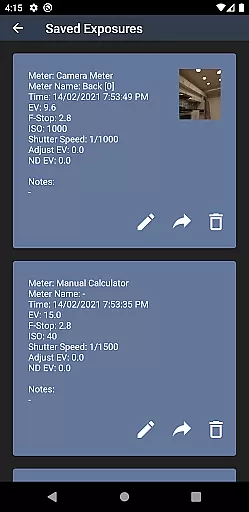
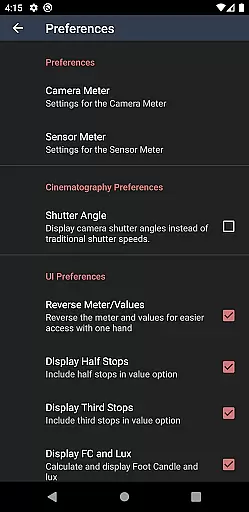
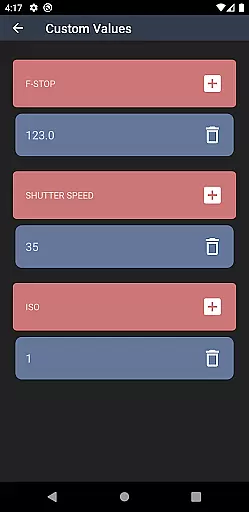
Light Meter is a comprehensive photography tool that combines both spot and incident light metering in one application. Designed for photographers of all levels, this app utilizes the device's camera for reflected light readings and its light sensor for incident measurements. Tested rigorously against industry-standard Gossen and Sekonic meters, it ensures reliable accuracy across various devices.
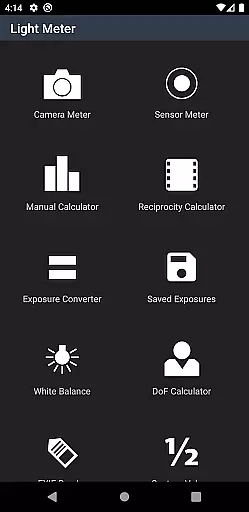
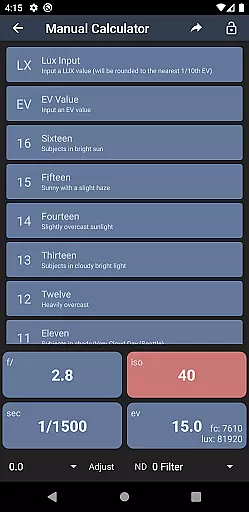
In addition to its core functionality, Light Meter offers an array of advanced features including a Color Temperature meter, Reciprocity Calculator, Exposure Convert, Manual (Sunny Sixteen) calculator, Depth of Field calculator, and an EXIF Reader. These tools cater to a wide range of photographic needs from film SLR to pinhole and cinematographic cameras, making it an indispensable companion for any photographer seeking precision and versatility in their work.
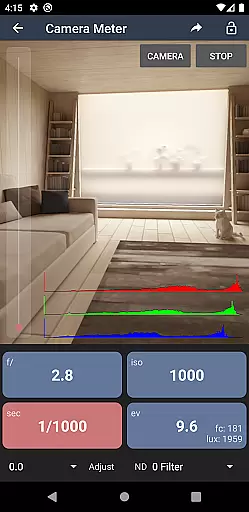
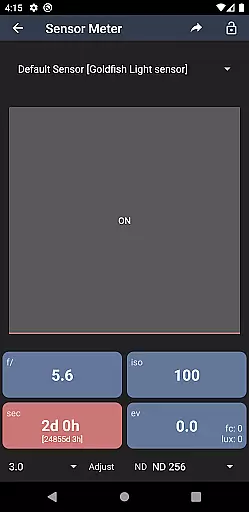
Light Meter stands out with its dual functionality, offering both spot and incident light metering capabilities. The spot metering feature uses the device's camera to measure reflected light, providing accurate exposure readings for diverse lighting conditions. Meanwhile, the incident light meter leverages the device's light sensor to measure the light falling on the subject, ensuring consistent and reliable results regardless of reflective surfaces.
Beyond its primary functions, the app includes several specialized tools designed to enhance the photographer's workflow. These include a Color Temperature meter for white balance adjustments, a Reciprocity Calculator for long exposures, an Exposure Convert for different ISO settings, a Manual (Sunny Sixteen) calculator for estimating correct daylight exposures, a Depth of Field calculator for precise focusing, and an EXIF Reader for analyzing image metadata. Each feature is crafted to deliver practical value, empowering users to achieve professional-grade results with ease and confidence.
Light Meter offers a sophisticated real-time capture and preview feature that leverages the device's camera for spot metering. This functionality is crucial for photographers who need to measure reflected light accurately in various shooting conditions.
The app ensures precision by testing its accuracy against renowned meters like Gossen and Sekonic, providing reliable readings across most devices. Users can trust the app to deliver consistent results whether they are shooting with a film SLR, pinhole, or cinematographic camera.
This real-time capability allows users to adjust their settings on the fly, ensuring optimal exposure and image quality. The instant feedback provided by the app empowers photographers to make informed decisions quickly, enhancing their creative process.
In addition to its primary light metering functions, Light Meter includes several tools that enhance the photography experience without compromising naturalness. Among these are the Color Temperature (White Balance) meter, Reciprocity Calculator, and Exposure Convert.
These features collectively ensure that images maintain their true-to-life colors and exposures. For instance, the White Balance meter helps in adjusting the color temperature to match the lighting conditions, preserving the natural hues of the scene.
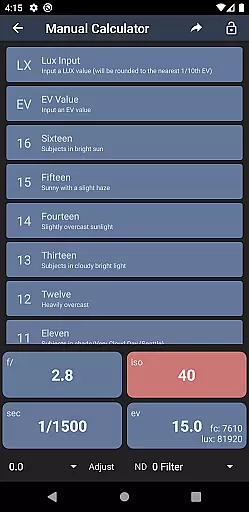
Furthermore, the app provides advanced calculators such as the Manual (Sunny Sixteen) calculator and Depth of Field calculator, which assist photographers in achieving technically accurate shots while maintaining the authenticity of the subject matter. With these tools, users can refine their craft with precision and ease.
Accurate light readings
Comprehensive toolset
User-friendly interface
Wide device compatibility
Reliable performance
Premium version required
Limited free features
Occasional sensor inaccuracies
No live view mode
Complex for beginners

Perfect photos with body shaping, BG changer and object remover.
 3.70
3.70
Trendy TikTok time warp scan funny filter app brings you unique photos & videos.
4.40
Create & Edit with AI: AI Remove, Enhance, Retouch, Filter
4.10
Create AI Photos, Improve and restore quality of blurry, old or damaged pics.
4.20
Photo Exif Editor allows to view, add and modify EXIF data of multiple photos
4.50
See your baby AI baby face generator AI baby maker Face generator babymaker fun!
4.70
Easily view, share, delete photos with Gallery.
4.70
Effortlessly make high-quality GIFs from images & videos without any watermarks.
4.70
Edit photos with the picture generator: PS2 & AI Clay filters, cartoon effects.
4.50
Perfect body tune & face app - photo retouch, makeup, slim body & beautify face.
4.80
Easily create custom gifts, cards, photo books & more on the Shutterfly app!
4.60
Create AI photos & videos with Enhancer; restore, fix, beautify, enhance photos
4.50
Use AI Video Generator to turn your words to ai generated videos.
4.50
AI portrait generator and polaroid AI selfie, fun AI generated AI photo creator!
4.30
Transform Photos: Edit, Beautify and Craft Memories & Make Collages!
4.10
USB Storage Access for Photos, Videos, Music and Documents
3.80
Application for remote controlling DSLR
3.00
HD Photo gallery and photo manager to edit, hide private photos, videos & albums
4.3
Snap photos remotely using your Garmin watch as the camera trigger
4.3


User Reviews