
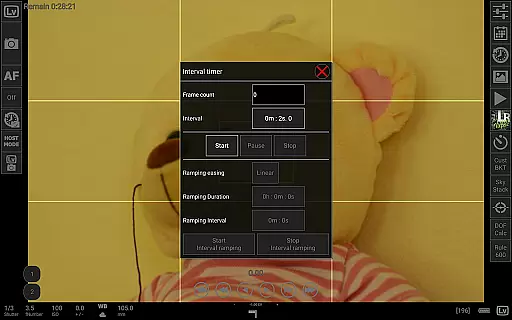
qDslrDashboard is a powerful photography application designed for DSLR camera enthusiasts who want to control their Nikon, Canon, or Sony cameras remotely. The app offers comprehensive functionality through USB OTG adapters or wireless connections, enabling users to manage multiple cameras simultaneously. With features like synchronized capture, live view with histogram analysis, and manual focus adjustments, it provides professional-grade tools for advanced photography workflows.
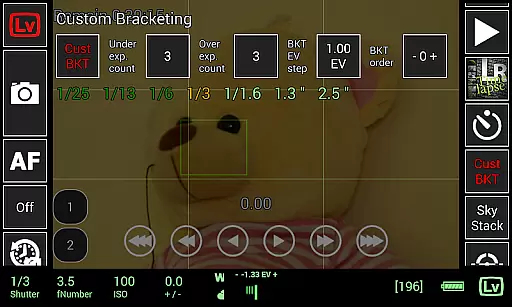
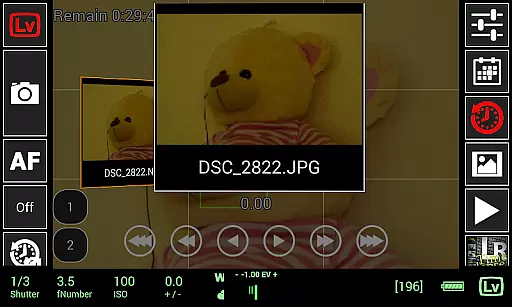
In addition to remote capture capabilities, qDslrDashboard supports transferring images from the camera to an Android device, previewing both JPG and RAW formats. It also includes creative tools such as time-lapse creation, focus stacking, and custom bracketing. Whether you're shooting in a studio or outdoors, this app enhances productivity by offering precise control over your camera settings while ensuring flexibility and convenience.
One of the standout features of qDslrDashboard is its ability to connect wirelessly using portable routers or adapters like WU-1a/1b (PTP/IP), allowing photographers to operate their cameras from a distance without physical constraints. The app's synchronized capture function ensures that multiple cameras can be triggered at once, making it ideal for 3D scanning or panoramic photography projects. Additionally, advanced time-lapse options include automated focus shifts and integration with Arduino devices for complex setups.
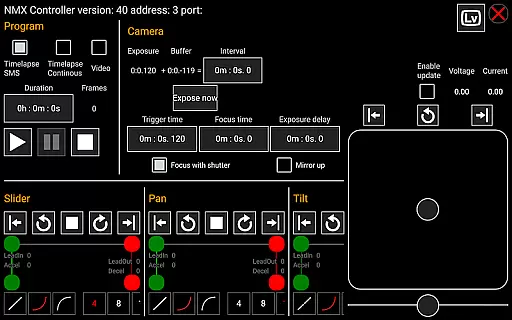
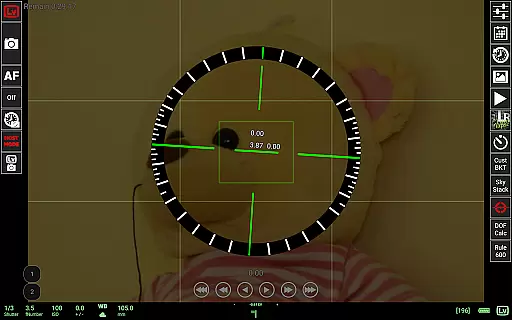
For those working with challenging lighting conditions, the live view mode provides real-time histograms and spectral displays for sound-initiated captures. Other notable features include Depth of Field (DoF) calculators, Rule600 calculations for astrophotography, and support for Dynamic Perception NMX motion controllers via Bluetooth LE. These functionalities make qDslrDashboard an indispensable tool for professionals seeking precision and versatility in their work.
Real-time capture and preview functionality is essential for photographers who need precise control over their shots. qDslrDashboard offers a comprehensive solution that allows users to connect their Nikon, Canon DSLR, or Sony mirrorless cameras via USB OTG adapters or wireless routers. This connection enables instant feedback on camera settings and image previews directly on the Android device.
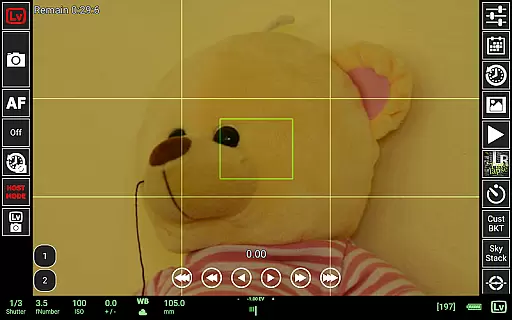
The application's live view feature provides real-time monitoring of the camera's field of vision. Photographers can make immediate adjustments to exposure, focus, and composition without touching the camera itself. This capability is particularly useful in situations where camera stability is crucial, such as during long exposures or when shooting in challenging environments.
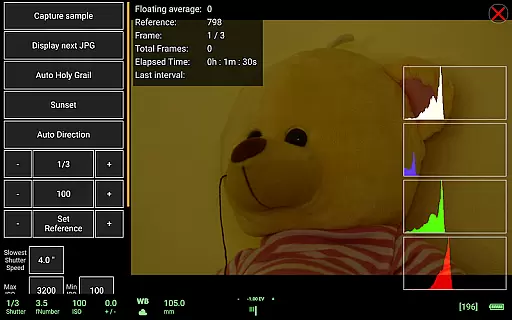
Additionally, qDslrDashboard supports live view histograms, which are invaluable tools for ensuring proper exposure levels. Users can monitor the distribution of light and dark areas in their frame, allowing them to make informed decisions about camera settings. The ability to review RAW and JPG images directly on the Android device further enhances the photographer's workflow by providing immediate access to high-quality previews.
While qDslrDashboard does not specifically market itself as an AI beauty enhancement tool, it excels in delivering natural-looking image enhancements through its advanced features. The application provides extensive control over camera properties, enabling users to fine-tune settings that affect image quality and appearance. These adjustments contribute to more authentic and visually appealing photographs without relying on artificial enhancements.
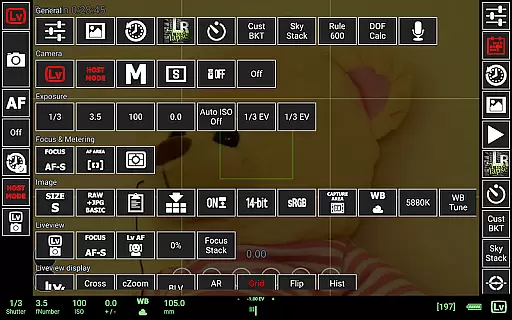
The depth of control offered by qDslrDashboard allows photographers to optimize their camera settings for different lighting conditions and subjects. Features like manual focus movement during live view and custom bracketing help capture the most natural representation of a scene. The application's support for time-lapse photography with focus stacking also contributes to creating images that maintain their natural qualities while enhancing depth of field.
Furthermore, qDslrDashboard includes specialized tools such as the DoF calculator and Rule600 calculator, which assist in achieving technically accurate and aesthetically pleasing results. These features help photographers understand how different settings will impact the final image, leading to more natural and professional-looking photographs. By focusing on technical precision and creative control, qDslrDashboard ensures that image enhancements remain true to the original scene.
User-friendly interface
Wide camera compatibility
Advanced time-lapse tools
Live view with histogram
Wireless connectivity
Requires USB OTG adapter
No iOS version available
Complex setup process
Limited free features
High learning curve

Gallery show photo, video, slideshow, is perfect 3D effect private photo albums.
 4.80
4.80
Perfect photos with body shaping, BG changer and object remover.
3.70
Photobooth mini FULL app will allow you to add more fun to your parties
4.00
Create AI photos & videos with Enhancer; restore, fix, beautify, enhance photos
4.50
Collage your moments in one tap: 1000+ layouts, filters, stickers, and texts.
4.90
AI-powered video creator by MiniMax - Where ideas meet cinema
4.20
Pro version: AR sun/moon tracker for any date. Tool for photographers & planners
4.90
A light meter for true photographers.
4.20
Enhance, upscale, and transform your images — on your device, without limits
4.70
Create funny photos and videos with the popular Time Warp Scan filter.
4.90
1M influencer's special filter
4.60
A must-have app for landscape photographers
4.60
Add Watermark - Sign your pictures with a text or logo. Effective, quick, easy!
4.50
Photo Exif Editor allows to view, add and modify EXIF data of multiple photos
4.50
Fit multiple photos on one post. Create carousels & scroll layouts for Instagram
4.50
RAW video capture with advanced controls
4.40
AI portrait generator and polaroid AI selfie, fun AI generated AI photo creator!
4.30
All-in-One Editor & AI Photo Enhancer, Beautify & Retouch, Collage, Cartoonify
4.20
Catch sunlight, sunrise sunset times and sun phases with the AR sun tracker.
4.10


User Reviews