
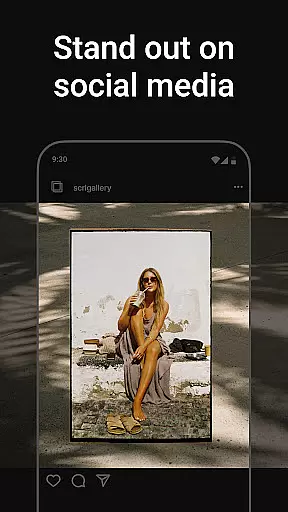
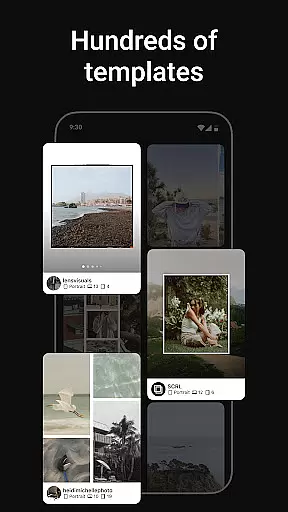
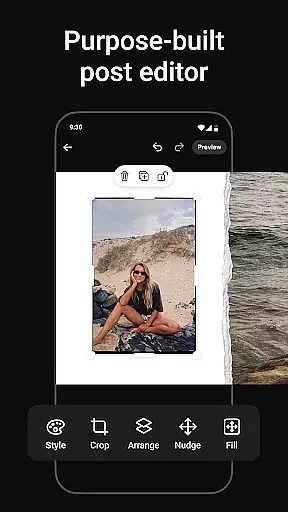
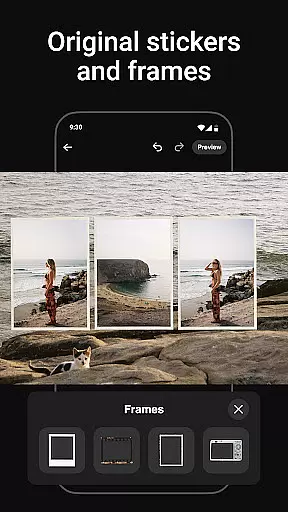
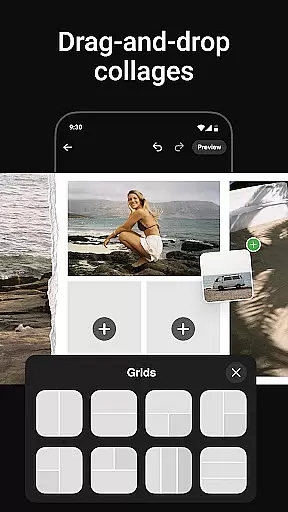
Photo Collage Maker by SCRL is the leading photography app for creating unique photo collages and Instagram carousel posts. Designed for influencers, artists, and social media enthusiasts, this app offers a robust set of tools to make your content stand out. With hundreds of hand-picked templates, users can create collages for various occasions, from travel memories to weddings. The freeform canvas allows complete creative control, enabling zooming, panning, and detailed editing.
The app also excels in creating seamless swipe-through Instagram carousels that captivate audiences. You can add more than 10 photos to a single post, breaking traditional layout limitations. Enhance your designs with an extensive library of stickers and overlays, and post directly to Instagram instantly. For advanced features, SCRL Premium unlocks all templates, additional design tools, and exclusive capabilities like gradient backgrounds and video integration.
Photo Collage Maker stands out with its intuitive and versatile feature set tailored for creative expression. The app provides hundreds of professionally designed collage templates, updated regularly, ensuring high-quality options for every style and occasion. Each template is crafted by design experts, offering both minimalist and extravagant choices to suit different projects.
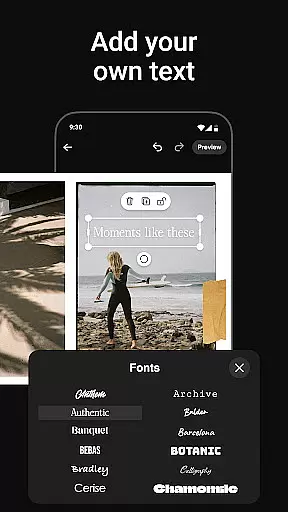
A key highlight is the freeform canvas, which gives users ultimate flexibility in designing their collages. This feature allows zooming in and out, combining multiple elements like images, text, stickers, and overlays seamlessly. Additionally, the app supports creating captivating Instagram carousel posts, where users can merge over 10 photos into a single, flowing layout. These swipe-through carousels are perfect for storytelling or showcasing events in an engaging manner.
For those seeking more advanced tools, SCRL Premium offers access to exclusive features such as gradient backgrounds, video grids, and enhanced design options. Instant posting to Instagram streamlines the sharing process, eliminating extra steps like saving and re-uploading files. Overall, Photo Collage Maker empowers users to produce professional-grade visuals effortlessly.
Real-time capture and preview functionality is essential for ensuring that every photo collage or carousel post meets your expectations before sharing. Photo Collage Maker provides an intuitive interface where users can instantly see the results of their creative choices.
The app's advanced rendering engine ensures that all design elements, including stickers, overlays, and text, appear exactly as intended. This real-time feedback allows users to make precise adjustments to their layouts, zoom levels, and image placements.
With instant previews of each design change, creators can experiment freely without worrying about final output quality. The ability to visualize the finished product while still editing significantly enhances the creative process.
This feature not only saves time but also empowers users to produce professional-quality collages with confidence. Whether crafting social media posts or personal projects, real-time capture and preview ensures that every element aligns perfectly with the creator's vision.
AI-powered beauty and enhancement features have become crucial in modern photo editing applications. Photo Collage Maker incorporates sophisticated AI algorithms that automatically optimize image quality while maintaining natural aesthetics.
The app's AI system intelligently analyzes each photo, applying enhancements that improve overall composition without creating artificial-looking results. From skin tone correction to background optimization, these tools work seamlessly to elevate image quality.
Users benefit from various enhancement options that preserve authenticity while adding professional polish to their collages. The AI technology adapts to different image types, ensuring consistent quality across diverse content styles.
This approach to enhancement strikes a perfect balance between technical improvement and artistic integrity. By leveraging AI capabilities, Photo Collage Maker enables creators to achieve stunning visual results that remain true to their original vision.
User-friendly interface
Extensive template library
Freeform canvas for creativity
Instant Instagram posting
Premium features available
Limited free features
Premium subscription required
Occasional bugs reported
High learning curve
Ads in free version

Effortlessly organize, view and share your photos & videos with Gallery app!
 4.40
4.40
Add Watermark - Sign your pictures with a text or logo. Effective, quick, easy!
4.50
Photo prints, cards, & gifts at Walgreens. Easy ordering & fast local pickup !
4.80
Create Business Headshots, Polaroid Filter, Retake Photos,Profile Pics,AI Photos
4.50
Movie camera, supports pro recording settings for filming. Try it and be amazed!
4.50
AI photo enhancer with Sora 2! Enhance, descratch, and colorize your old photos.
4.50
RAW video capture with advanced controls
4.40
Remote control the phone camera shutter from your smartwatch and take a picture
1.60
Solocator stamps photos you take with GPS location, Compass Direction, Date/Time
3.80
Create funny photos and videos with the popular Time Warp Scan filter.
4.90
Photo editor: AI filters, photo enhancer, pic collage maker, AI art generator.
4.80
1M influencer's special filter
4.60
Easily create custom gifts, cards, photo books & more on the Shutterfly app!
4.60
Safe & smart flight with Go Fly drone controller for 40+ drone camera, zone map
4.50
Turn your phone into a professional camera - full DSLR manual photography
4.30
Pet Camera
3.70
Application for remote controlling DSLR
3.00
Long exposure camera with computational photography
2.60
Add a dreamy vibe to your selfies and videos with soft style filters
4.5


User Reviews