
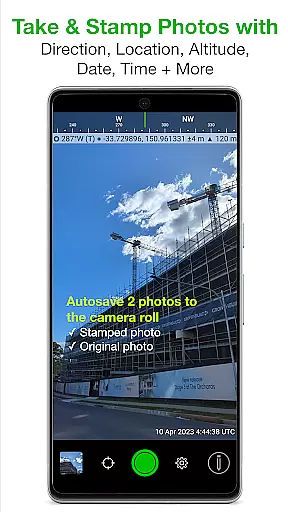
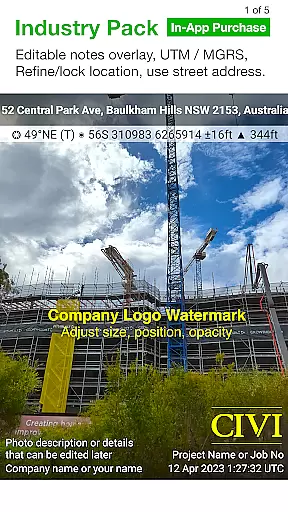
Solocator is a professional GPS camera app designed for fieldwork and photo documentation across various industries. The app allows users to overlay critical information such as location, direction, altitude, date, and time directly onto photos, making it an essential tool for proof and record-keeping. With the optional Industry Pack, users can capture additional field notes like project names and descriptions, enhancing its utility for professionals.
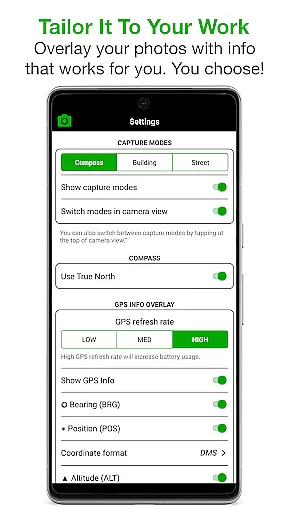
One of Solocator's standout features is its highly customizable overlay options. Users can tailor the information displayed on their images, including GPS coordinates, compass direction, altitude, and even street addresses. This flexibility ensures that the app meets the specific needs of different users, whether they are documenting construction progress or conducting environmental surveys. Additionally, the app supports both front and back cameras, includes standard camera controls, and offers advanced functionalities like autosaving photos with overlays.
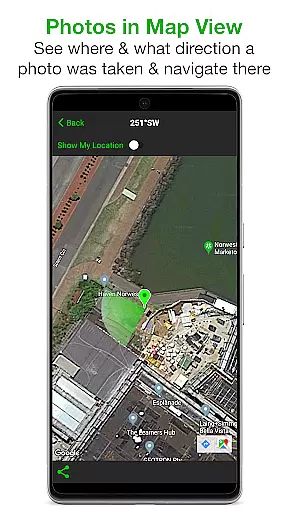
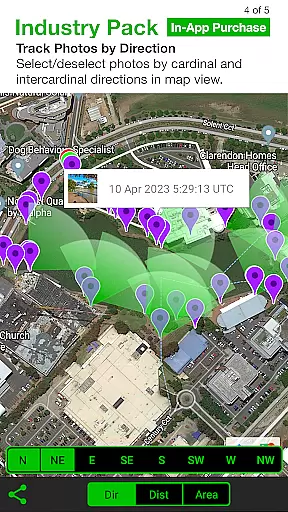
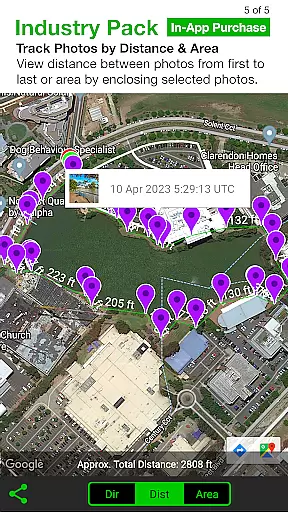
The app also provides practical tools for organizing and sharing data. Photos can be sorted by time, location, or project name, and users can view them in map view for easy navigation. Sharing options include emailing photos with detailed metadata or exporting them in bulk via cloud storage services like Google Drive and Dropbox. These features make Solocator not just a camera app but a comprehensive solution for managing geotagged photo documentation efficiently.
Solocator stands out with its extensive range of features tailored for professional use. One of its core functionalities is the ability to overlay a wide array of data onto photos, including GPS coordinates, compass direction, altitude, tilt, roll angles, and more. This feature is particularly useful for industries requiring precise documentation, such as construction, surveying, and environmental monitoring. The app also supports multiple coordinate formats, including UTM and MGRS, which can be unlocked with the Industry Pack.
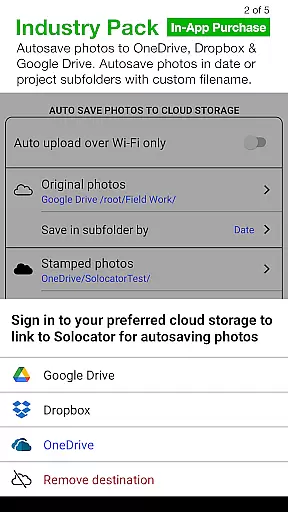
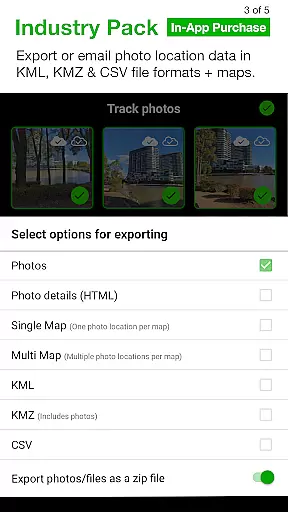
In addition to its robust overlay capabilities, Solocator offers advanced photo management features. Users can autosave two versions of each photo—one with overlays and one without—directly to the camera roll. The app also allows sorting and filtering photos based on various criteria such as time, location, and project name. For those needing to share their work, Solocator provides seamless integration with email and cloud storage services, enabling users to export photos along with their metadata in formats like KML, KMZ, and CSV.
Another notable aspect of Solocator is its adaptability to different devices and user needs. While the app works best on devices equipped with a compass, it remains functional on incompatible devices by disabling certain directional features. Furthermore, the compact view mode offers a streamlined interface by displaying only essential GPS information, making it easier to use in tight spaces or when minimal distractions are preferred. These thoughtful design elements ensure that Solocator remains versatile and user-friendly across a wide range of scenarios.
Solocator excels in real-time capture and preview, ensuring that every photo taken is immediately overlaid with crucial metadata. This feature is particularly valuable for professionals who require accurate documentation of fieldwork.
The app provides users with the ability to overlay GPS coordinates, compass direction, altitude, and timestamp directly onto images as they are captured. This instant annotation ensures that all necessary information is permanently attached to the photograph, eliminating the risk of data loss or misinterpretation.
With support for both front and back cameras, Solocator offers flexibility in capturing images from different perspectives while maintaining consistent overlay quality. The inclusion of pinch zoom and standard camera controls further enhances the user experience during photo sessions.
This real-time functionality not only saves time but also improves workflow efficiency by allowing users to review complete information immediately after taking a photo. The autosave feature ensures that both original and stamped images are securely stored, providing a reliable backup system for critical documentation purposes.
While Solocator is primarily designed for professional photo documentation, it incorporates advanced AI beauty and enhancement features that maintain natural-looking results. These enhancements are carefully balanced to improve image quality without compromising authenticity.
The application's AI algorithms work behind the scenes to optimize image clarity, color accuracy, and overall composition while preserving the genuine characteristics of the subject matter. This approach ensures that enhanced photos remain credible for professional use while benefiting from improved visual appeal.
Users can customize their enhancement preferences through various overlay options, including adjustable fields for project details and watermarks. These features allow professionals to maintain brand consistency across all documentation while benefiting from subtle AI-driven improvements.
The combination of technical precision and aesthetic enhancement makes Solocator a versatile tool for industries requiring both accuracy and presentable documentation. The AI enhancements work seamlessly with other features, creating a comprehensive solution for professional photo documentation needs.
User-friendly interface
Highly customizable overlays
Comprehensive metadata options
Efficient photo management tools
Wide industry applicability
Paid Industry Pack required
Some features need a compass
Occasional GPS inaccuracies
Interface may overwhelm beginners
Limited free functionality

Long exposure camera with computational photography
 2.60
2.60
Search, tag and rate your way to an organized image gallery
4.40
Application for remote controlling DSLR
3.00
Edit like a pro with Hypic. Apply filters, AI effects, & magic touch.
4.40
Turn your phone into a professional camera - full DSLR manual photography
4.30
Create AI photos & videos with Enhancer; restore, fix, beautify, enhance photos
4.50
AI-powered video creator by MiniMax - Where ideas meet cinema
4.20
Unblur, enhance & restore photos with powerful AI photo enhancer tools.
4.60
A light meter for true photographers.
4.20
Android Native system HD camera app. Never been so simple and faster.
4.70
A must-have app for landscape photographers
4.60
A reflected light meter with spot metering and incident light metering.
4.40
All-in-One Editor & AI Photo Enhancer, Beautify & Retouch, Collage, Cartoonify
4.20
How old age camera Gender Swap App Face Shape Hairstyle App Hair Styler App fun!
4.00
How would you look like with a differently shaped nose, chin or lips?
3.90
Turn photos into cartoons & avatars! - Photo Editor, Cartoon Face!
3.90
USB Storage Access for Photos, Videos, Music and Documents
3.80
GCamera allows all GCam features on all phone models! Better photos with GCamera
3.30
Superimpose one photo on top of another using the original Superimpose app!
3.20


User Reviews